> ## Documentation Index
> Fetch the complete documentation index at: https://support.dripos.com/llms.txt
> Use this file to discover all available pages before exploring further.
# Frequently Asked Questions
> Reach out to Dripos Support if you need further assistance 🤝
**Gross Pay**: Consists of all earnings before deductions, including regular wages, overtime, bonuses, commissions, and tips
**Reimbursements**: Payment made to an employee through payroll as repayment for out-of-pocket business expenses. If properly documented, it is not considered wages. As long as the reimbursement meets certain IRS guidelines, they are not taxed (e.g., part of an accountable plan).
**+ Additional Tips**
* ***Paycheck Tips***: Tips to be paid out to this employee via payroll
* ***Cash Tips***: Tips that have already been paid out in cash and are only being reported on payroll for tax purposes. Adding cash tips does not pay your employee additional tips through payroll.
**+ Other Earnings**
* ***Bonus***: Extra compensation given on top of regular wages
* ***Commission***: Pay earned based on the amount of sales or performance achieved
* ***Group Term Life***: Employer-provided life insurance that offers coverage to employees for a set term
* ***Severance***: Payment given to an employee when they are laid off or let go, typically based on tenure
* ***Non Hourly Regular***: Additional fixed amount paid to an employee, regardless of hours worked
* ***Other Imputed***: Other imputed pay added to an employee's gross taxable income (but not their actual take-home pay)
* ***Tip Credit Adjustment***: The difference between an employee's tips and the minimum wage they must receive
* ***Meal Period Premium Pay***: Supplemental, specifically categorized compensation required by California law when an employer fails to provide an employee with a compliant meal period
## Void a Payroll
If you submitted a payroll but need to make changes or void it altgether, find the scenario that best fits your situation and follow the steps.
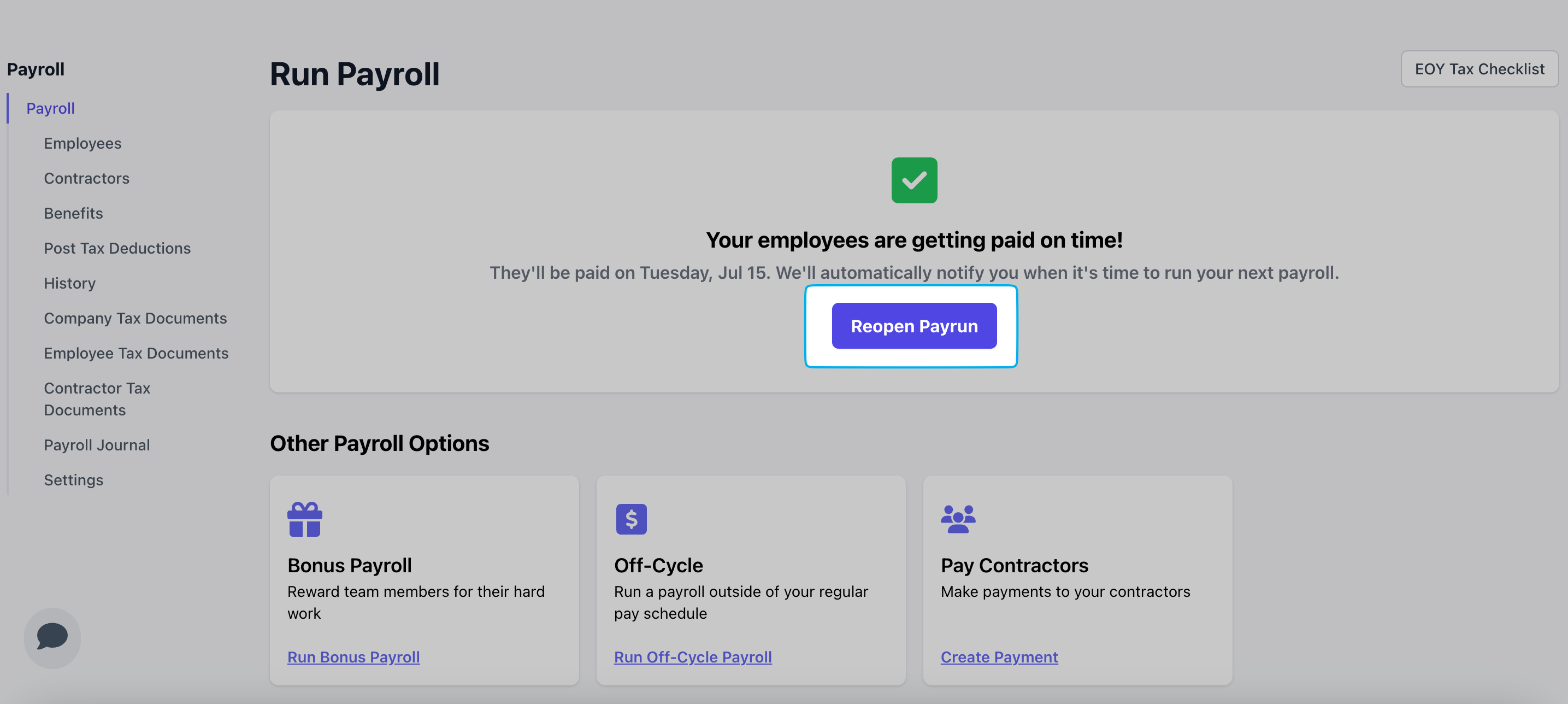
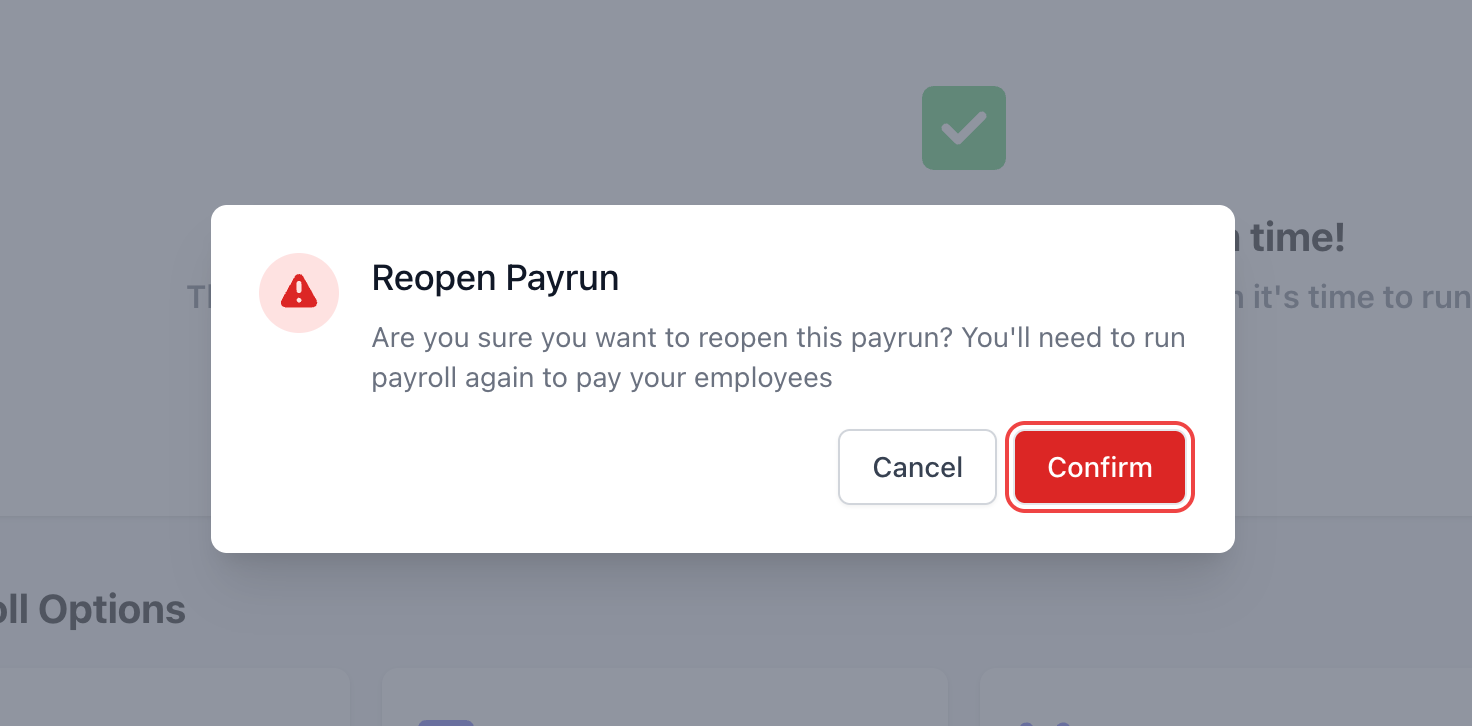
You can reopen a regular payroll within 30 minutes of submitting. This will cancel the submitted payroll, allowing you to restart the process and make necessary changes.
Navigate back to the [**Run Payroll**](https://dashboard.dripos.com/payroll/overview) page and click **Reopen Payroll**.
**You cannot reopen a payroll after 30 minutes have passed.**
 After 30 minutes have passed, the submitted payroll will start processing. Once a payroll has started processing, any further changes must wait until it has been paid out.
Once the payroll has been paid, you can either void the entire payroll or void it for select employees only.
**Contact Dripos Support to void a payroll.**
If you need to correct an employee’s upcoming payroll due to overpayment in the last payroll, reach out to Dripos Support for assistance.
We will help you void the previous payroll and reprocess it with the correct pay, or apply a post-tax deduction on the next payroll to recover any overpaid amount.
## Running Payroll
**2-Day Processing**: If you've missed your payroll deadline, you may either 1) run an [Off-Cycle Payroll](/finance/payroll/payroll-run#off-cycle-payroll) or 2) run an expedited payroll within 24 hours of the past deadline and pay your employees on time for a **one-time \$50 fee**.
**3-Day Processing**: If you've missed your payroll deadline, you may instead run an [off-cycle payroll](/finance/payroll/payroll-run#off-cycle-payroll) to pay your employees on the next available paydate.
If a payday falls on a holiday, payments will be delayed unless payroll is submitted earlier than usual.
Depending on your procesing timeline, your payroll will need 2–3 business days to process. A bank holiday shortens that window, so you may need to run payroll earlier.
Dripos will ensure to notify all payroll users of any upcoming banking holidays and changes to your payroll processing timelines.
Please keep a look out for any notifications on your **Dashboard** and in your email inbox regarding banking holidays. You can also reach out to Dripos Support with any questions!
No, Dripos does not send physical checks to your employees if you choose to pay them via manual check. As the employer, you are responsible for distributing payments to your employees using your preferred method (e.g., physical check, cash, etc.).
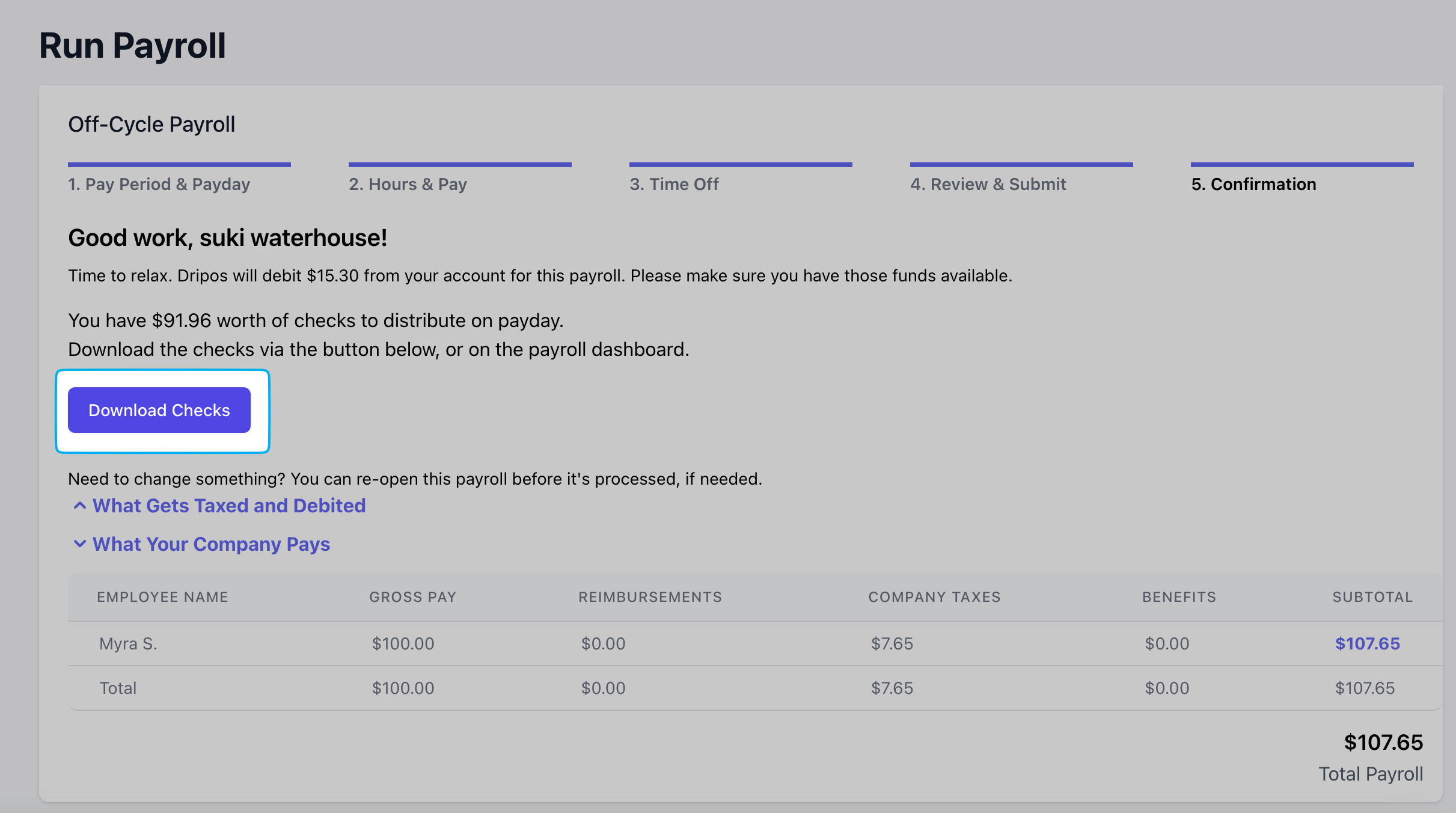
Dripos does, however, calculate the exact amount each employee is owed. You can easily view this information by either clicking the **Download Checks** button in the payroll section
After 30 minutes have passed, the submitted payroll will start processing. Once a payroll has started processing, any further changes must wait until it has been paid out.
Once the payroll has been paid, you can either void the entire payroll or void it for select employees only.
**Contact Dripos Support to void a payroll.**
If you need to correct an employee’s upcoming payroll due to overpayment in the last payroll, reach out to Dripos Support for assistance.
We will help you void the previous payroll and reprocess it with the correct pay, or apply a post-tax deduction on the next payroll to recover any overpaid amount.
## Running Payroll
**2-Day Processing**: If you've missed your payroll deadline, you may either 1) run an [Off-Cycle Payroll](/finance/payroll/payroll-run#off-cycle-payroll) or 2) run an expedited payroll within 24 hours of the past deadline and pay your employees on time for a **one-time \$50 fee**.
**3-Day Processing**: If you've missed your payroll deadline, you may instead run an [off-cycle payroll](/finance/payroll/payroll-run#off-cycle-payroll) to pay your employees on the next available paydate.
If a payday falls on a holiday, payments will be delayed unless payroll is submitted earlier than usual.
Depending on your procesing timeline, your payroll will need 2–3 business days to process. A bank holiday shortens that window, so you may need to run payroll earlier.
Dripos will ensure to notify all payroll users of any upcoming banking holidays and changes to your payroll processing timelines.
Please keep a look out for any notifications on your **Dashboard** and in your email inbox regarding banking holidays. You can also reach out to Dripos Support with any questions!
No, Dripos does not send physical checks to your employees if you choose to pay them via manual check. As the employer, you are responsible for distributing payments to your employees using your preferred method (e.g., physical check, cash, etc.).
Dripos does, however, calculate the exact amount each employee is owed. You can easily view this information by either clicking the **Download Checks** button in the payroll section
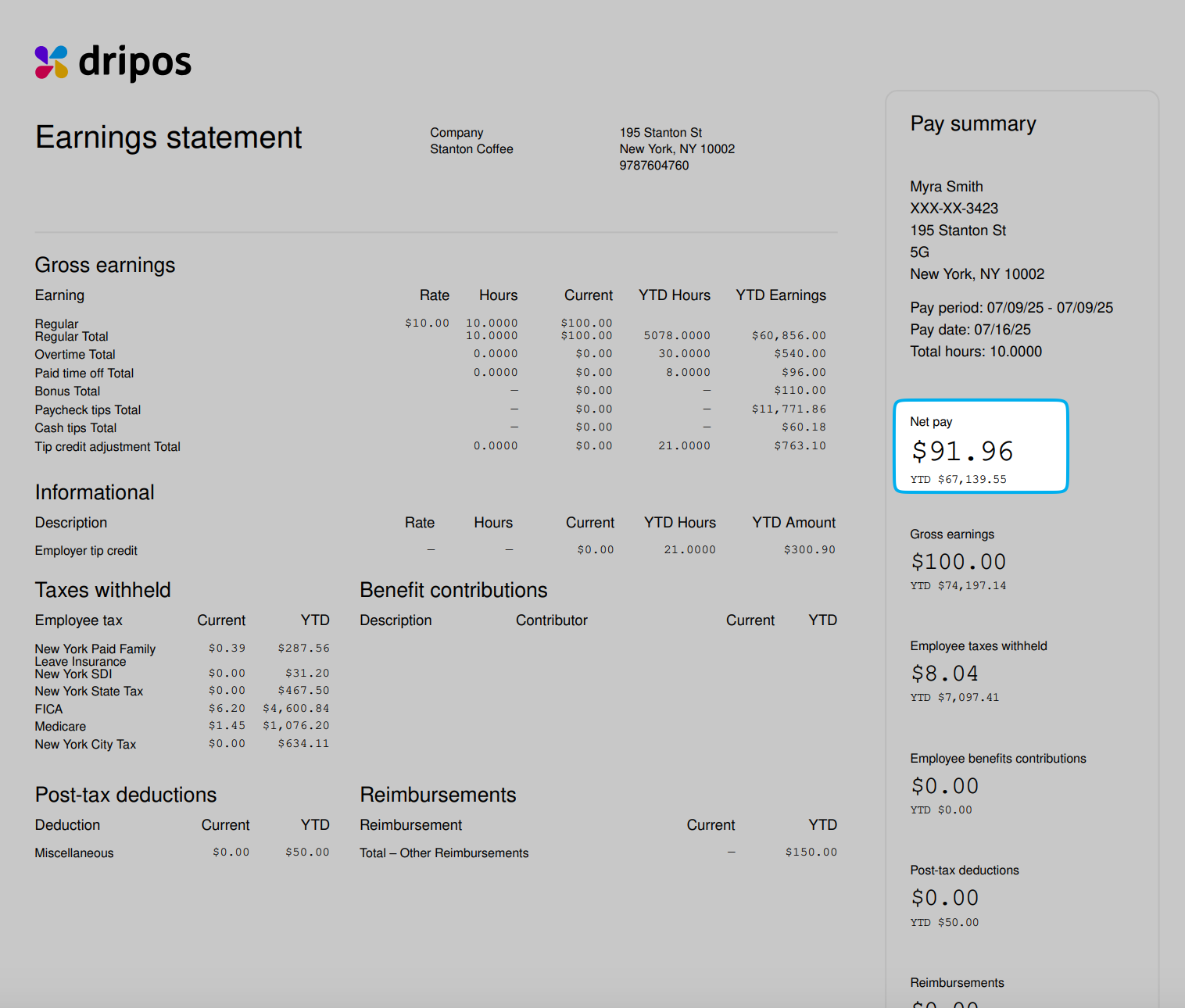
 Alternatively, reference the **Net Pay** amount on the employee's paystub.
 Employees will receive their direct deposit pay based on the processing timeline your company runs with.
For companies on a 2-day processing timeline, running payroll on Wednesday will deposit funds to employee accounts on Friday.
Additionally, money movement only occurs on business days. For example, if a 2-day processing payroll is ran on Friday, employees will be paid Tuesday.
Learn more about processing timelines [**here**](/finance/payroll/payroll-run#processing-timelines).
## Payroll Employees
Employees may make changes to their W-4 at any time by following these steps [here](/finance/payroll/payroll-employees#edit-w-4-information). Our payroll system will utilize the most recent W4 when running the next payroll.
Your employees automatically receive their payroll onboarding link via the email address associated with their employee profile in Dripos when added to your payroll system.
Send the following link directly to your employee: [https://dashboard.dripos.com/hub](https://dashboard.dripos.com/hub).
You can resend the link from the Payroll Dashboard using the following these steps:
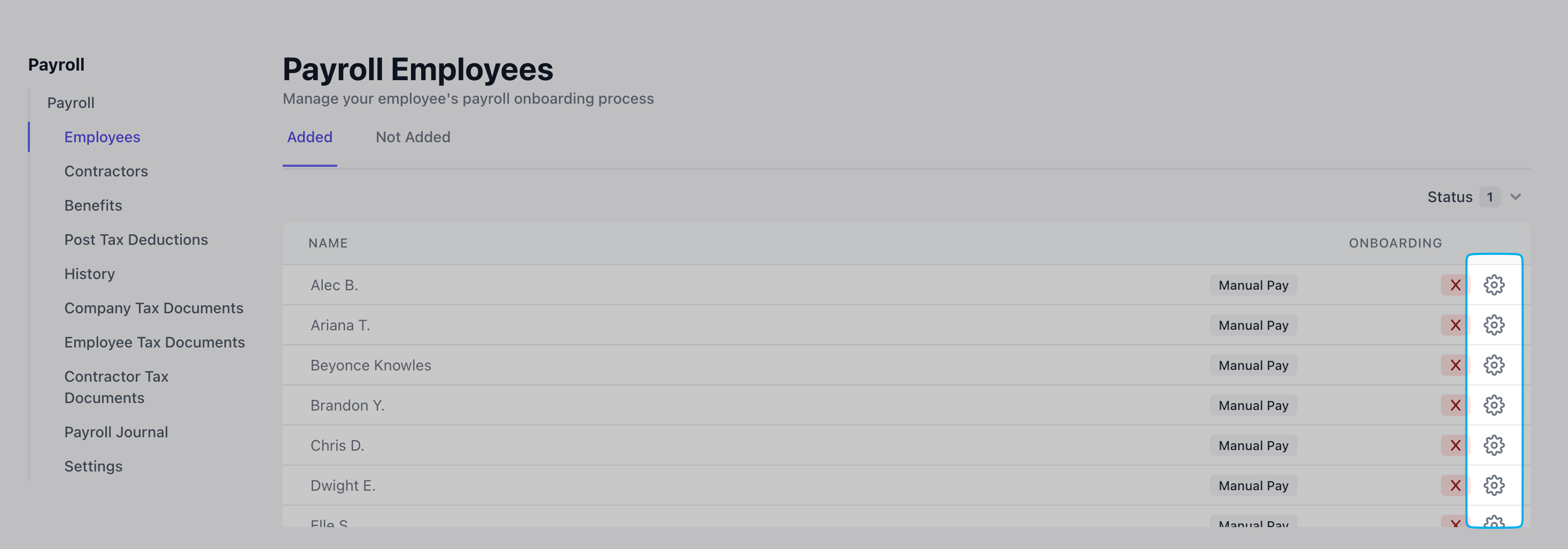
1. Go to **Finance** → **Payroll** → **Employees**
2. Locate the employee's name and click the **Gear icon** next to it
3. Choose **Resend Payroll Onboarding Link** → Save
Employees will receive their direct deposit pay based on the processing timeline your company runs with.
For companies on a 2-day processing timeline, running payroll on Wednesday will deposit funds to employee accounts on Friday.
Additionally, money movement only occurs on business days. For example, if a 2-day processing payroll is ran on Friday, employees will be paid Tuesday.
Learn more about processing timelines [**here**](/finance/payroll/payroll-run#processing-timelines).
## Payroll Employees
Employees may make changes to their W-4 at any time by following these steps [here](/finance/payroll/payroll-employees#edit-w-4-information). Our payroll system will utilize the most recent W4 when running the next payroll.
Your employees automatically receive their payroll onboarding link via the email address associated with their employee profile in Dripos when added to your payroll system.
Send the following link directly to your employee: [https://dashboard.dripos.com/hub](https://dashboard.dripos.com/hub).
You can resend the link from the Payroll Dashboard using the following these steps:
1. Go to **Finance** → **Payroll** → **Employees**
2. Locate the employee's name and click the **Gear icon** next to it
3. Choose **Resend Payroll Onboarding Link** → Save
 Pay can only be deposited into one bank account.
Yes, we file W-2s and 1099-NECs at the end of the year. They are distributed to employees and made available to you through our platforms.
W-2 and 1099-NEC forms that have been filed can be found on your [**Dashboard**](https://dashboard.dripos.com/payroll/employee-tax-documents) under **Finance** > **Payroll** > **Employee Tax Documents**
Yes! We are integrated with Next insurance to offer workers compensation that calculates premiums using actual payroll data from each cycle. This ensures that premiums are a true reflection of your payroll costs, rather than an over- estimate.
If you already have workers compensation, you can call the Next agency at 888-289-2939 to see if your policy is eligible to switch to pay as you go billing.
Learn more [**here**](/finance/payroll/payroll-benefits#workers’-compensation-by-next-insurance).
At this time, we're unable to manage 401k or Roth accounts, but can accommodate the proper deductions from employee paychecks if you offer this to your employees through Guideline or another retirement account provider.
Learn more about setting up custom benefits [**here**](/finance/payroll/payroll-benefits#custom-benefits).
Yes, we offer health, dental and vision plans with a third party partner integrated into our payroll product.
Additionally, bring over any existing plan or enroll in a new one from any carrier.
Through our payroll partner, the administration of your plan will be completely taken care of.
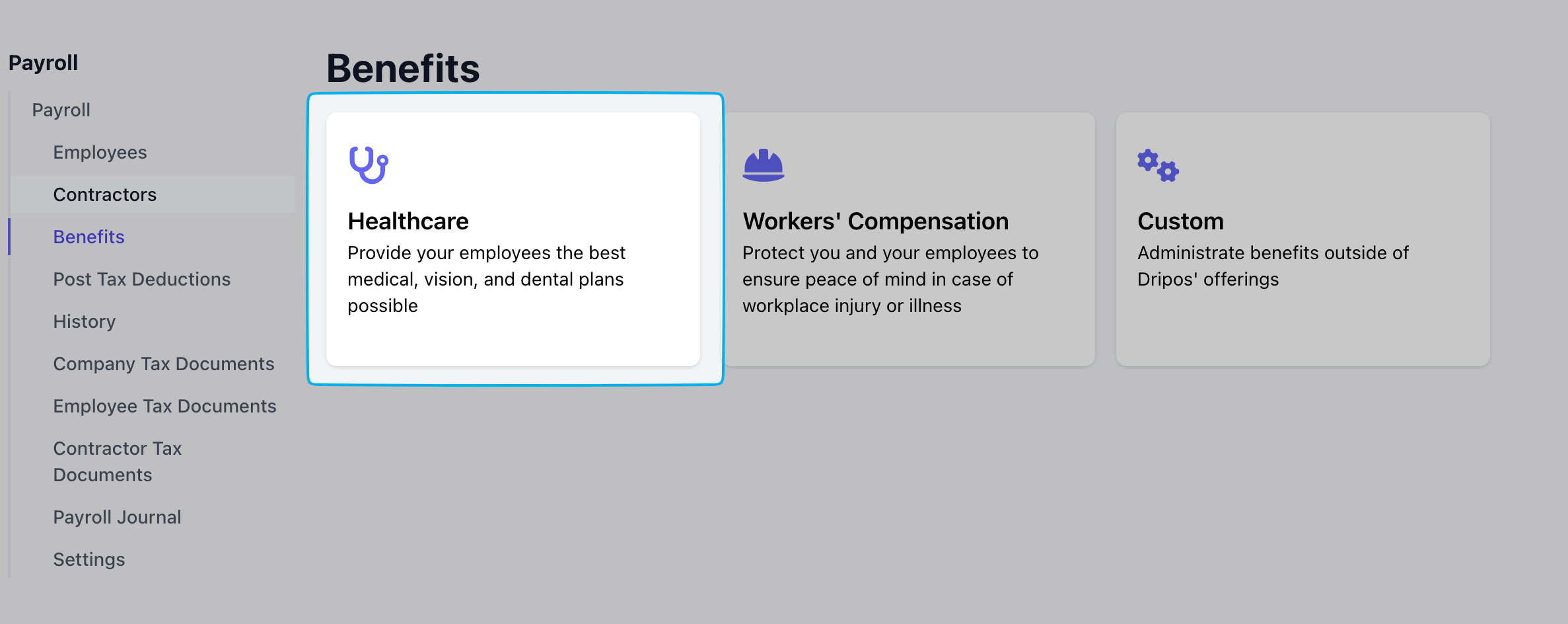
Purchase a plan or connect your current plan on your Dripos **Dashboard** under **Finance** > **Payroll** > **Benefits** > **Healthcare**
Pay can only be deposited into one bank account.
Yes, we file W-2s and 1099-NECs at the end of the year. They are distributed to employees and made available to you through our platforms.
W-2 and 1099-NEC forms that have been filed can be found on your [**Dashboard**](https://dashboard.dripos.com/payroll/employee-tax-documents) under **Finance** > **Payroll** > **Employee Tax Documents**
Yes! We are integrated with Next insurance to offer workers compensation that calculates premiums using actual payroll data from each cycle. This ensures that premiums are a true reflection of your payroll costs, rather than an over- estimate.
If you already have workers compensation, you can call the Next agency at 888-289-2939 to see if your policy is eligible to switch to pay as you go billing.
Learn more [**here**](/finance/payroll/payroll-benefits#workers’-compensation-by-next-insurance).
At this time, we're unable to manage 401k or Roth accounts, but can accommodate the proper deductions from employee paychecks if you offer this to your employees through Guideline or another retirement account provider.
Learn more about setting up custom benefits [**here**](/finance/payroll/payroll-benefits#custom-benefits).
Yes, we offer health, dental and vision plans with a third party partner integrated into our payroll product.
Additionally, bring over any existing plan or enroll in a new one from any carrier.
Through our payroll partner, the administration of your plan will be completely taken care of.
Purchase a plan or connect your current plan on your Dripos **Dashboard** under **Finance** > **Payroll** > **Benefits** > **Healthcare**
 Before you [terminate an employee](/team/setup/setup-employees#terminate-and-reactivate-employees) in the Dripos system, include the employee in your next regular payroll or run an [off-cycle](/finance/payroll/payroll-run#off-cycle-payroll) at any time to pay out this employee's remaining time cards.
## Payroll Taxes
Yes, our payroll partner will remit all payroll taxes on your company's behalf at the end of each quarter and end of fiscal year.
Please see [**here**](/finance/payroll/payroll-taxes#check-payroll-services) for a full list of state and federal tax forms filed and paid for by Check.
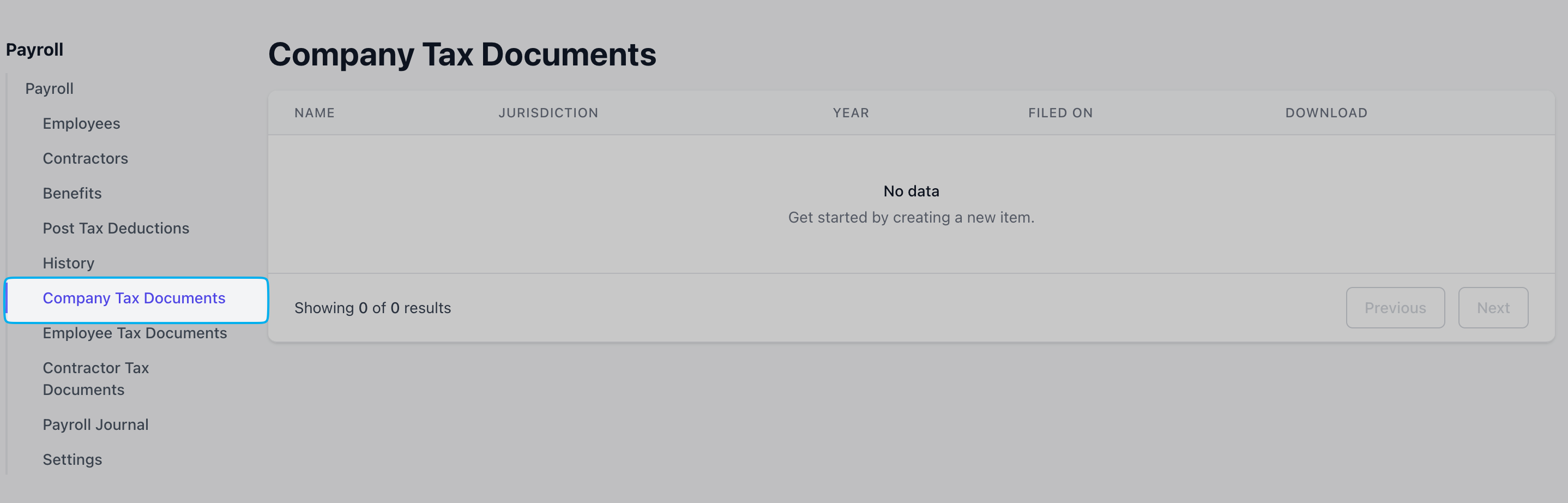
All company tax documents filed by our payroll partner, Check, will be available for viewing in your Dripos **Dashboard** under **Finance** > **Payroll** > **Company Tax Documents**
Before you [terminate an employee](/team/setup/setup-employees#terminate-and-reactivate-employees) in the Dripos system, include the employee in your next regular payroll or run an [off-cycle](/finance/payroll/payroll-run#off-cycle-payroll) at any time to pay out this employee's remaining time cards.
## Payroll Taxes
Yes, our payroll partner will remit all payroll taxes on your company's behalf at the end of each quarter and end of fiscal year.
Please see [**here**](/finance/payroll/payroll-taxes#check-payroll-services) for a full list of state and federal tax forms filed and paid for by Check.
All company tax documents filed by our payroll partner, Check, will be available for viewing in your Dripos **Dashboard** under **Finance** > **Payroll** > **Company Tax Documents**
 ## Manage Account
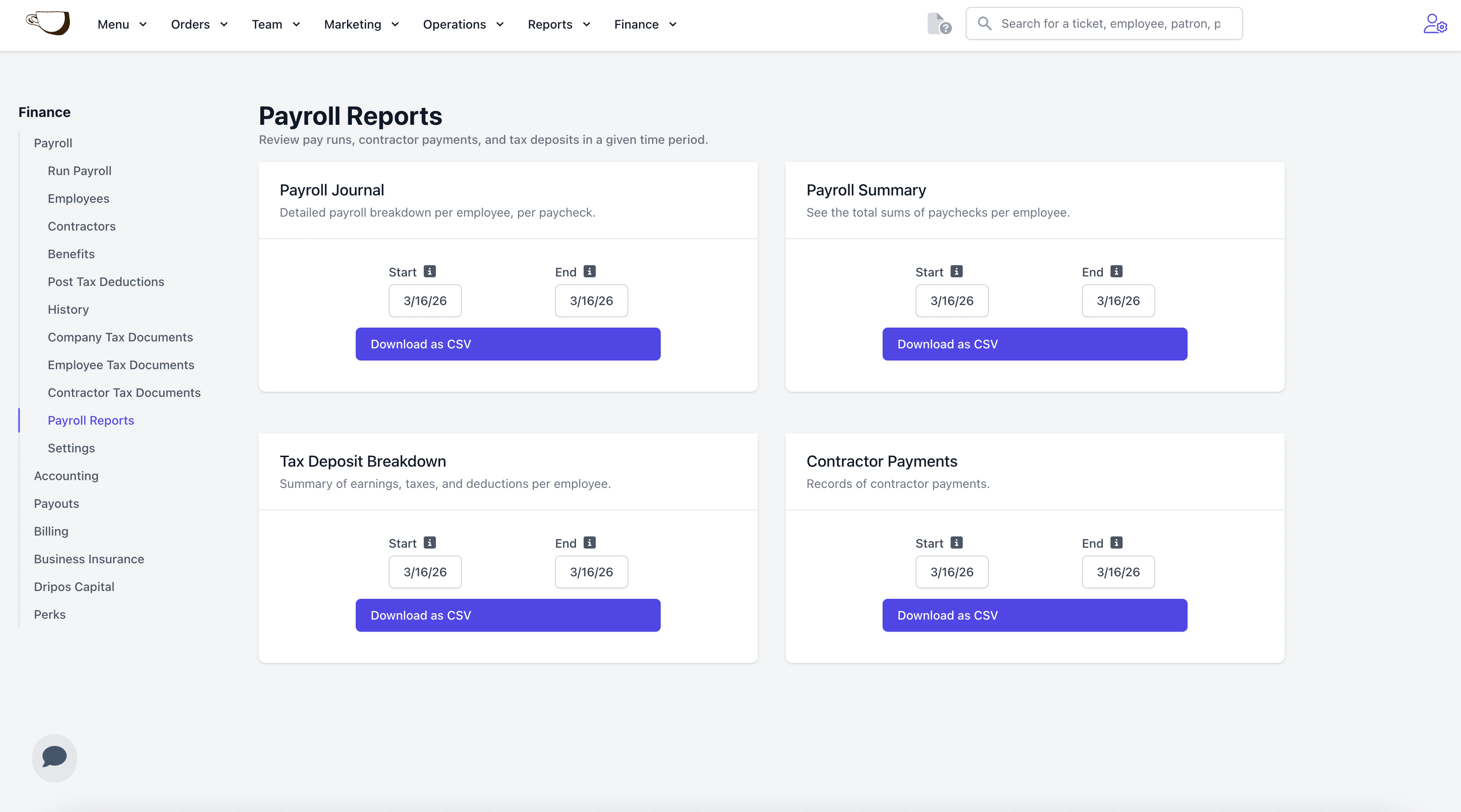
View your payroll history by downloading [**Payroll Reports**](https://dashboard.dripos.com/payroll/reports).
Select the date range to export and **Download as CSV**.
## Manage Account
View your payroll history by downloading [**Payroll Reports**](https://dashboard.dripos.com/payroll/reports).
Select the date range to export and **Download as CSV**.
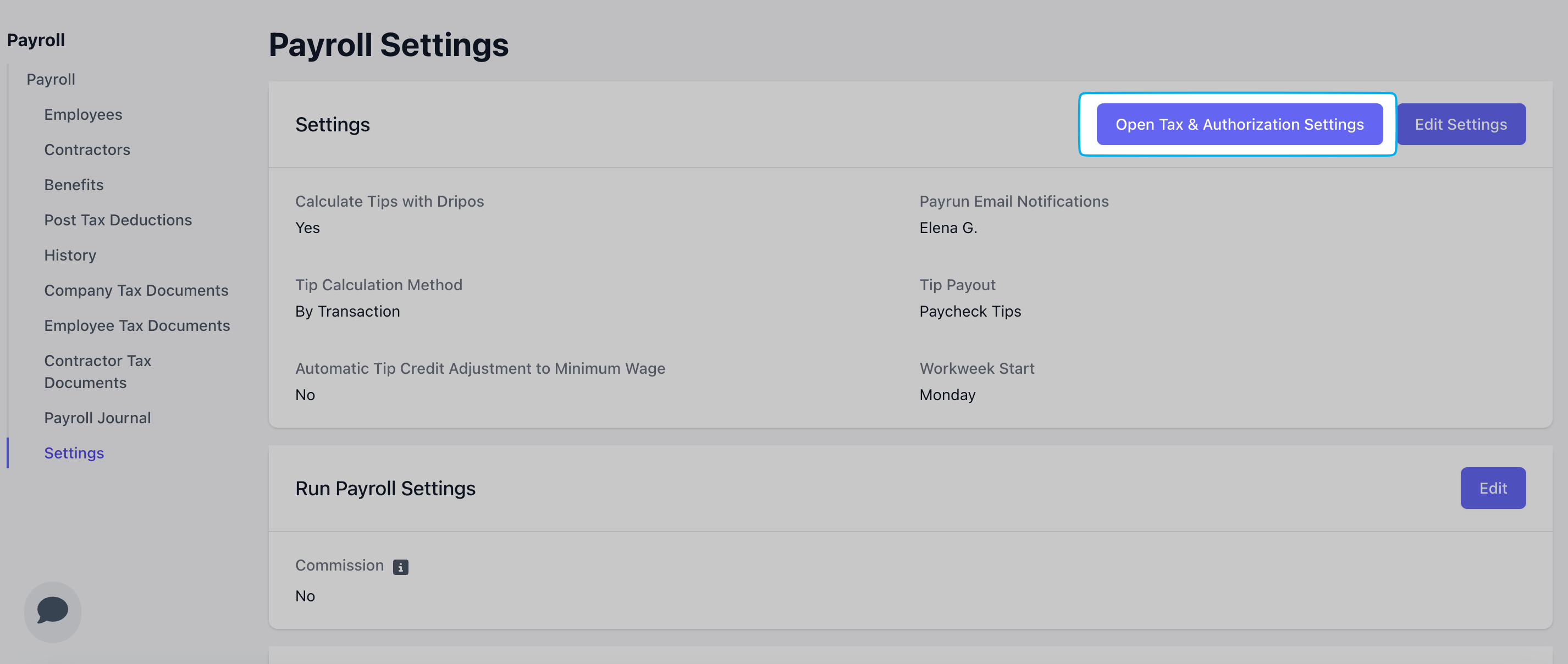
 On the **Dashboard**, navigate to **Finance** > **Payroll** > **Settings**
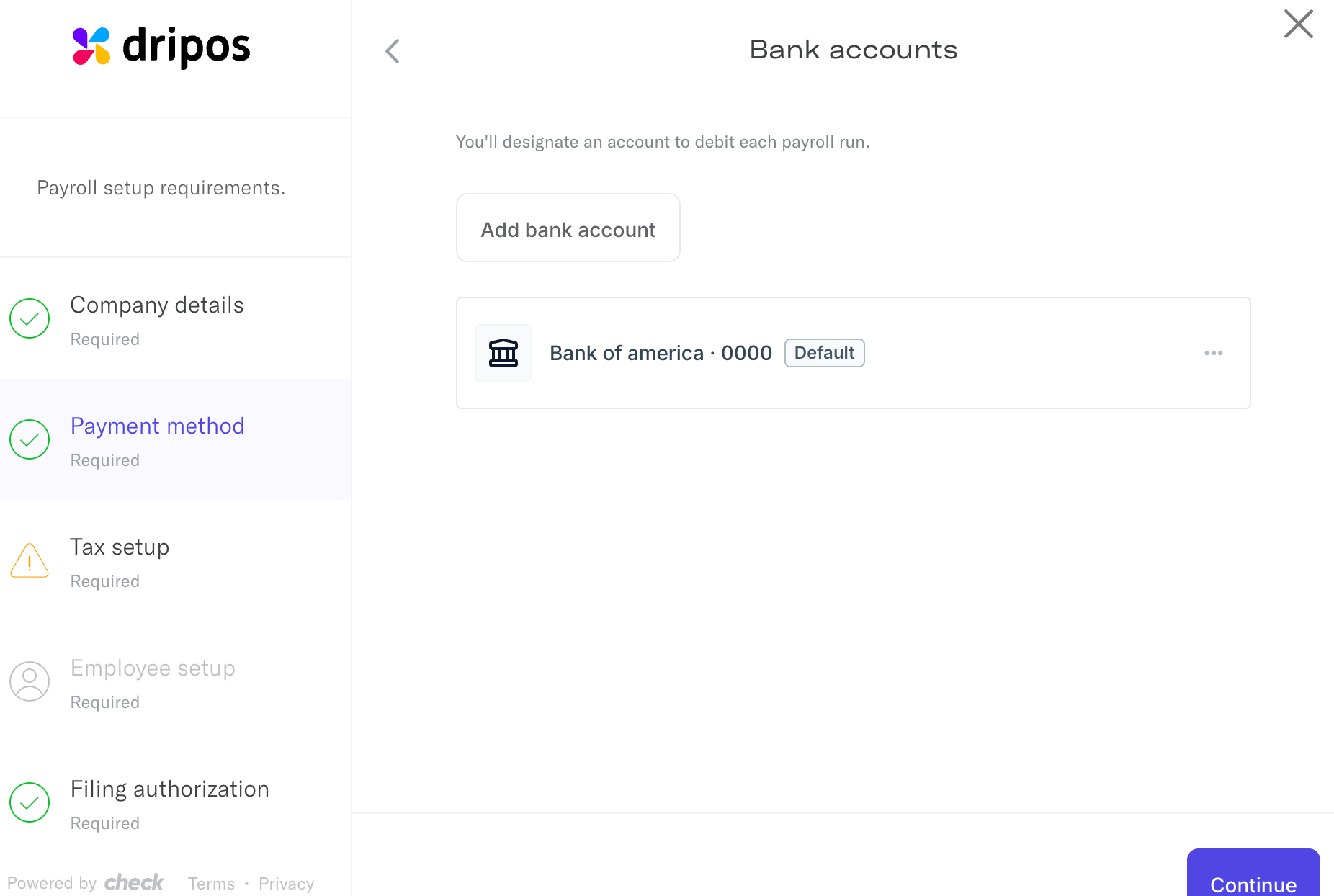
Select **Open Tax & Authorization Settings** > **Payment Method** > **Add Bank Account**
Ensure the correct bank is listed as your default account to be used.
Only one bank account can be used at a time to debit payroll.
On the **Dashboard**, navigate to **Finance** > **Payroll** > **Settings**
Select **Open Tax & Authorization Settings** > **Payment Method** > **Add Bank Account**
Ensure the correct bank is listed as your default account to be used.
Only one bank account can be used at a time to debit payroll.