> ## Documentation Index
> Fetch the complete documentation index at: https://support.dripos.com/llms.txt
> Use this file to discover all available pages before exploring further.

# Manage Report Settings

## PIN Protect Reports

🔑 Require an employee PIN to access reports

<Accordion title="Enable PIN Protection for Reports">
  <Steps>
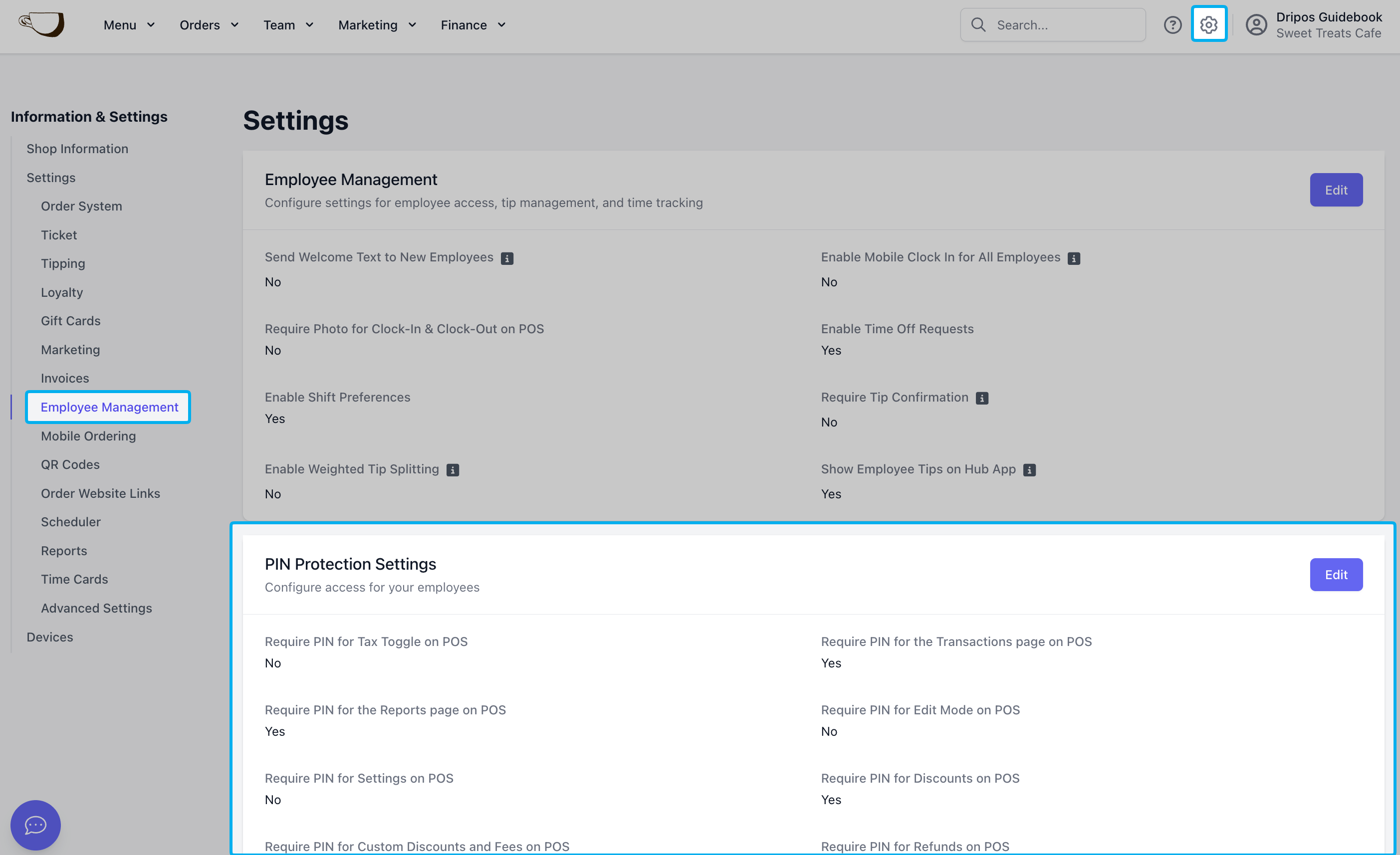
    <Step title="Navigate to Employee Management Shop Settings">
      On the **Dashboard** click the **Settings** icon > **Settings** > **Employee Management**
      <Frame>
        <img src="https://mintcdn.com/frostbytetechnologiesinc/pOeGzuTUObxM_jhN/imgs/dashboard/finance/reports-employeemanagement-pinprotectionsettings.png?fit=max&auto=format&n=pOeGzuTUObxM_jhN&q=85&s=d7a60faaad0a8b1fd5a9d322cf3d12d6" width="2806" height="1714" data-path="imgs/dashboard/finance/reports-employeemanagement-pinprotectionsettings.png" />
      </Frame>
    </Step>

    <Step title="">
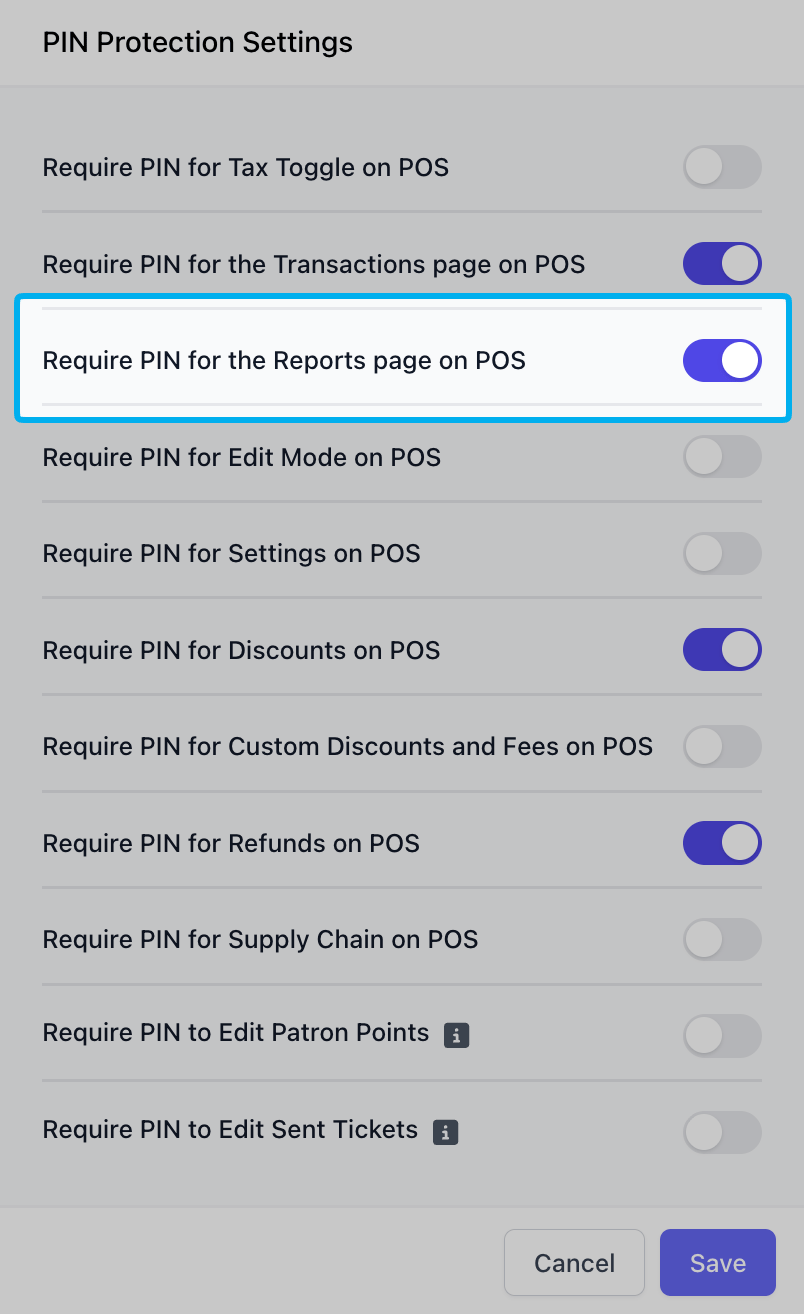
      Press **Edit** next to **PIN Protection Settings**

      Enable PIN protection on **Reports**:
      <Frame>
        <img src="https://mintcdn.com/frostbytetechnologiesinc/pOeGzuTUObxM_jhN/imgs/dashboard/finance/reports-settings-pinprotect.png?fit=max&auto=format&n=pOeGzuTUObxM_jhN&q=85&s=2653021b0d2640ebfc21a4f57e078b80" width="804" height="1314" data-path="imgs/dashboard/finance/reports-settings-pinprotect.png" />
      </Frame>
    </Step>

    <Step title="">
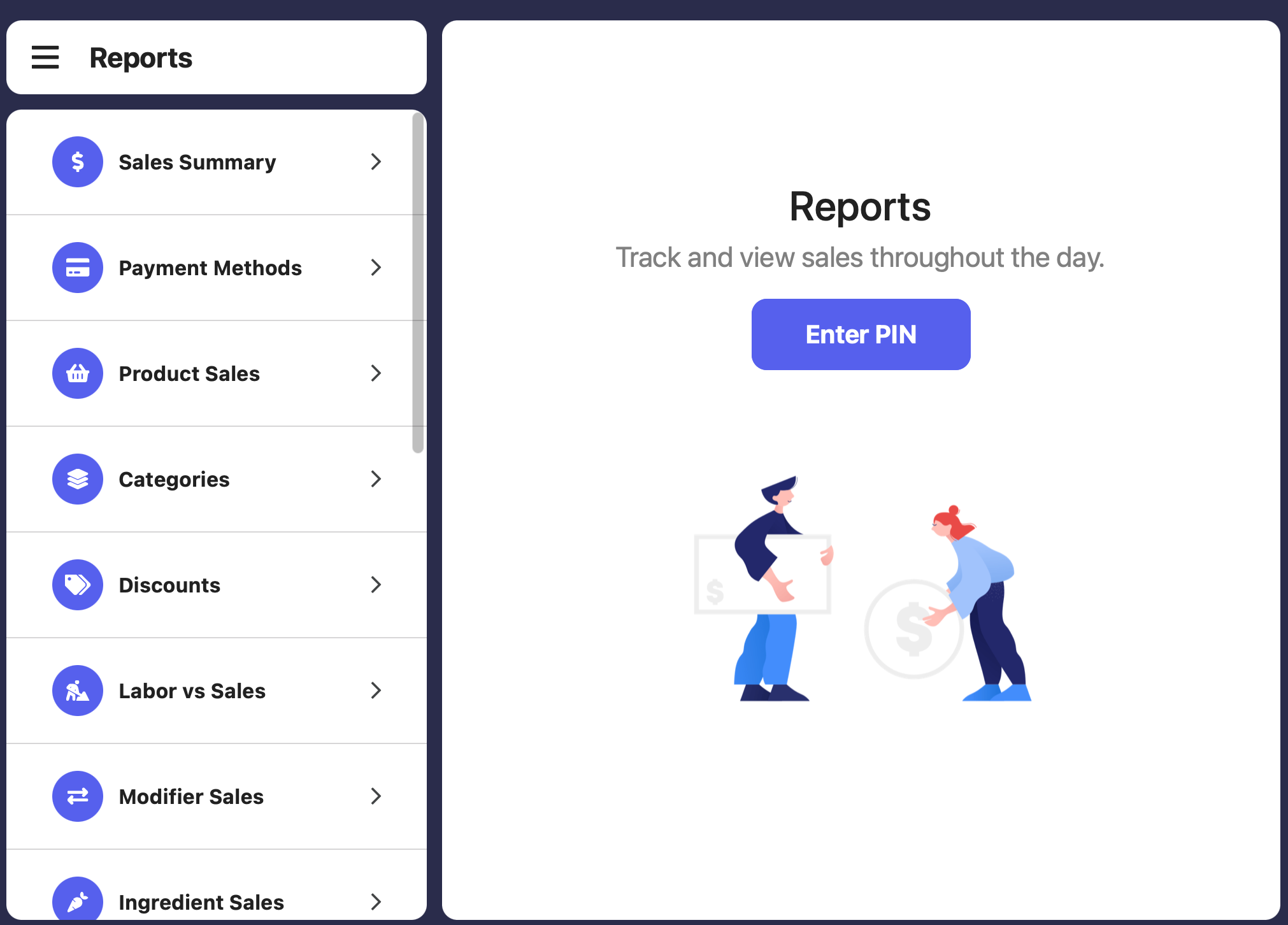
      If enabled, an employee with sufficient permissions will have to input their pin to view Reports page.
      <Frame>
        <img src="https://mintcdn.com/frostbytetechnologiesinc/wCUzhnN5fuj5BySZ/images/orders/pin3.png?fit=max&auto=format&n=wCUzhnN5fuj5BySZ&q=85&s=b9fb582a316e8b35fcd6b64954c07fa8" width="2022" height="1452" data-path="images/orders/pin3.png" />
      </Frame>
    </Step>

    <Step>
      Specific employees will need to be given adequate permissions for their PIN to allow them access to reports.

      <Tip>Learn more about granting employee permissions [here](/team/setup/setup-permissions#reports).</Tip>
    </Step>
  </Steps>
</Accordion>

***

## Daily Insights Email

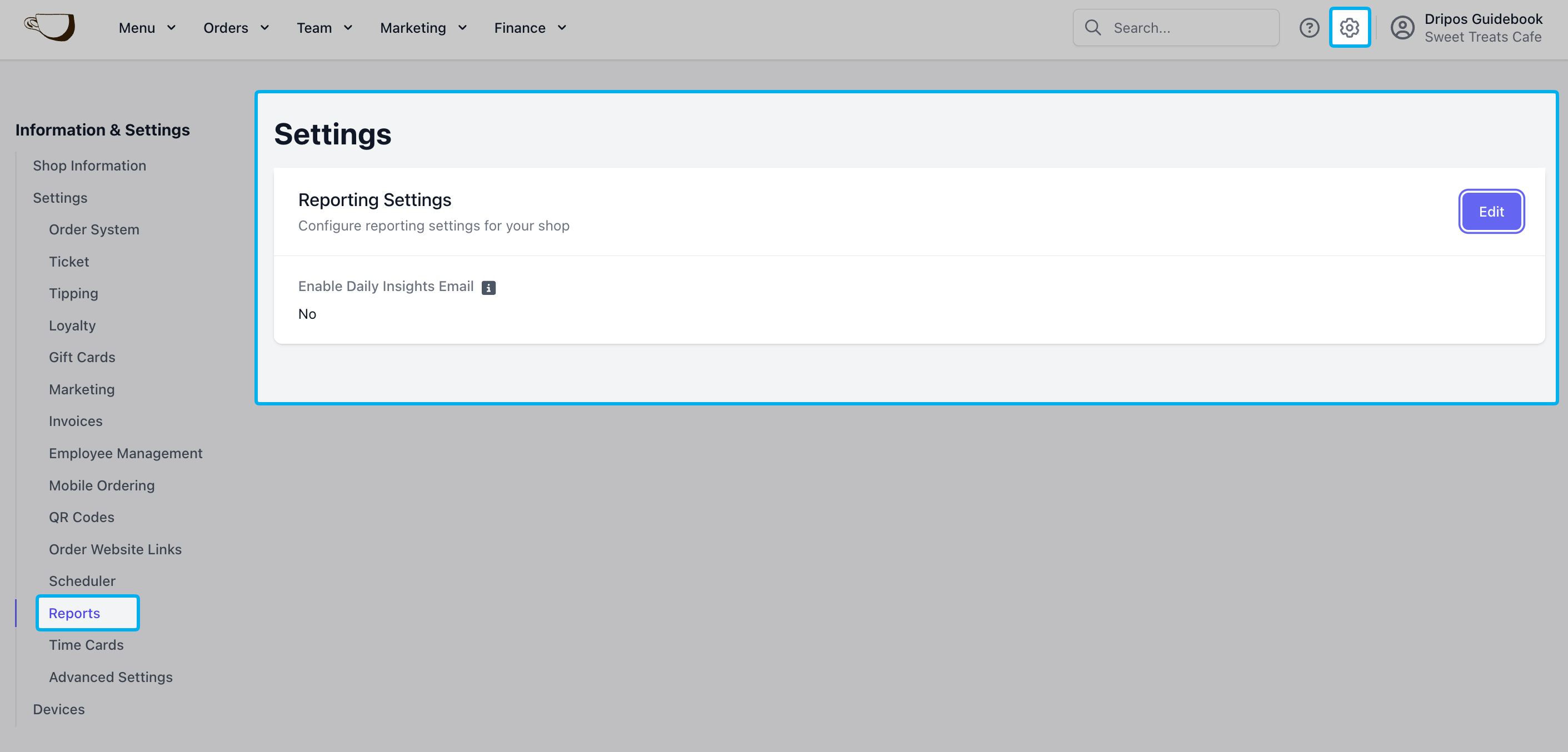
Subscribe to receive a daily insights report of your shop's sales and activity.
<video autoPlay muted loop playsInline className="w-full h-auto" src="https://mintcdn.com/frostbytetechnologiesinc/Q3wq0FmCbBn5Z8Wt/images/orders/Daily%20Insights%20Report.mp4?fit=max&auto=format&n=Q3wq0FmCbBn5Z8Wt&q=85&s=7a3b01625ff1ac65669c041ad9b25467" data-path="images/orders/Daily Insights Report.mp4" />

<Frame caption="On the Dashboard click the Settings icon > Settings > Reports > Edit to enable daily insight emails and the recipient address">
  <img src="https://mintcdn.com/frostbytetechnologiesinc/pOeGzuTUObxM_jhN/imgs/dashboard/finance/reports-settings-dailyinsights.png?fit=max&auto=format&n=pOeGzuTUObxM_jhN&q=85&s=d70583e8b19758bd6e5d005020f2001c" width="2822" height="1354" data-path="imgs/dashboard/finance/reports-settings-dailyinsights.png" />
</Frame>

***
