> ## Documentation Index
> Fetch the complete documentation index at: https://support.dripos.com/llms.txt
> Use this file to discover all available pages before exploring further.
# Customer Opt-In Guidelines
> Stay compliant, protect your business, and engage customers effectively
To first obtain your shop's own text marketing number, please reach out to Dripos Support!
## Text Marketing Guidelines
Text marketing consent refers to the explicit permission given by individuals to receive promotional or informational text messages from a business.
It is a fundamental requirement in most states to ensure that businesses comply with laws and regulations related to privacy and communication, such as the [Telephone Consumer Protection Act (TCPA)](https://www.twilio.com/docs/glossary/what-is-telephone-consumer-protection-act-tcpa).
**To obtain text marketing consent, Dripos customers must follow specific guidelines:**
Individuals must voluntarily opt in to receive text messages.
This means they need to actively express their consent to receive marketing communications via SMS.
**Businesses cannot add individuals to their text marketing lists without their explicit permission.**
Furthermore, consent can't be bought, sold, or exchanged. For example, you can't obtain the consent of message recipients by purchasing a phone list from another party.
Businesses must clearly inform individuals about what type of content they will receive when they opt-in.
Transparency is key to ensuring that subscribers know what they are signing up for.
Every text message should include a simple and clear opt-out option, such as replying "STOP" to unsubscribe.
Individuals must be able to withdraw their consent and stop receiving messages at any time.
***
## Add Text Subscribers
Per the **opt-in requirement**, individuals must voluntarily opt in to receive text messages.
With Dripos, patrons may opt in one of the following three ways:
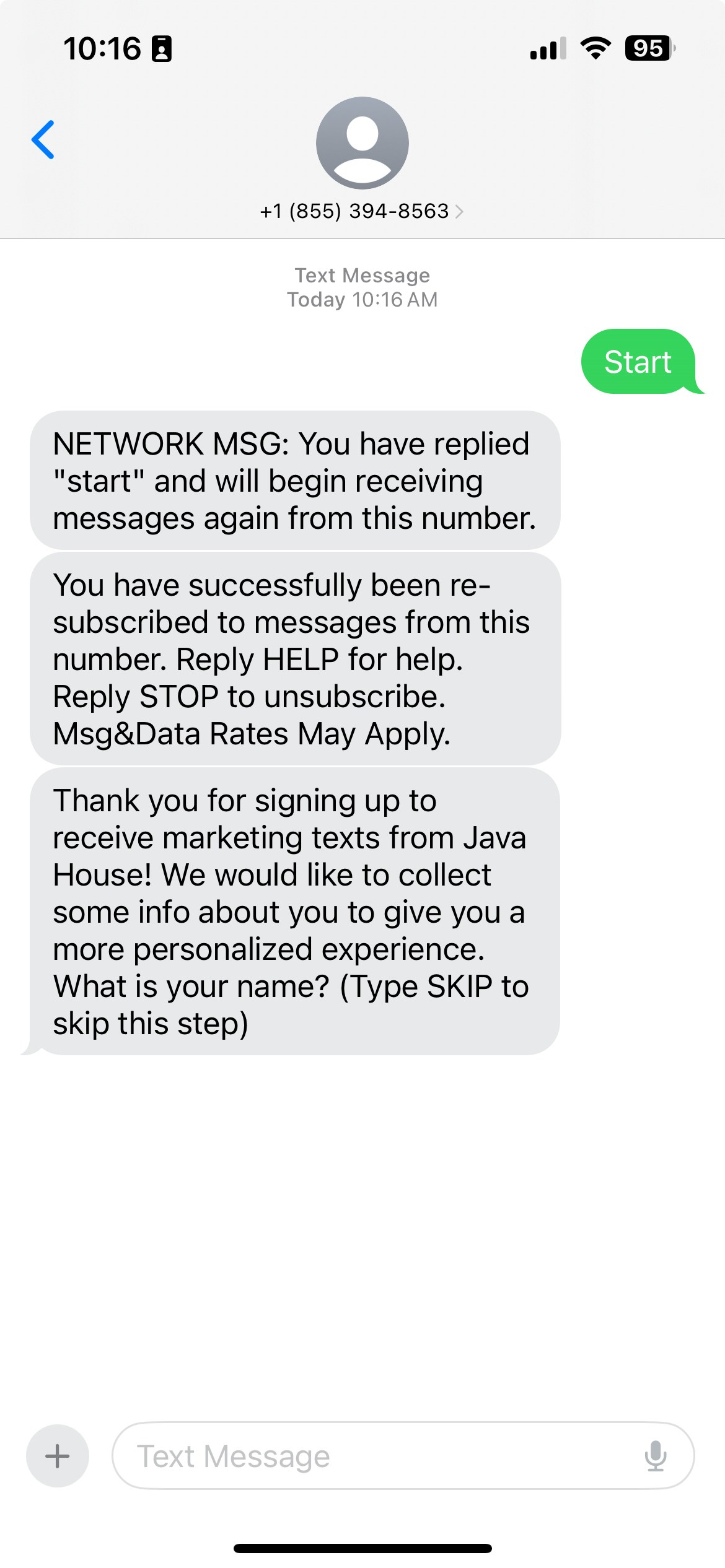
To opt in to your shop's text marketing system, patrons may text START directly to your text marketing number.
**Marketing Tip**
Display a QR code in shop that generates a text message on the user's phone to text START to the marketing number.
We recommend using this [QR Code Generator](https://www.qr-code-generator.com/), or any other QR code generator, and selecting the SMS option.
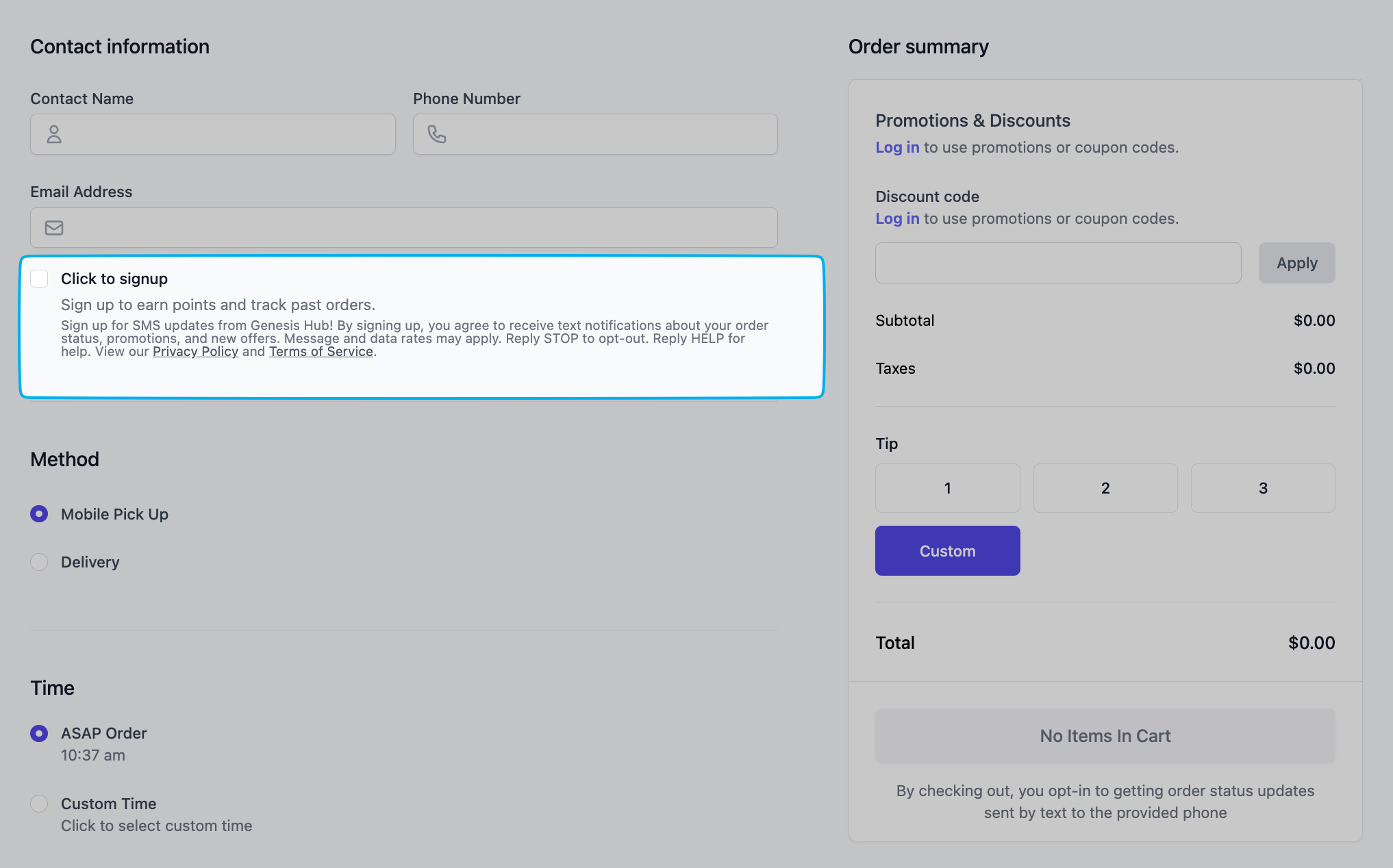
 Patrons can choose to receive text updates by simply checking an optional box at checkout on your online ordering site.
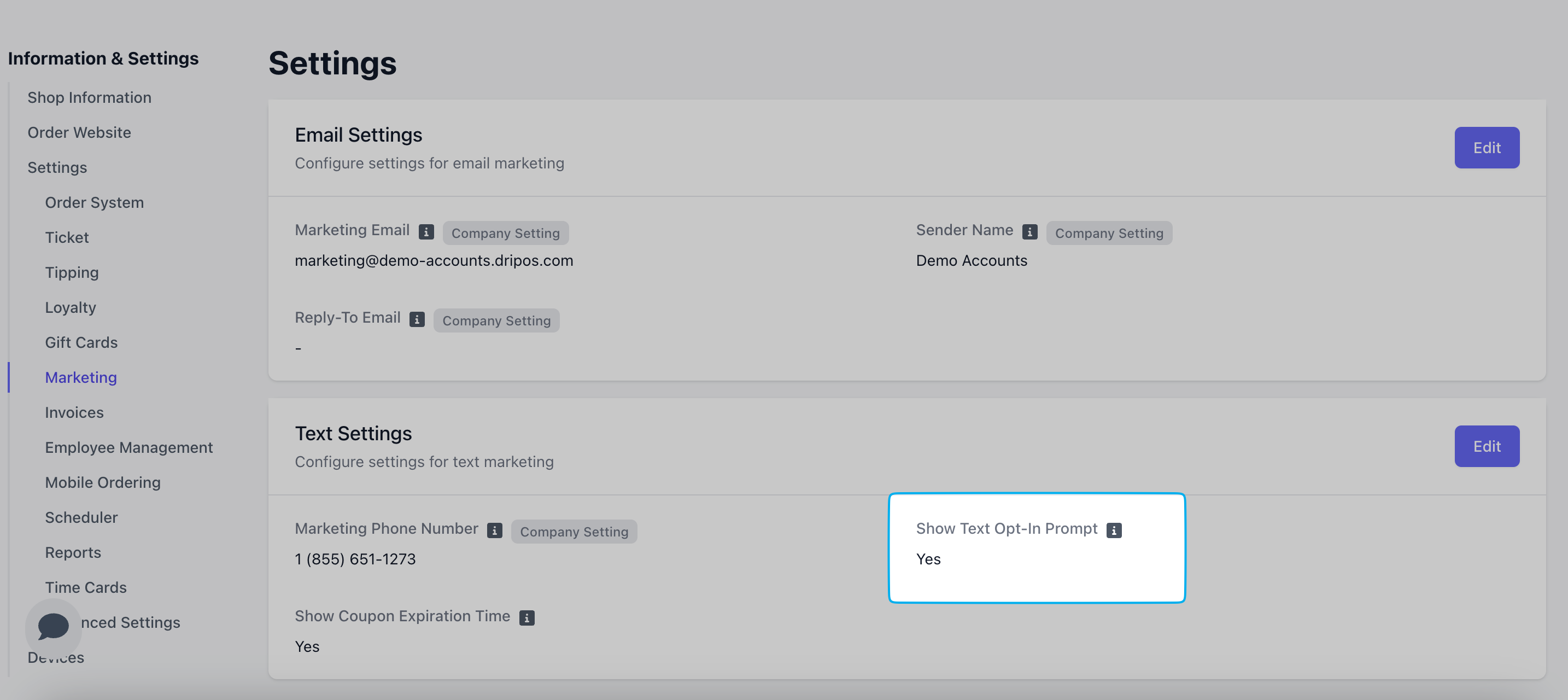
 To enable this checkbox, on your Dashboard navigate to [**Settings** > **Marketing**](https://dashboard.dripos.com/settings?tab=marketing) > **Show Text Opt In Prompt = Yes**
 Using the Stripe S700 card reader in front-facing mode, new customers will be prompted to opt in to text marketing directly on the reader.
To enable this checkbox, on your Dashboard navigate to [**Settings** > **Marketing**](https://dashboard.dripos.com/settings?tab=marketing) > **Show Text Opt In Prompt = Yes**
Once the setting is enabled, restart your card reader to sync this change.
Hold down the power button on the right hand side of the reader for 3 seconds
Click "Restart" on the reader screen.
Using the Stripe S700 card reader in front-facing mode, new customers will be prompted to opt in to text marketing directly on the reader.
To enable this checkbox, on your Dashboard navigate to [**Settings** > **Marketing**](https://dashboard.dripos.com/settings?tab=marketing) > **Show Text Opt In Prompt = Yes**
Once the setting is enabled, restart your card reader to sync this change.
Hold down the power button on the right hand side of the reader for 3 seconds
Click "Restart" on the reader screen.