> ## Documentation Index
> Fetch the complete documentation index at: https://support.dripos.com/llms.txt
> Use this file to discover all available pages before exploring further.

# Audience Segments

> Send relevant marketing content to a targeted audience

Selecting an audience segment for text or email marketing means dividing your total patron list into smaller groups based on shared characteristics.

This allows you to send highly targeted and relevant content, which typically leads to better engagement and conversions.

## Create an Audience Segment

<Steps>
  <Step title="Build Before or During Campaign Creation">
    Audience segments can be built before or during the creation of an SMS or email campaign.

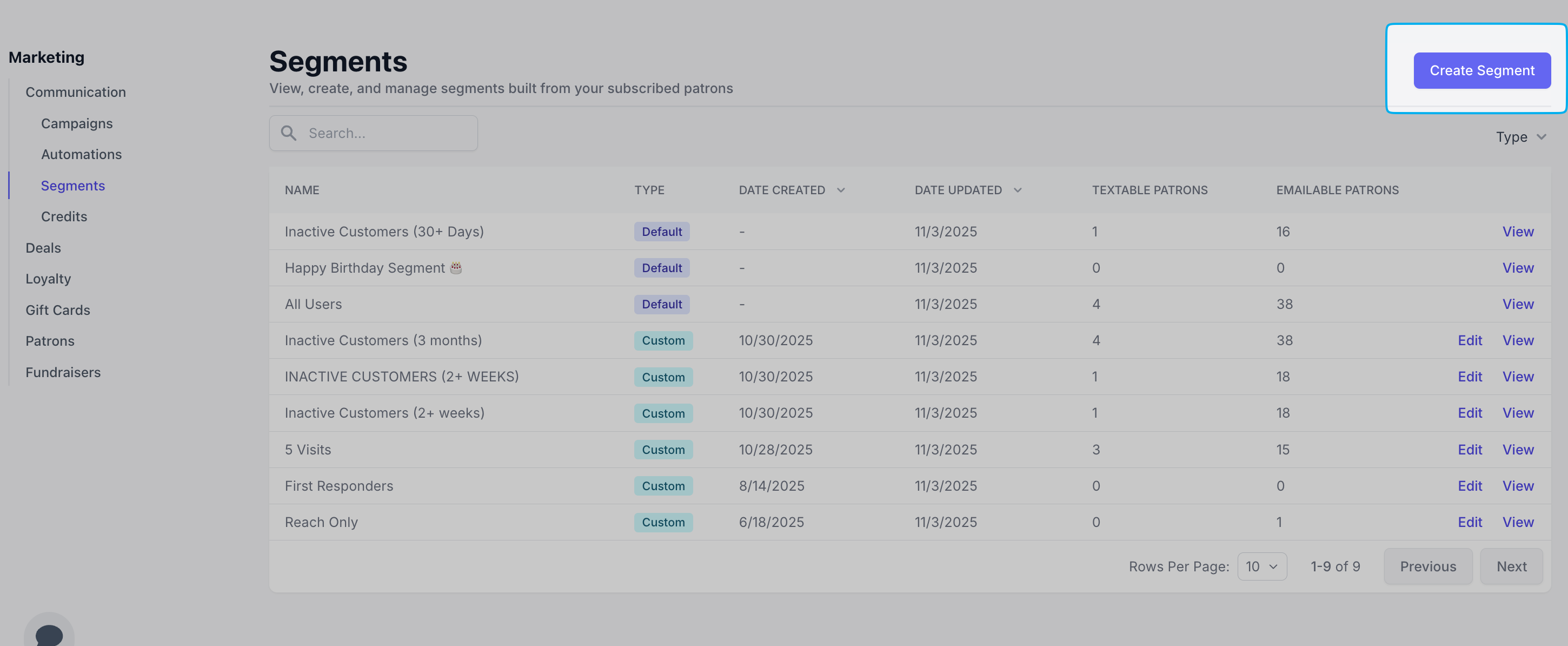
    Navigate to the **Dashboard** > **Marketing** > **Communications** > **Segments** > **Create** to build prior to campaign creation
    <Frame>
      <img src="https://mintcdn.com/frostbytetechnologiesinc/PsfnWfz46H6G6XIu/images/marketing/seg1.png?fit=max&auto=format&n=PsfnWfz46H6G6XIu&q=85&s=31ee8407c7b951d79640a8037b496a64" width="2900" height="1194" data-path="images/marketing/seg1.png" />
    </Frame>

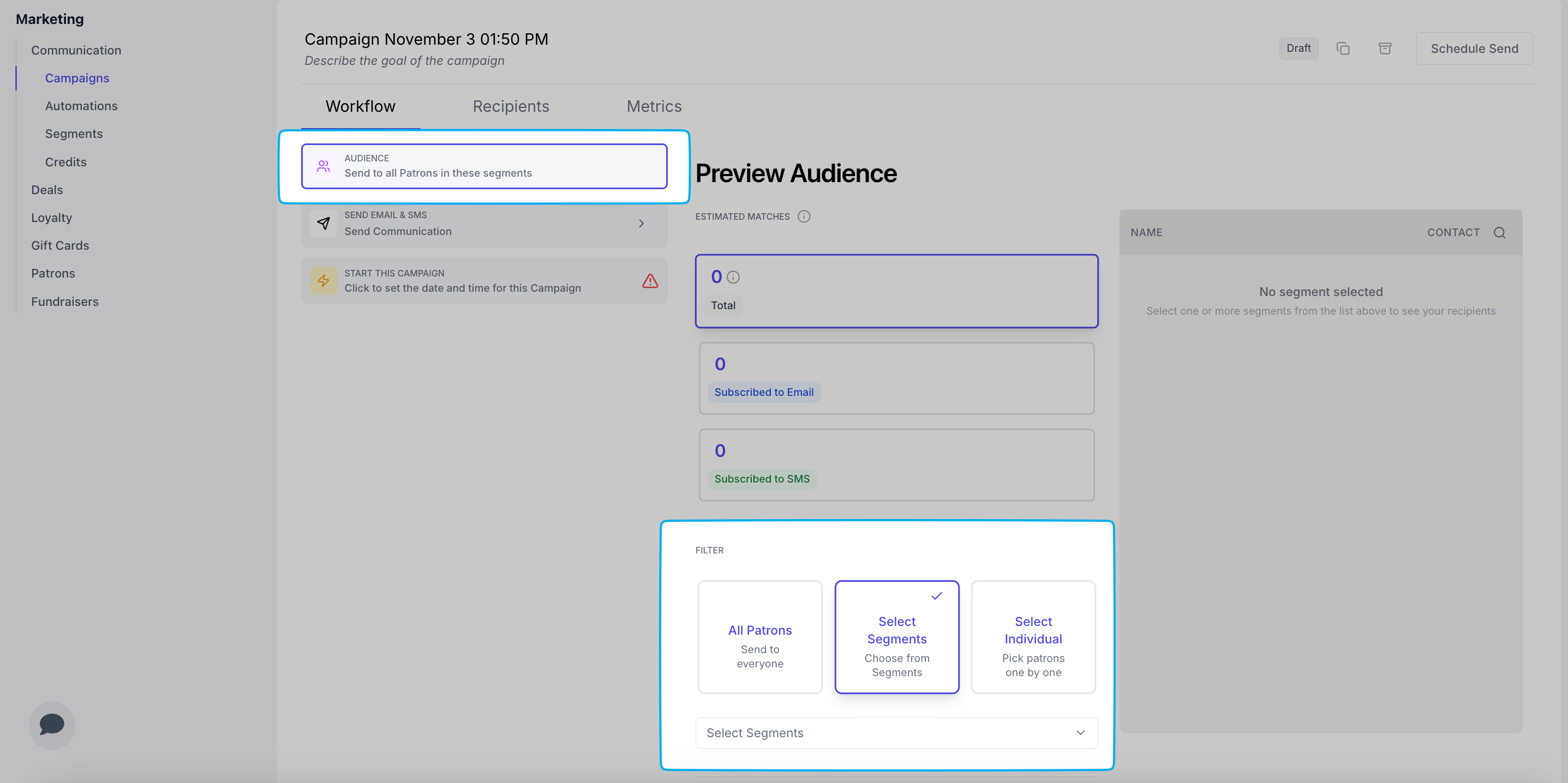
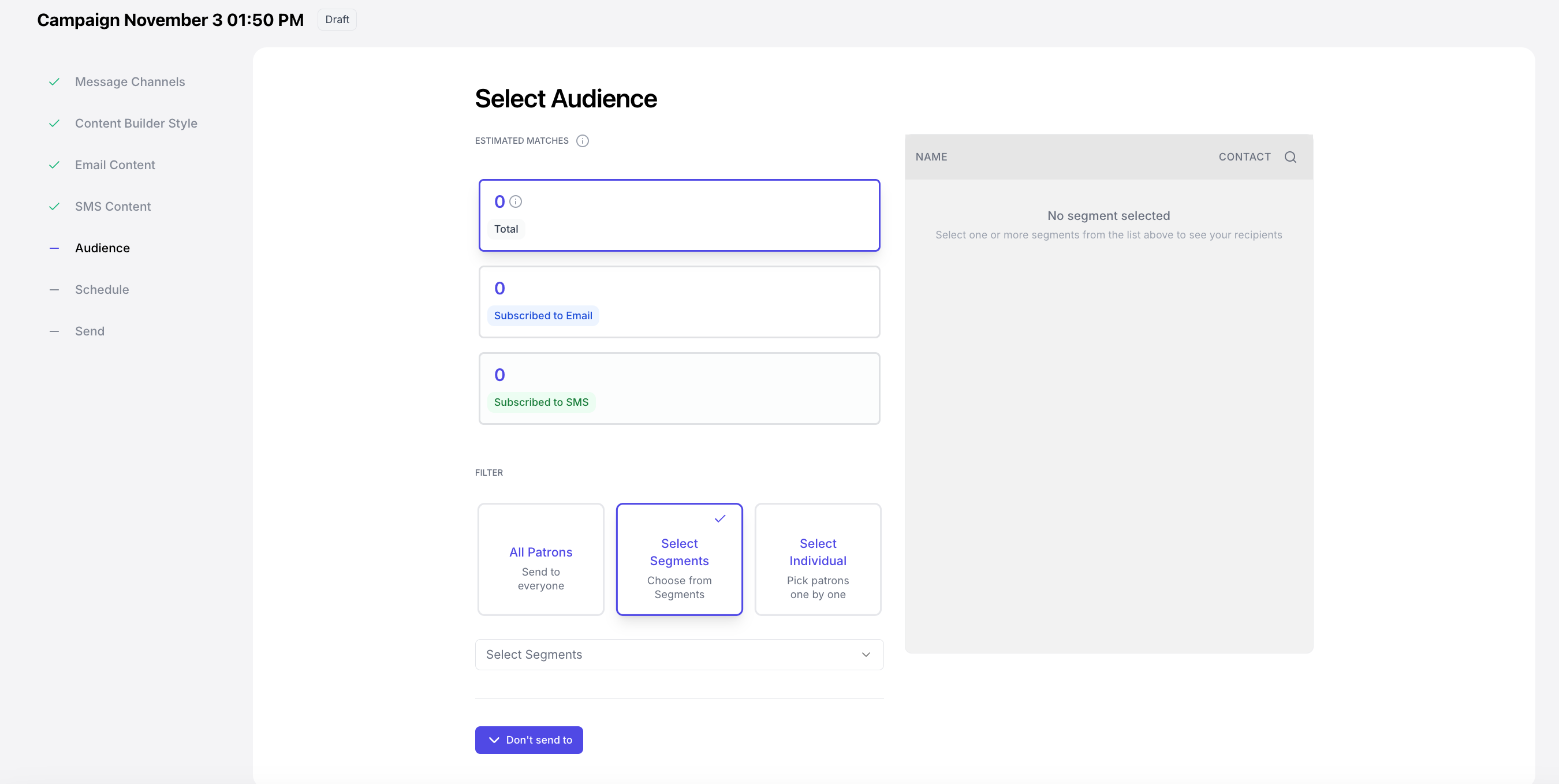
    Or navigate to the **Audience** page in your campaign draft to build during campaign creation
    <Frame>
      <img src="https://mintcdn.com/frostbytetechnologiesinc/PsfnWfz46H6G6XIu/images/marketing/seg2.png?fit=max&auto=format&n=PsfnWfz46H6G6XIu&q=85&s=a6b3cd52caf1df1a04eb7b1402fa11ad" width="2700" height="1358" data-path="images/marketing/seg2.png" />
    </Frame>

    <Frame>
      <img src="https://mintcdn.com/frostbytetechnologiesinc/PsfnWfz46H6G6XIu/images/marketing/seg5.png?fit=max&auto=format&n=PsfnWfz46H6G6XIu&q=85&s=f4cc73d868dc9f55476a4c690db814f5" width="2874" height="1436" data-path="images/marketing/seg5.png" />
    </Frame>

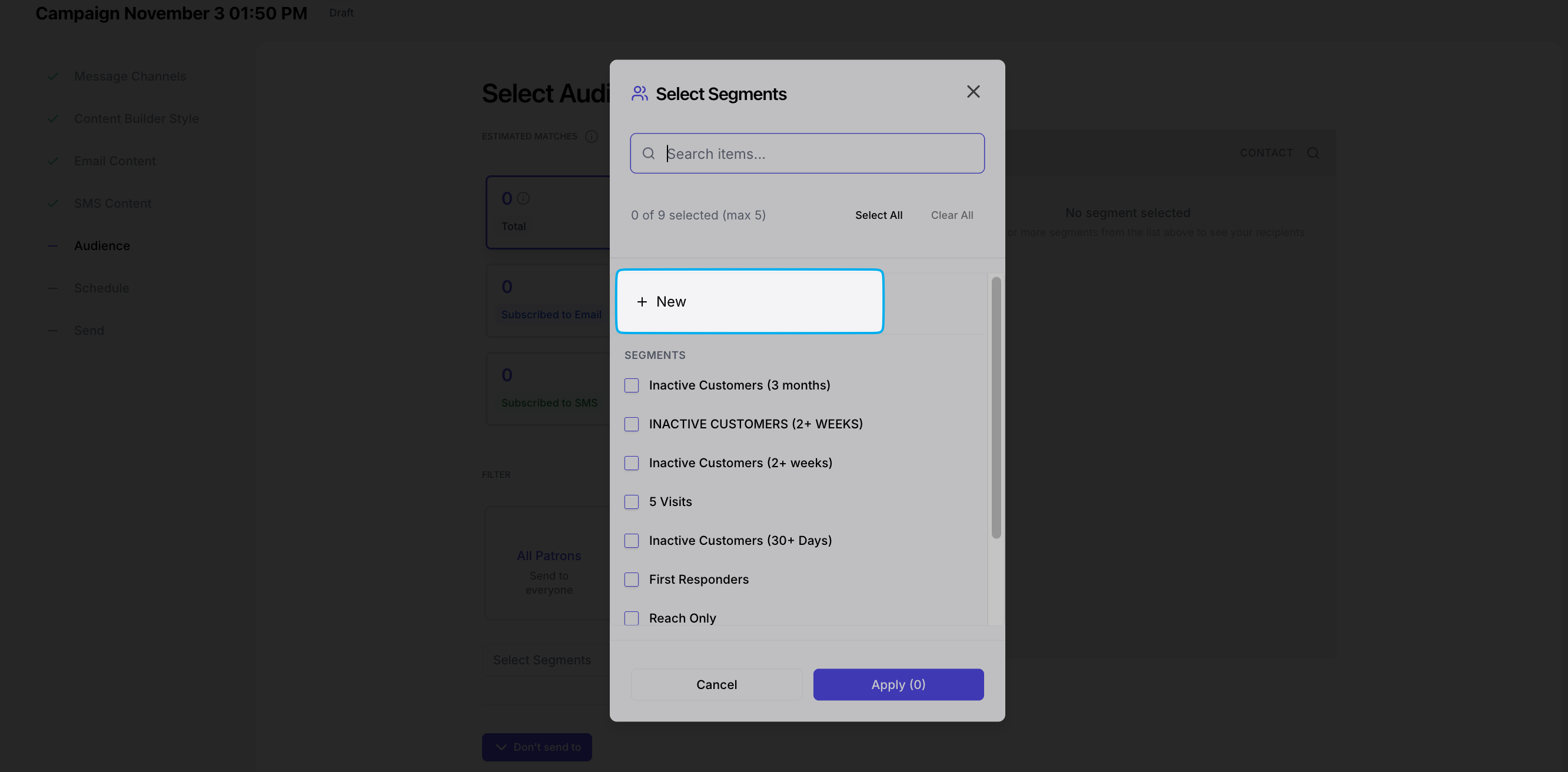
    Click **New** to create a new segment during campaign creation
    <Frame>
      <img src="https://mintcdn.com/frostbytetechnologiesinc/PsfnWfz46H6G6XIu/images/marketing/seg3.png?fit=max&auto=format&n=PsfnWfz46H6G6XIu&q=85&s=d56e8c79a7a97b42e47565bcceee265f" width="2664" height="1312" data-path="images/marketing/seg3.png" />
    </Frame>
  </Step>

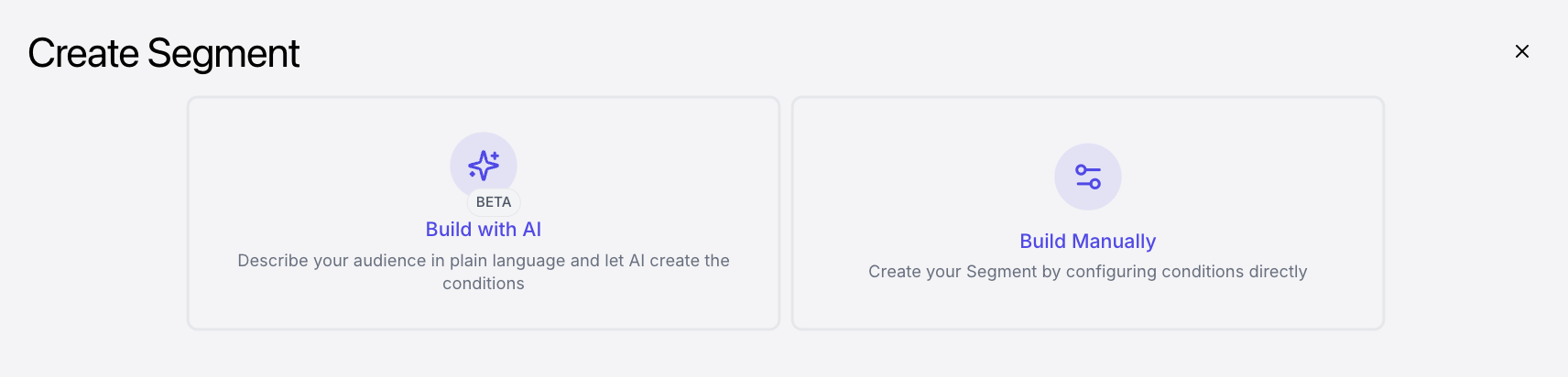
  <Step title="Build with AI or Manually">
    <Frame>
      <img src="https://mintcdn.com/frostbytetechnologiesinc/PsfnWfz46H6G6XIu/images/marketing/seg4.png?fit=max&auto=format&n=PsfnWfz46H6G6XIu&q=85&s=03e9cd32a594e39b4ba705dc571f5002" width="1712" height="412" data-path="images/marketing/seg4.png" />
    </Frame>

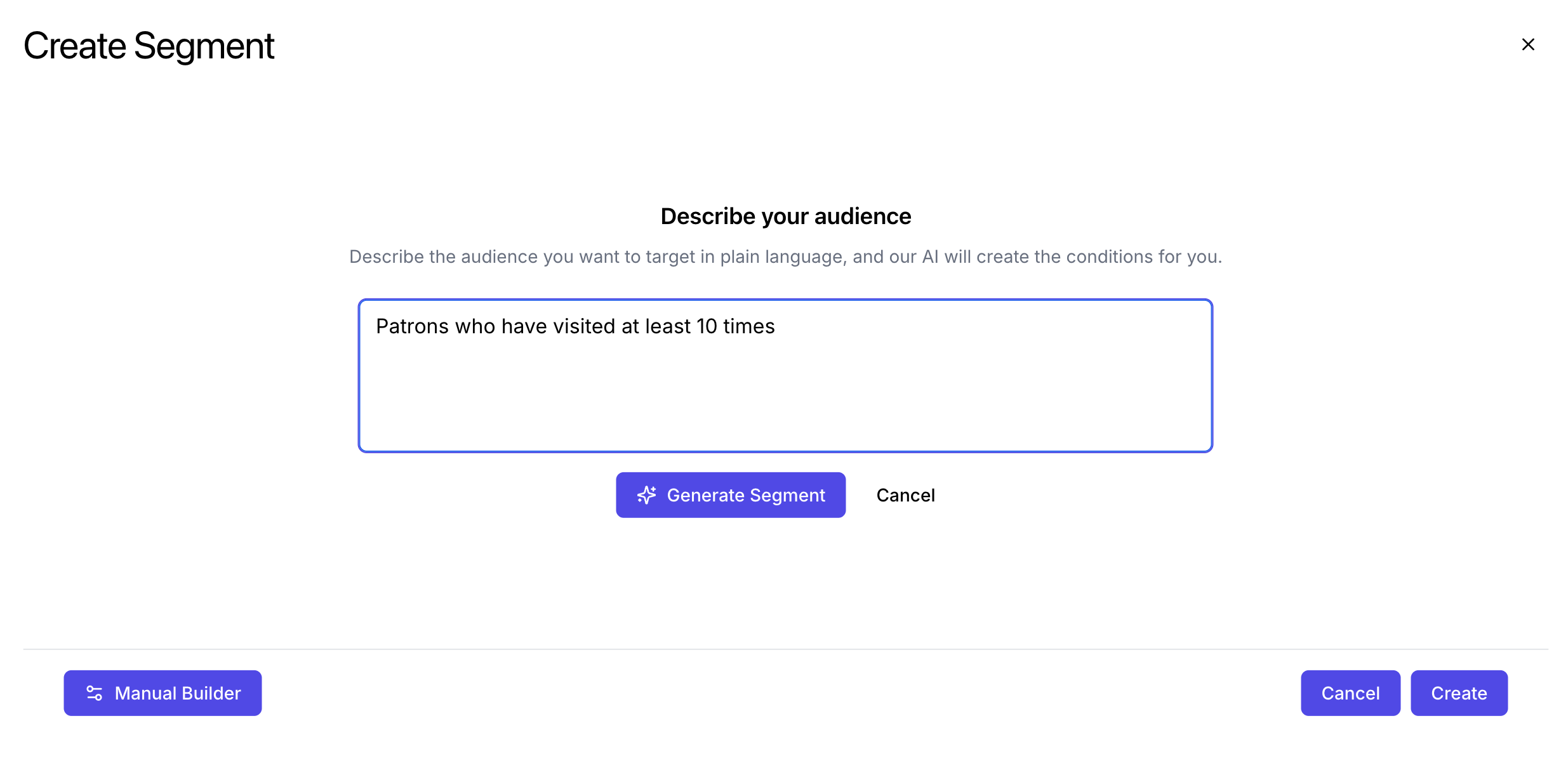
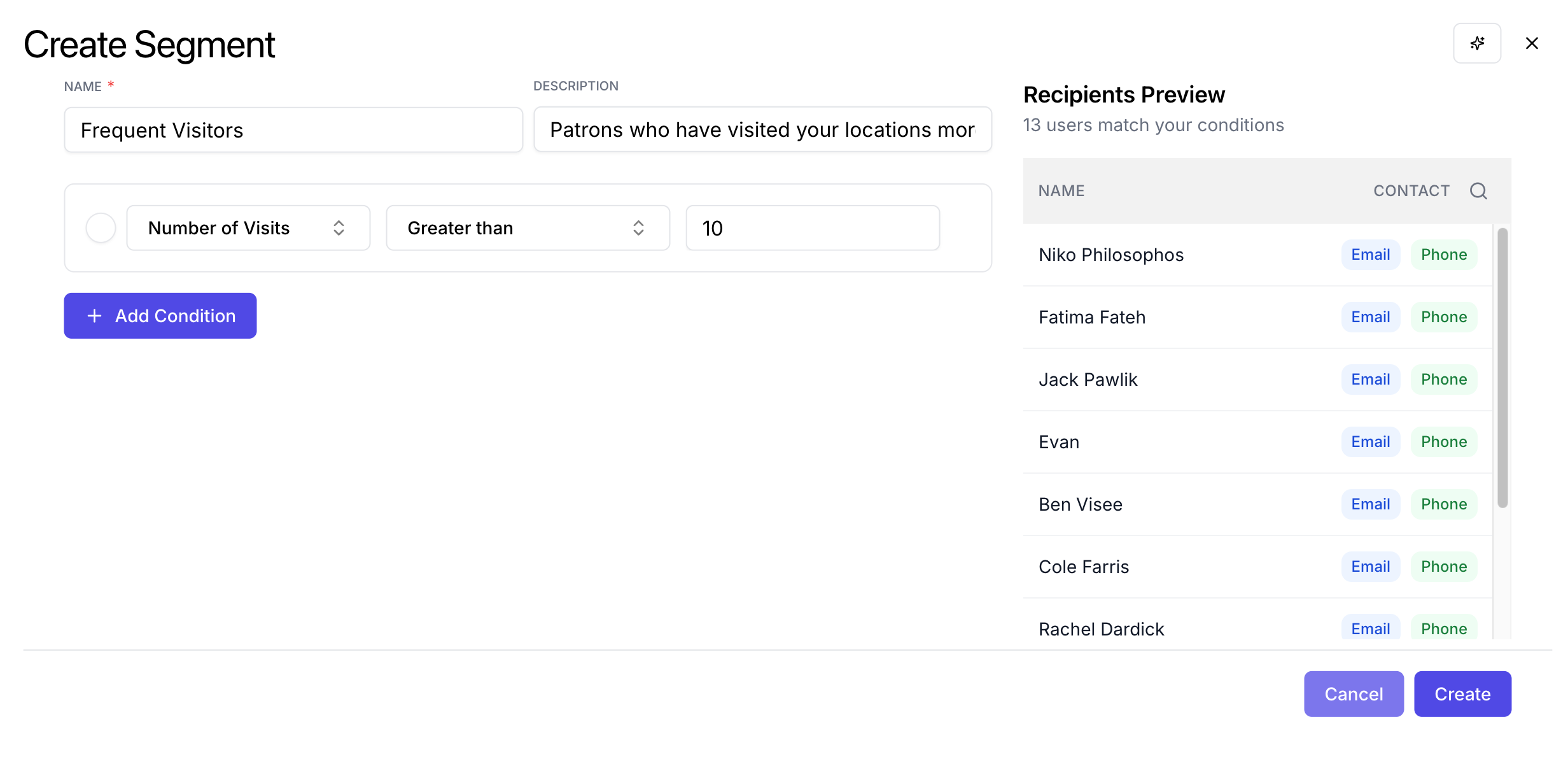
    Use AI to describe the audience segment you'd like to create. Use the manual builder to directly create the desired audience segment.

    <Note>
      Please note that the AI tool will not be able to predict customer behavior, but will only be able to use data it has already acquired.
    </Note>

    The following patron data is available to manipulate to create your customer segment:

    <CardGroup cols={3}>
      <Card title="Email Address" />

      <Card title="Phone Number" />

      <Card title="First Name" />

      <Card title="Last Name" />

      <Card title="Birthday" />

      <Card title="Lifetime Points">
        Total number of points collected for the history of the patron
      </Card>

      <Card title="Current Points">
        Current number of points the patron has
      </Card>

      <Card title="Number of Visits">
        Number of times the patron has visited locations in this company
      </Card>

      <Card title="Dollar Spend">
        Total dollar amount the patron has spent at this company
      </Card>

      <Card title="First Visited">
        The date the patron first visited this company
      </Card>

      <Card title="Last Visited">
        The date the patron last visited this company
      </Card>
    </CardGroup>
  </Step>
</Steps>

## Audience Segment Examples

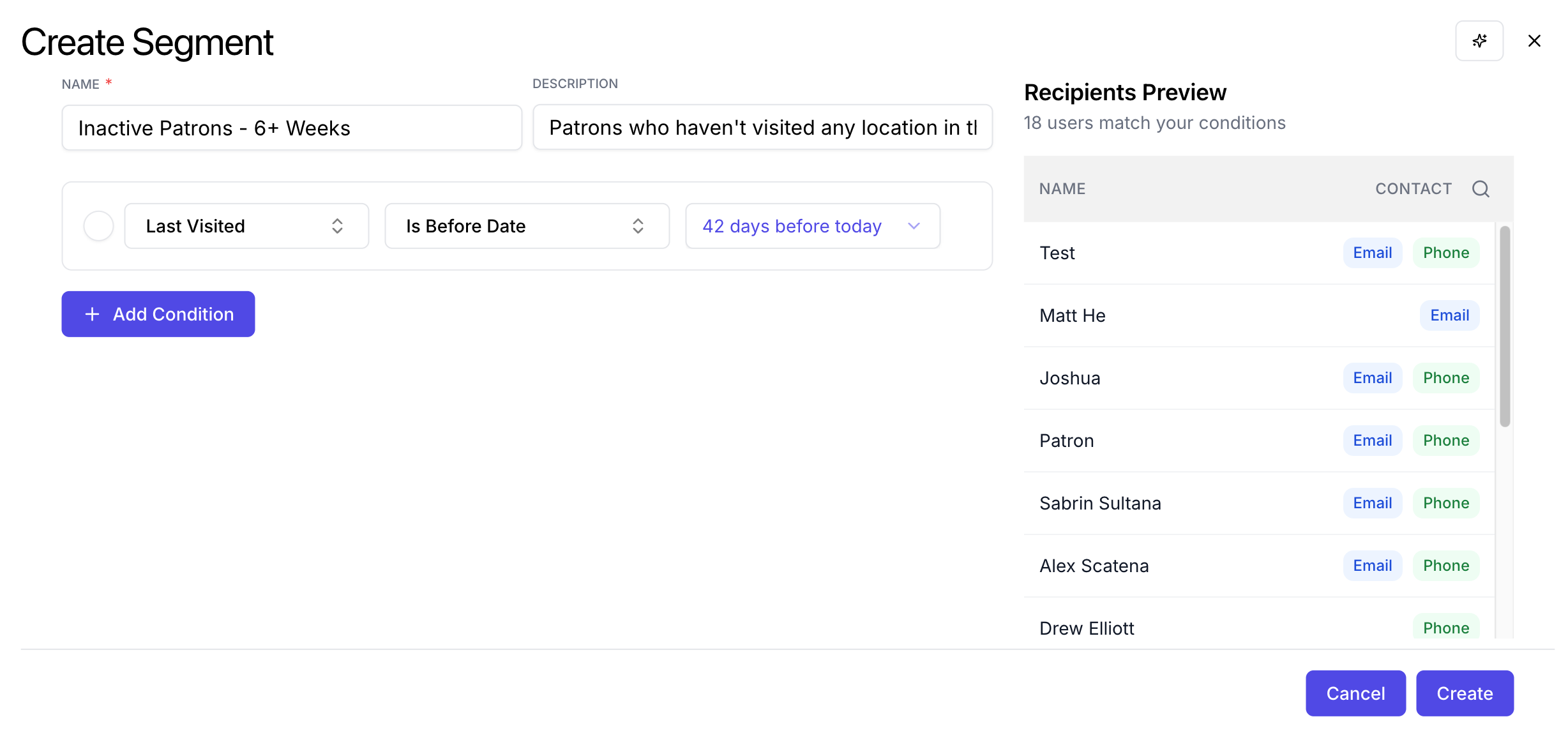
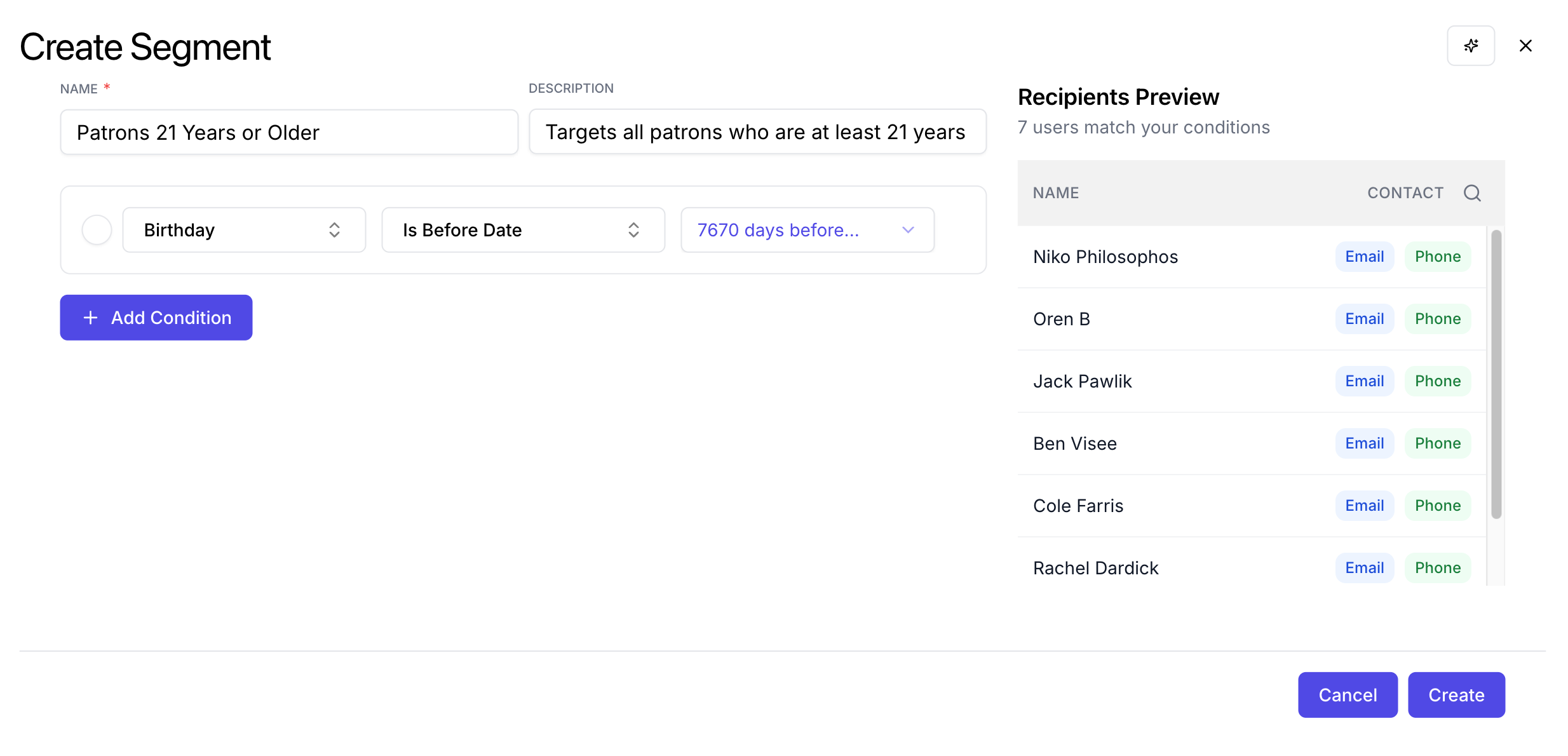
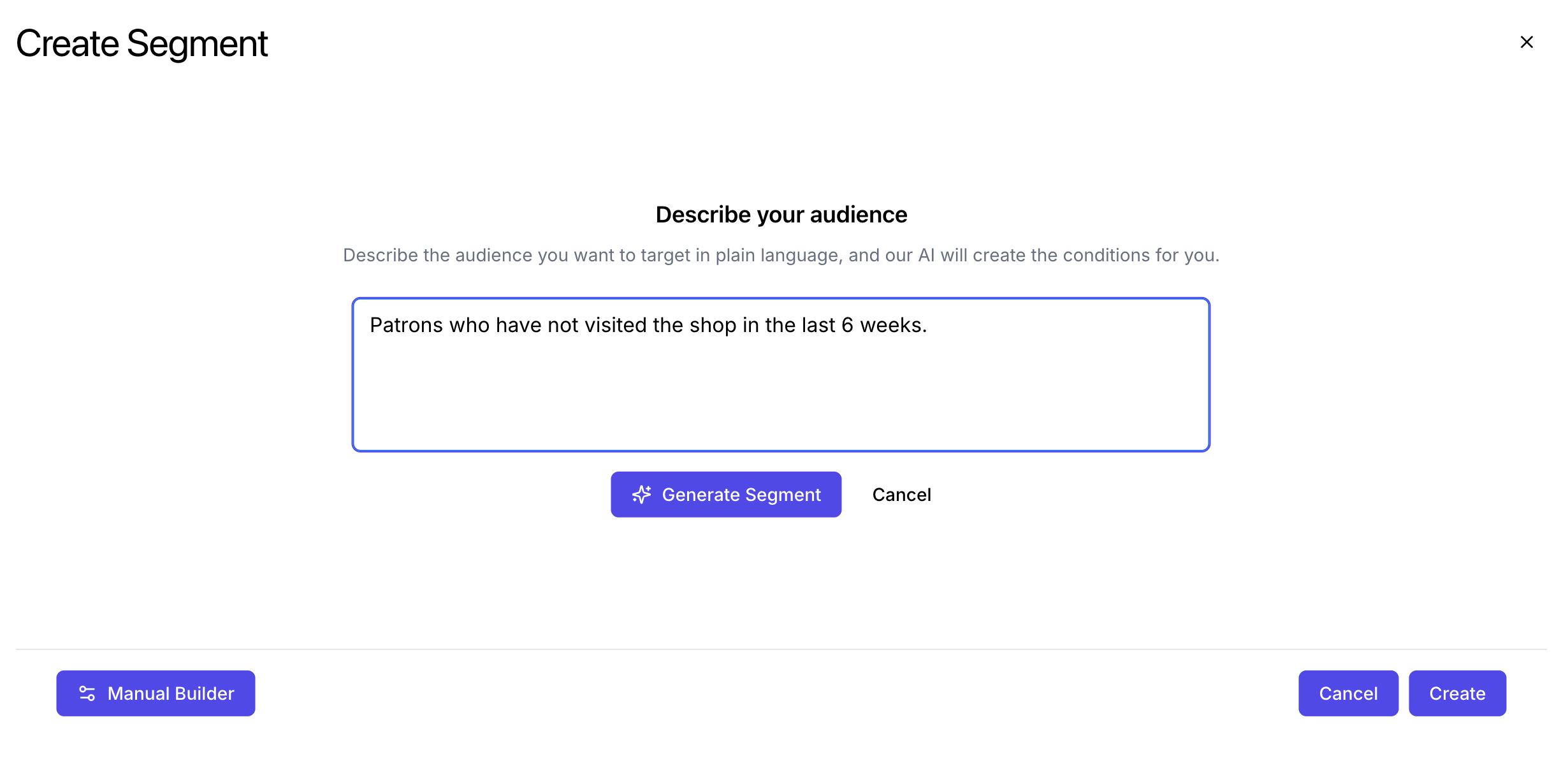
Using AI, you can create audience segments like these listed below:
<AccordionGroup>
  <Accordion title="Inactive Customers">
    <Frame>
      <img src="https://mintcdn.com/frostbytetechnologiesinc/PsfnWfz46H6G6XIu/images/marketing/sg1.png?fit=max&auto=format&n=PsfnWfz46H6G6XIu&q=85&s=17e08ac522f2a22081c7c5de0678a00d" width="2460" height="1194" data-path="images/marketing/sg1.png" />
    </Frame>

    <Frame>
      <img src="https://mintcdn.com/frostbytetechnologiesinc/PsfnWfz46H6G6XIu/images/marketing/sg2.png?fit=max&auto=format&n=PsfnWfz46H6G6XIu&q=85&s=c4a561467e228dab087387b6e7adb028" width="2456" height="1184" data-path="images/marketing/sg2.png" />
    </Frame>
  </Accordion>

  <Accordion title="21+">
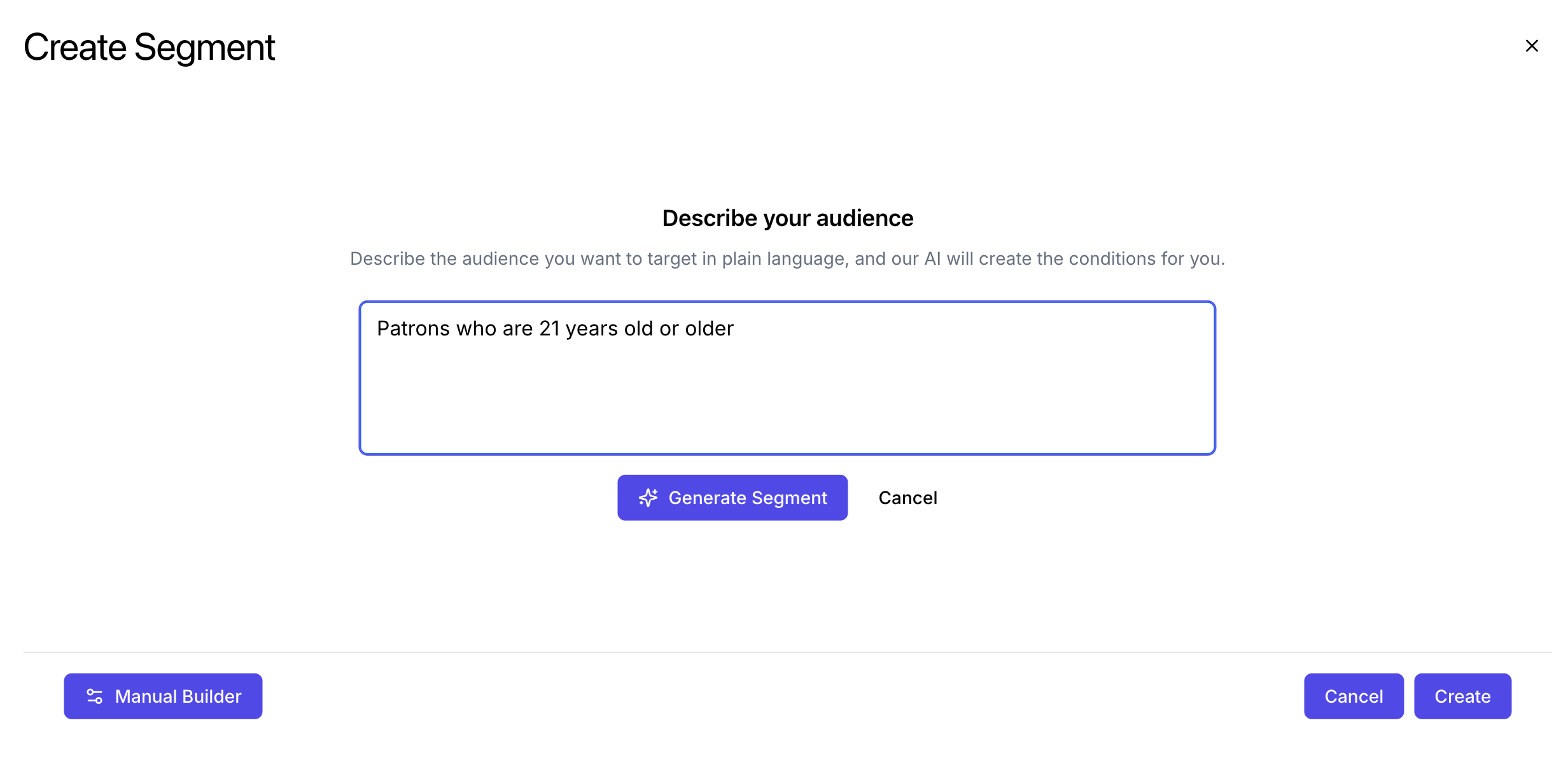
    Selling alcoholic beverages? Ensure you advertise to those who are 21+ years old!
    <Frame>
      <img src="https://mintcdn.com/frostbytetechnologiesinc/PsfnWfz46H6G6XIu/images/marketing/sg5.png?fit=max&auto=format&n=PsfnWfz46H6G6XIu&q=85&s=5be4d67c28f567d2d15b73b2ec0ac6db" width="2464" height="1194" data-path="images/marketing/sg5.png" />
    </Frame>

    <Frame>
      <img src="https://mintcdn.com/frostbytetechnologiesinc/PsfnWfz46H6G6XIu/images/marketing/sg6.png?fit=max&auto=format&n=PsfnWfz46H6G6XIu&q=85&s=cd78fda9cfe6635487d5b951eba010dd" width="2468" height="1190" data-path="images/marketing/sg6.png" />
    </Frame>
  </Accordion>

  <Accordion title="High Value Customers">
    <Frame>
      <img src="https://mintcdn.com/frostbytetechnologiesinc/PsfnWfz46H6G6XIu/images/marketing/sg7.png?fit=max&auto=format&n=PsfnWfz46H6G6XIu&q=85&s=90badcc7a55432cceeff49c2d631b504" width="2470" height="1202" data-path="images/marketing/sg7.png" />
    </Frame>

    <Frame>
      <img src="https://mintcdn.com/frostbytetechnologiesinc/PsfnWfz46H6G6XIu/images/marketing/sg8.png?fit=max&auto=format&n=PsfnWfz46H6G6XIu&q=85&s=98adddf05d4104a7c6ef987fa75f894e" width="2464" height="1192" data-path="images/marketing/sg8.png" />
    </Frame>
  </Accordion>
</AccordionGroup>