> ## Documentation Index
> Fetch the complete documentation index at: https://support.dripos.com/llms.txt
> Use this file to discover all available pages before exploring further.
# Loyalty Settings
## Point of Sale Settings
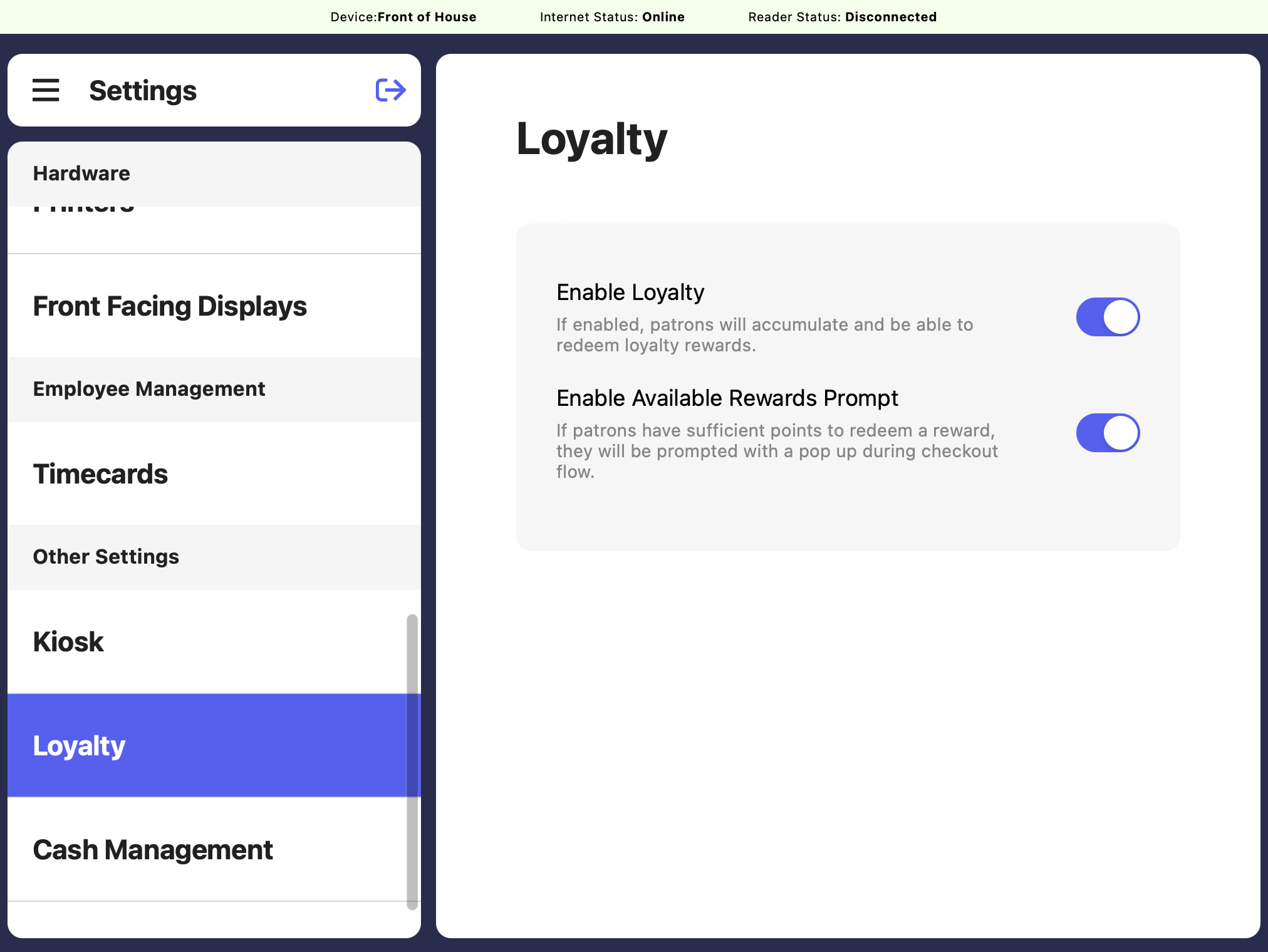 If enabled, patrons will be able to earn loyalty points and redeem them for loyalty rewards
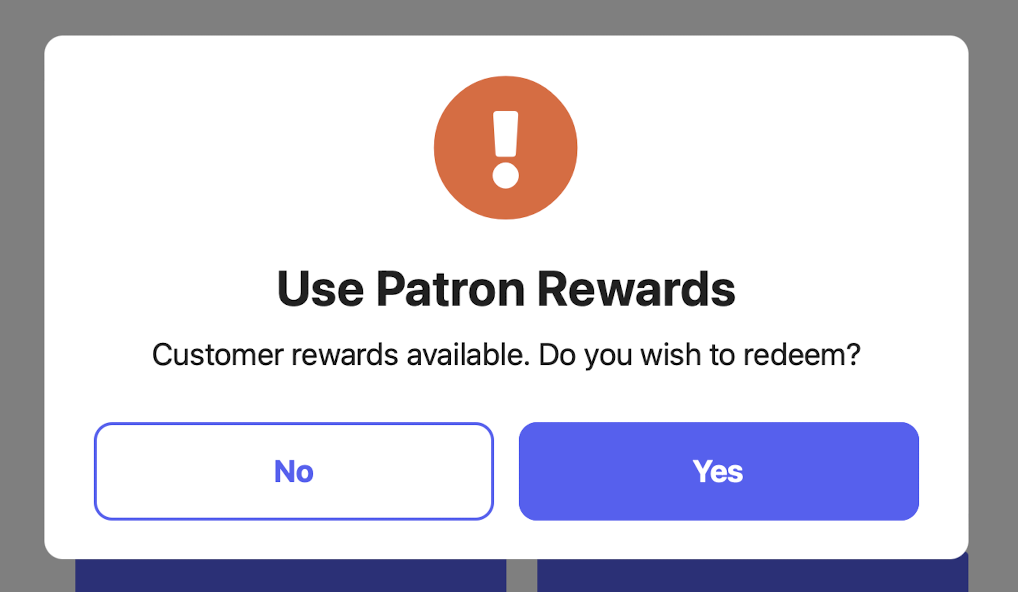
Displays the prompt below to customers on checkout when they have sufficient points for an available reward.
If enabled, patrons will be able to earn loyalty points and redeem them for loyalty rewards
Displays the prompt below to customers on checkout when they have sufficient points for an available reward.
 ## Dashboard Settings
Navigate to settings on the dashboard by clicking the **settings icon** in the upper right corner > **settings** > **Loyalty**
## Dashboard Settings
Navigate to settings on the dashboard by clicking the **settings icon** in the upper right corner > **settings** > **Loyalty**
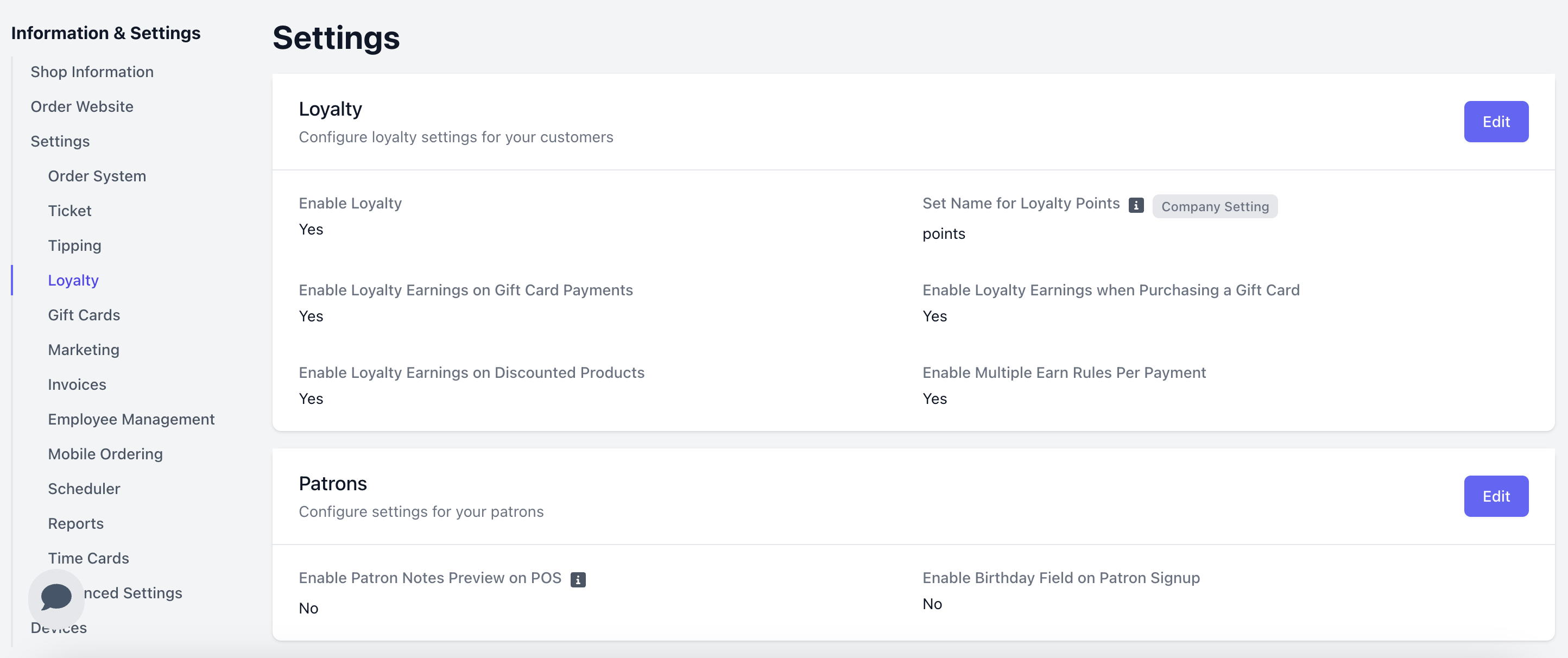 Allow patrons to earn points for buying products and redeem points for discounts
Customize what you call “points” in your shop’s loyalty program (points, stars, stamps, etc). This setting is company wide.
Allow transactions purchased with a gift card to add points to the patron account.
Allow the purchase of gift cards to add loyalty points to a patron account.
Allow patrons to add to their loyalty points balance even when the purchased item has been discounted.
Allow more than one earn rule to apply to a patrons transaction.
If disabled the highest applicable earn rule will apply.
If enabled, the first 16 characters of patron notes will be displayed on POS during checkout.
Collect your patrons Birthday when they signup to be used for segmentation and promotions
Allow patrons to earn points for buying products and redeem points for discounts
Customize what you call “points” in your shop’s loyalty program (points, stars, stamps, etc). This setting is company wide.
Allow transactions purchased with a gift card to add points to the patron account.
Allow the purchase of gift cards to add loyalty points to a patron account.
Allow patrons to add to their loyalty points balance even when the purchased item has been discounted.
Allow more than one earn rule to apply to a patrons transaction.
If disabled the highest applicable earn rule will apply.
If enabled, the first 16 characters of patron notes will be displayed on POS during checkout.
Collect your patrons Birthday when they signup to be used for segmentation and promotions