> ## Documentation Index
> Fetch the complete documentation index at: https://support.dripos.com/llms.txt
> Use this file to discover all available pages before exploring further.
# Checkout Flow
> Learn about checking out on the Dripos POS as well as managing checkout on all platforms
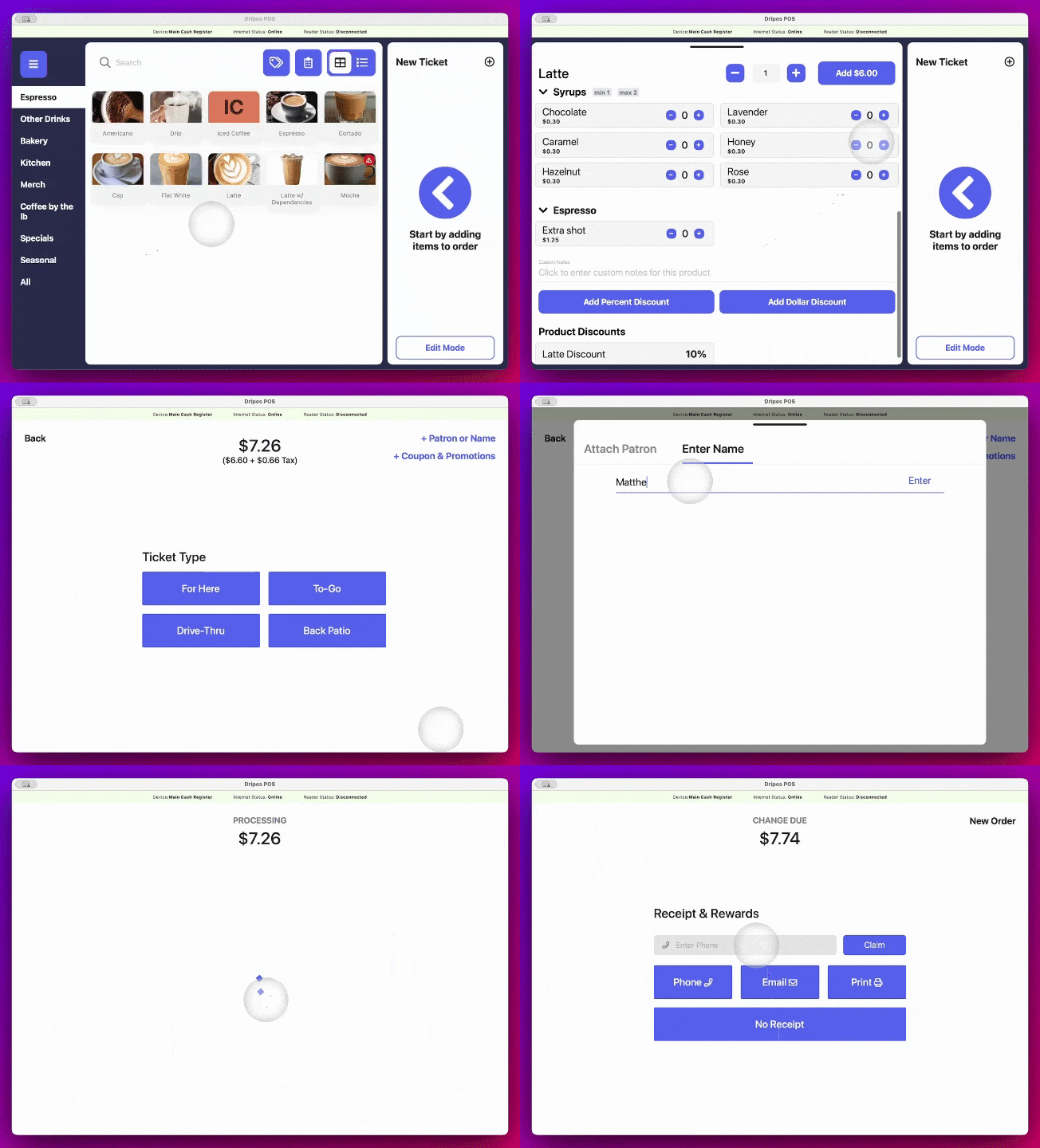
With the Dripos checkout flow, shops have the ability to personalize ticket types, payment options, and checkout prompts to create a customized checkout flow that perfectly fits their workflow.
 ***
## Learn Checkout
Understand your basic checkout flow on the POS
Use saved tickets to extend checkout on the POS
Use saved tickets to extend checkout on the POS
## Checkout Management
Explore how ticket types are used
Explore how payment types are used
Explore how checkout prompts are used
***
## Learn Checkout
Understand your basic checkout flow on the POS
Use saved tickets to extend checkout on the POS
Use saved tickets to extend checkout on the POS
## Checkout Management
Explore how ticket types are used
Explore how payment types are used
Explore how checkout prompts are used