> ## Documentation Index
> Fetch the complete documentation index at: https://support.dripos.com/llms.txt
> Use this file to discover all available pages before exploring further.

# Edit Mode on the Point of Sale

> Quickly edit your menu on the Point of Sale with Edit Mode

Make modifications to your menu directly from the Point of Sale in Edit Mode.

<Icon icon="check" iconType="solid" /> Add new menu products

<Icon icon="check" iconType="solid" /> Disable mobile ordering for specific products, modifiers, and modifier options

<Icon icon="check" iconType="solid" /> Rearrange the order of products within a category

## Add New Products

Add new menu products from the Point of Sale using Edit Mode. Edit these menu products at any time from the Point of Sale or from the Web Dashboard.

<iframe frameborder="1" className="rounded-xl w-full aspect-video" allow="accelerometer; autoplay; clipboard-write; encrypted-media; gyroscope; picture-in-picture; web-share" allowfullscreen src="https://www.loom.com/embed/53ccdeed696f4f0d896f89fa285e01ad?sid=75519783-f135-4fda-b41e-6a0d07559e19" />

***

## Disable Products from Mobile Ordering

Instantly disable and enable specific products from mobile ordering using Edit Mode.

<iframe frameborder="1" className="rounded-xl w-full aspect-video" allow="accelerometer; autoplay; clipboard-write; encrypted-media; gyroscope; picture-in-picture; web-share" allowfullscreen src="https://www.loom.com/embed/1bd04bdc1624466b9d82b44725c36e78?sid=544e97a4-fabb-4aad-9233-3ee81c560cc8" />

***

## Disable Product Modifiers from Mobile Ordering

Disable and enable an entire modifier group from a product on mobile ordering platforms using Edit Mode.

<iframe frameborder="1" className="rounded-xl w-full aspect-video" allow="accelerometer; autoplay; clipboard-write; encrypted-media; gyroscope; picture-in-picture; web-share" allowfullscreen src="https://www.loom.com/embed/3b053cd724a9406cbc780f47580008d0?sid=df1d7e60-d937-48a0-8096-5be335309116" />

***

## Disable Product Modifier Options from Mobile Ordering

Disable and enable a singular modifier option from a product on mobile ordering platforms using Edit Mode.

<iframe width="400" frameborder="1" className="rounded-xl w-full aspect-video" allow="accelerometer; autoplay; clipboard-write; encrypted-media; gyroscope; picture-in-picture; web-share" allowfullscreen src="https://www.loom.com/embed/eaaaa91705b244529dc4e66e8ee83caf?sid=4c28dc07-0852-4433-9c46-58d4c0204e14" />

***

## Rearrange Ordering of Products

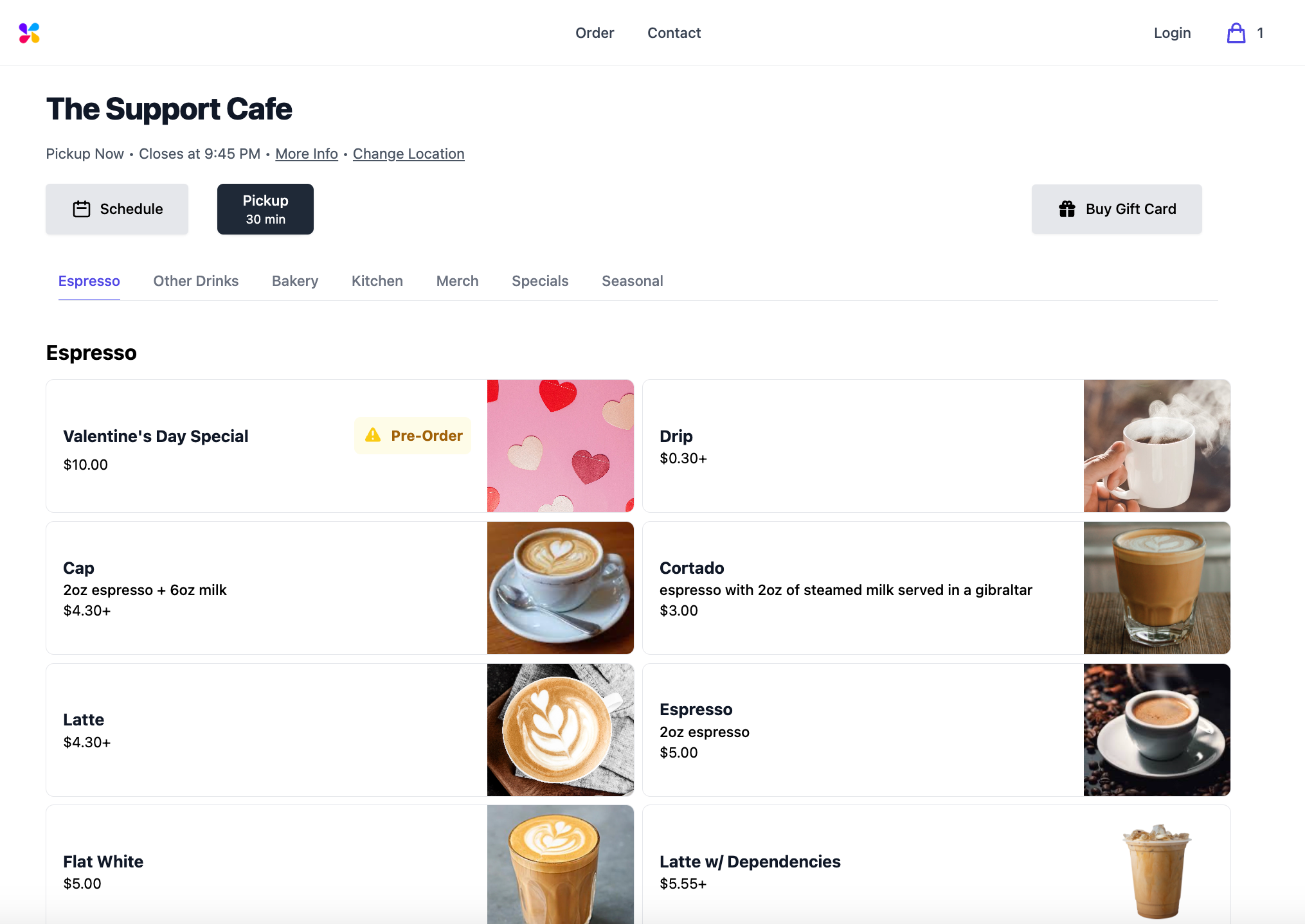
Reconfigure the order in which products are displayed on the Point of Sale. This will also change the order that products are listed within a category on mobile ordering platforms.
<iframe frameborder="1" className="rounded-xl w-full aspect-video" allow="accelerometer; autoplay; clipboard-write; encrypted-media; gyroscope; picture-in-picture; web-share" allowfullscreen src="https://www.loom.com/embed/8cbf401b7c0a4cde9b6d218f788c15d6?sid=c495c44d-7da0-4303-bdf2-b29719614433" />

<Frame caption="Rearranging the order of products on the Point of Sale changes the order of the products on mobile ordering platforms.">
  <img src="https://mintcdn.com/frostbytetechnologiesinc/BQdcLoSppoBn1ck7/images/orders/oweb%20order.png?fit=max&auto=format&n=BQdcLoSppoBn1ck7&q=85&s=bf98dc44176350819bbd94e4aa6a167f" width="2030" height="1438" data-path="images/orders/oweb order.png" />
</Frame>
