> ## Documentation Index
> Fetch the complete documentation index at: https://support.dripos.com/llms.txt
> Use this file to discover all available pages before exploring further.
# Service Fees
> Create and attach service fees to different ticket types and orders.
Services fees are additional fees that can be added on top of the total dollar amount of a ticket.
Add an automatic service fee to any ticket type
Add a one-off service fee from the Point of Sale to any order
All fees are either created as a percentage or a flat dollar ammount.
***
## Create a Service Fee
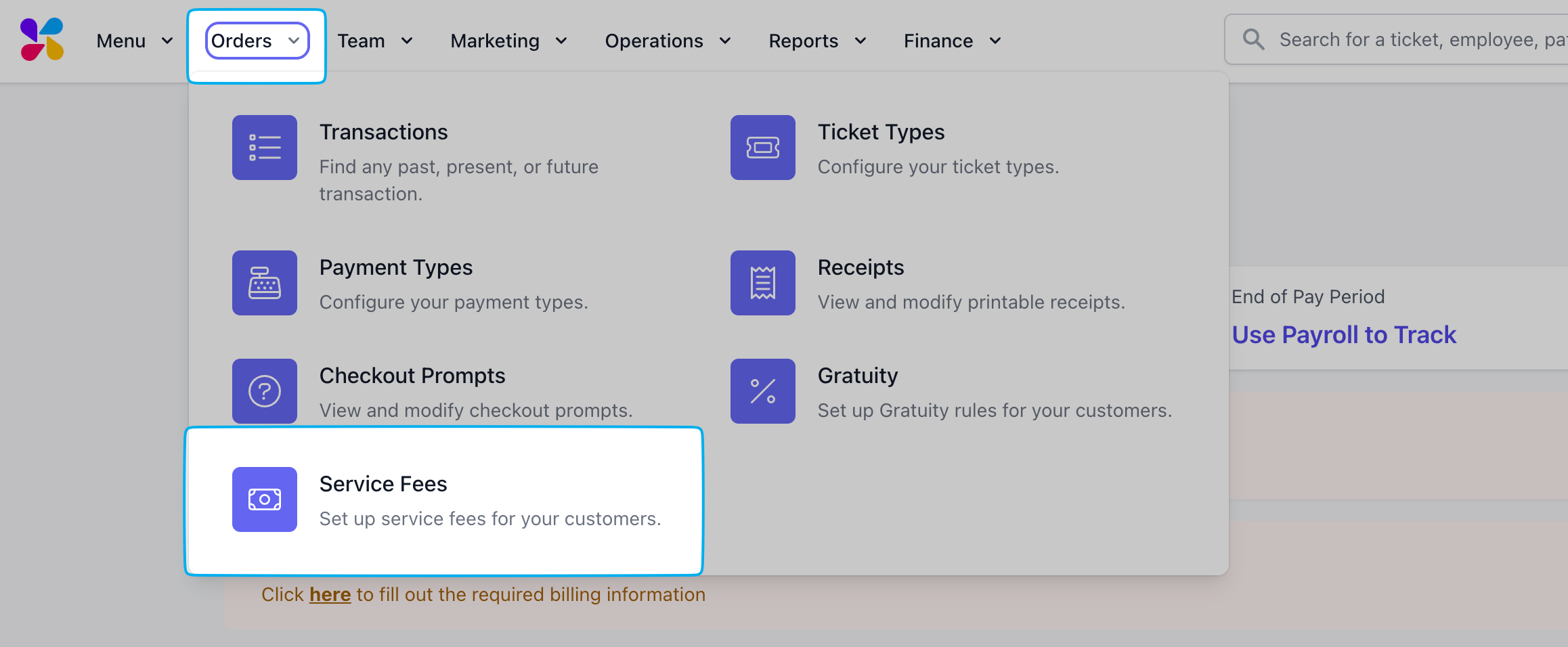
On the **Dashboard**, click **Orders** > **Checkout Flow** > **Service Fees** > **Create Service Fee**
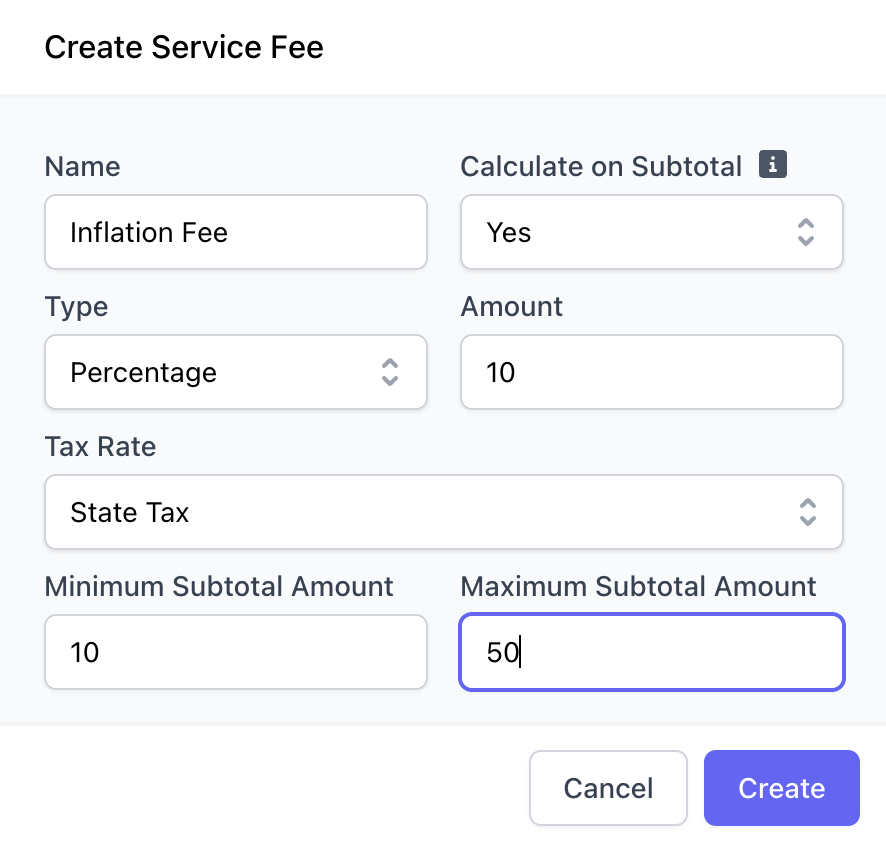 **Name**: Service Fee Name
**Calculate on Subtotal**: Selecting **yes** will calculte the service fee on the order total before tax and tips are applied
**Tax Service Fee**: Selecting **yes** will attach the default tax rate to the service fee
**Type**: Percentage or Flat Dollar Amount
**Amount**: Percentage (5%) or Dollar amount (\$5.00)
**Minimum Subtotal Amount**: The minimum subtotal value to apply this fee to
**Maximum Subtotal Amount**: The maximum subtotal value to apply this fee to
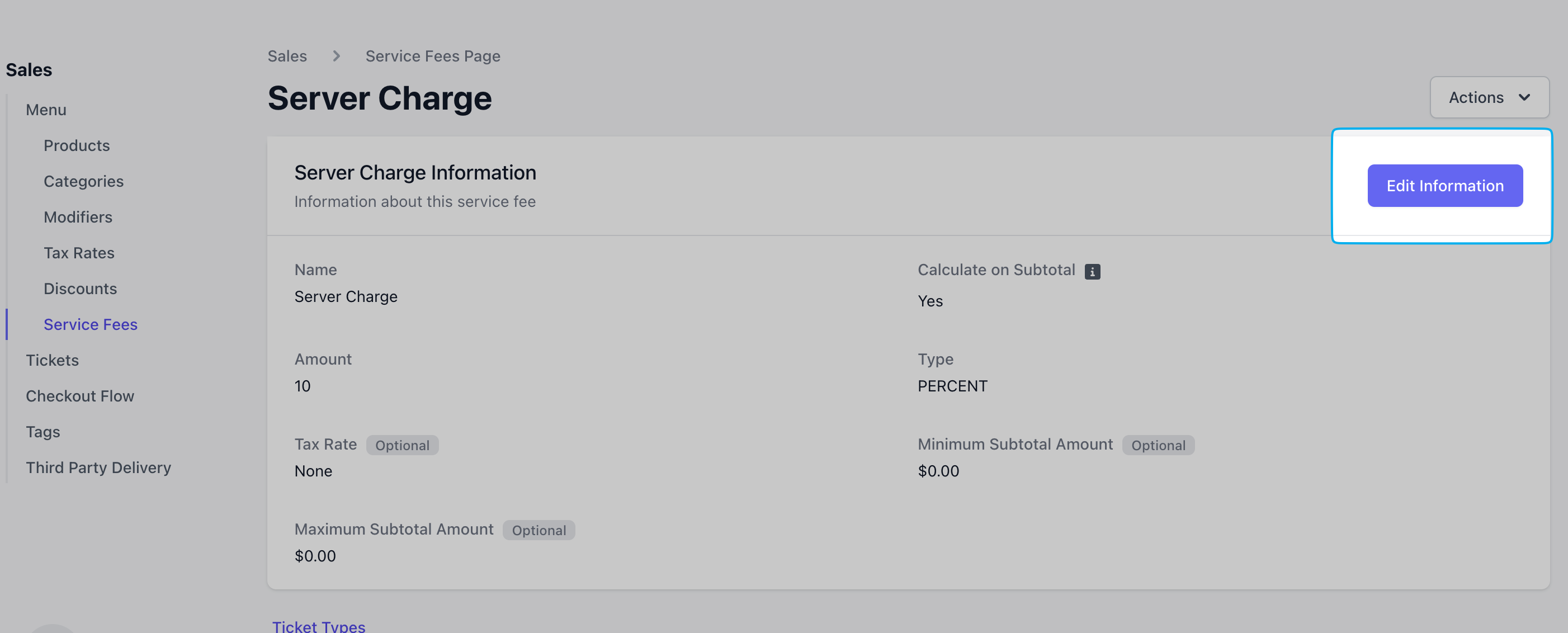
Edit a service fee anytime by clicking **Edit Information** on the service fee's page
**Name**: Service Fee Name
**Calculate on Subtotal**: Selecting **yes** will calculte the service fee on the order total before tax and tips are applied
**Tax Service Fee**: Selecting **yes** will attach the default tax rate to the service fee
**Type**: Percentage or Flat Dollar Amount
**Amount**: Percentage (5%) or Dollar amount (\$5.00)
**Minimum Subtotal Amount**: The minimum subtotal value to apply this fee to
**Maximum Subtotal Amount**: The maximum subtotal value to apply this fee to
Edit a service fee anytime by clicking **Edit Information** on the service fee's page
 ***
## Add Service Fee to Ticket Type
Automatically attach a service fee to an order of a particular ticket type.
***
## Add Custom Fee to a Point of Sale Order
Add a one time custom fee, either as a percentage or dollar amount, on the Point of Sale.
***
## Add Service Fee to Ticket Type
Automatically attach a service fee to an order of a particular ticket type.
***
## Add Custom Fee to a Point of Sale Order
Add a one time custom fee, either as a percentage or dollar amount, on the Point of Sale.