> ## Documentation Index
> Fetch the complete documentation index at: https://support.dripos.com/llms.txt
> Use this file to discover all available pages before exploring further.
# Mobile Ordering Settings
Configure Mobile Ordering settings. Changes saved will go into effect immediately.
Navigate to **Dashboard** settings
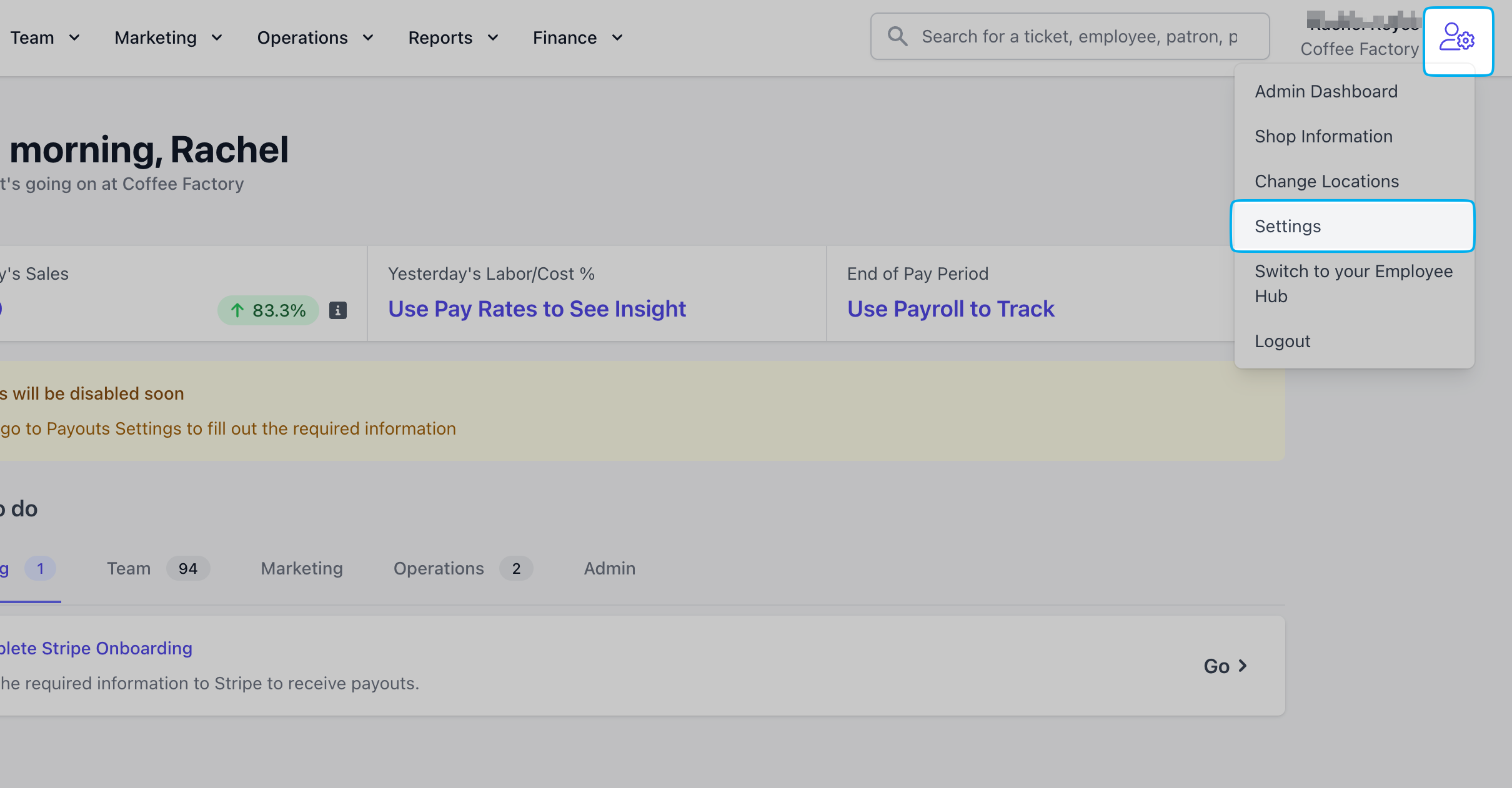 Click **Mobile Ordering**
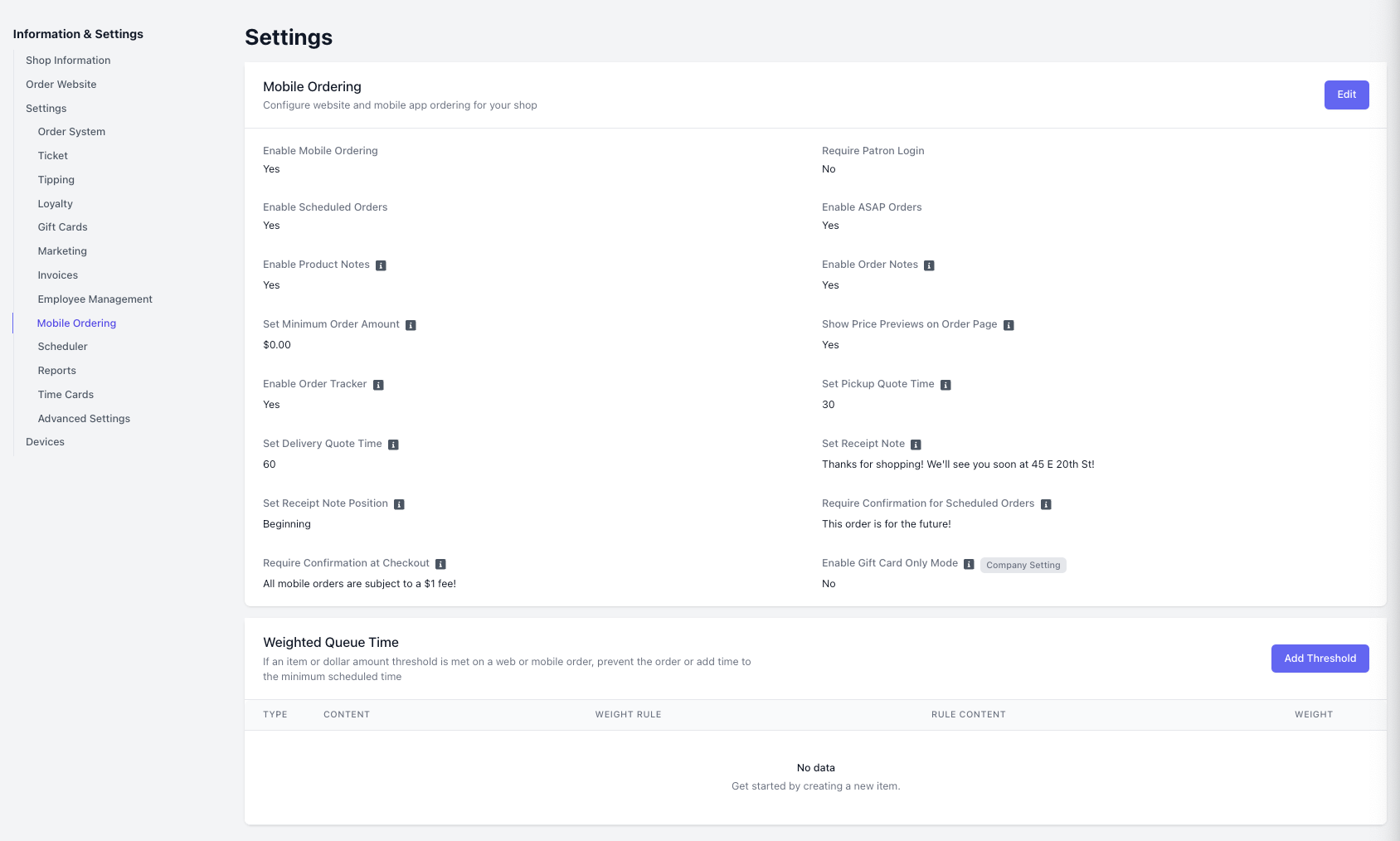 If disabled, Mobile Ordering is immediately disabled from the mobile order website and mobile order app.
If enabled, require patrons to login in order to place a mobile order.
If enabled, allow patrons to order ahead and place scheduled orders.
If enabled, allow patrons to order ahead and place orders as soon as the Set Pickup Quote Time and Weighted Queue Time thresholds are met.
If enabled, allow customers to add custom notes to ordered products.
If enabled, allow customers to add custom notes to the entire order.
Set the minimum dollar amount required to place a mobile order.
If enabled, display product prices on the mobile order homepage.
If enabled, allow customers to track their order status.
Sets the number of minutes added to mobile order estimates to account for preparation time before the order is ready for pickup.
Sets the buffer time (in minutes) added before a scheduled delivery order is expected to arrive.
Adds a custom note at the checkout screen.
If disabled, Mobile Ordering is immediately disabled from the mobile order website and mobile order app.
If enabled, require patrons to login in order to place a mobile order.
If enabled, allow patrons to order ahead and place scheduled orders.
If enabled, allow patrons to order ahead and place orders as soon as the Set Pickup Quote Time and Weighted Queue Time thresholds are met.
If enabled, allow customers to add custom notes to ordered products.
If enabled, allow customers to add custom notes to the entire order.
Set the minimum dollar amount required to place a mobile order.
If enabled, display product prices on the mobile order homepage.
If enabled, allow customers to track their order status.
Sets the number of minutes added to mobile order estimates to account for preparation time before the order is ready for pickup.
Sets the buffer time (in minutes) added before a scheduled delivery order is expected to arrive.
Adds a custom note at the checkout screen.
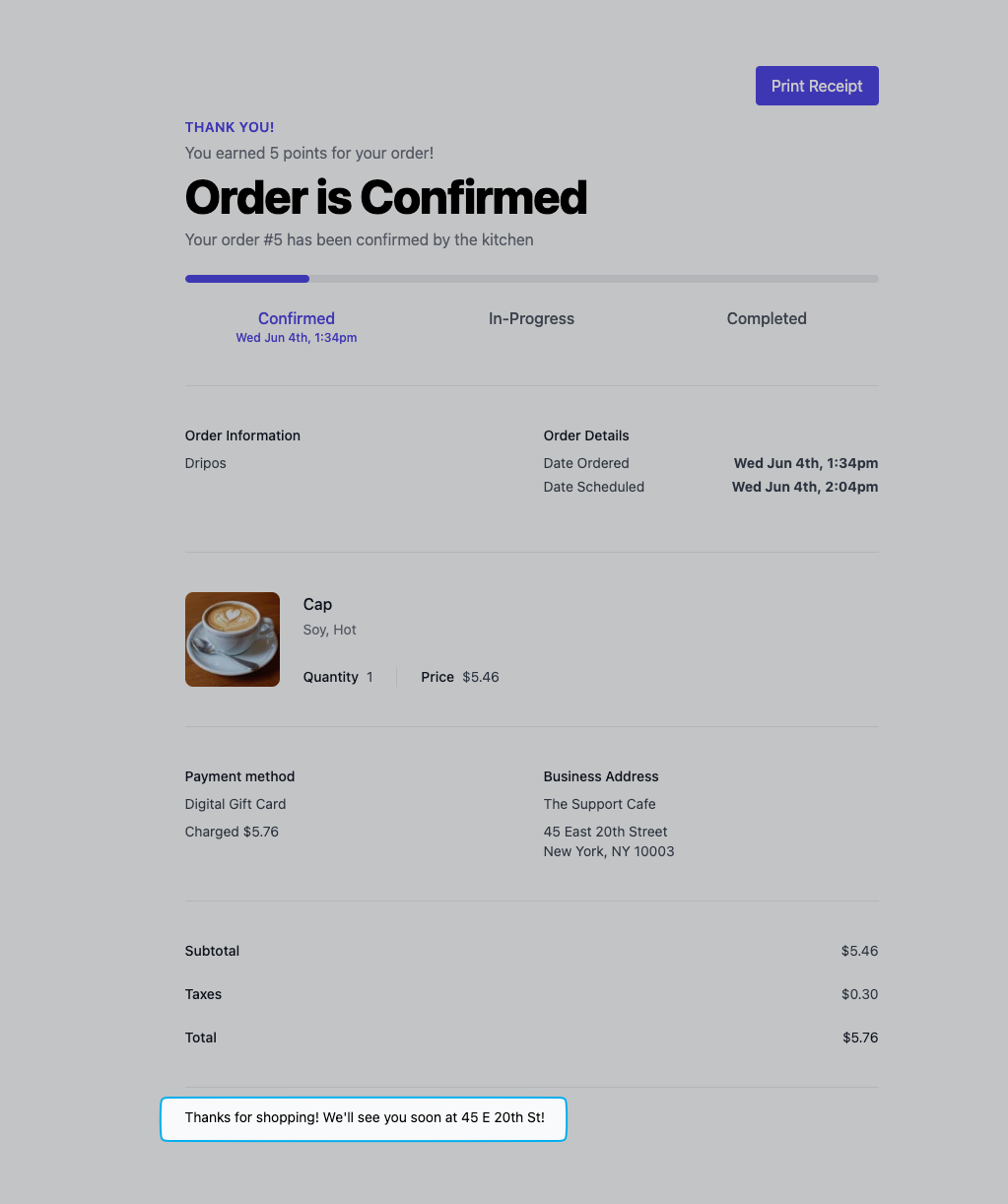
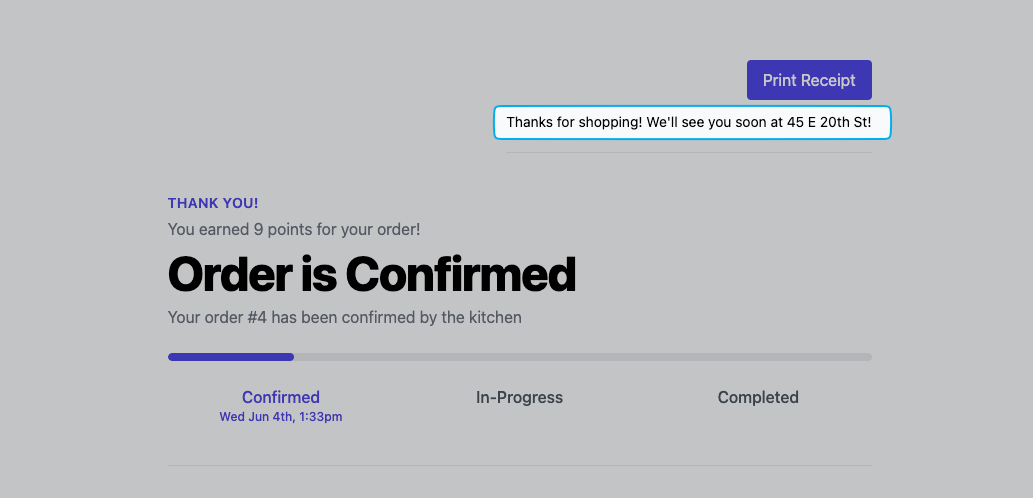 Set the Receipt Note position at the beginning or end of the Checkout page.
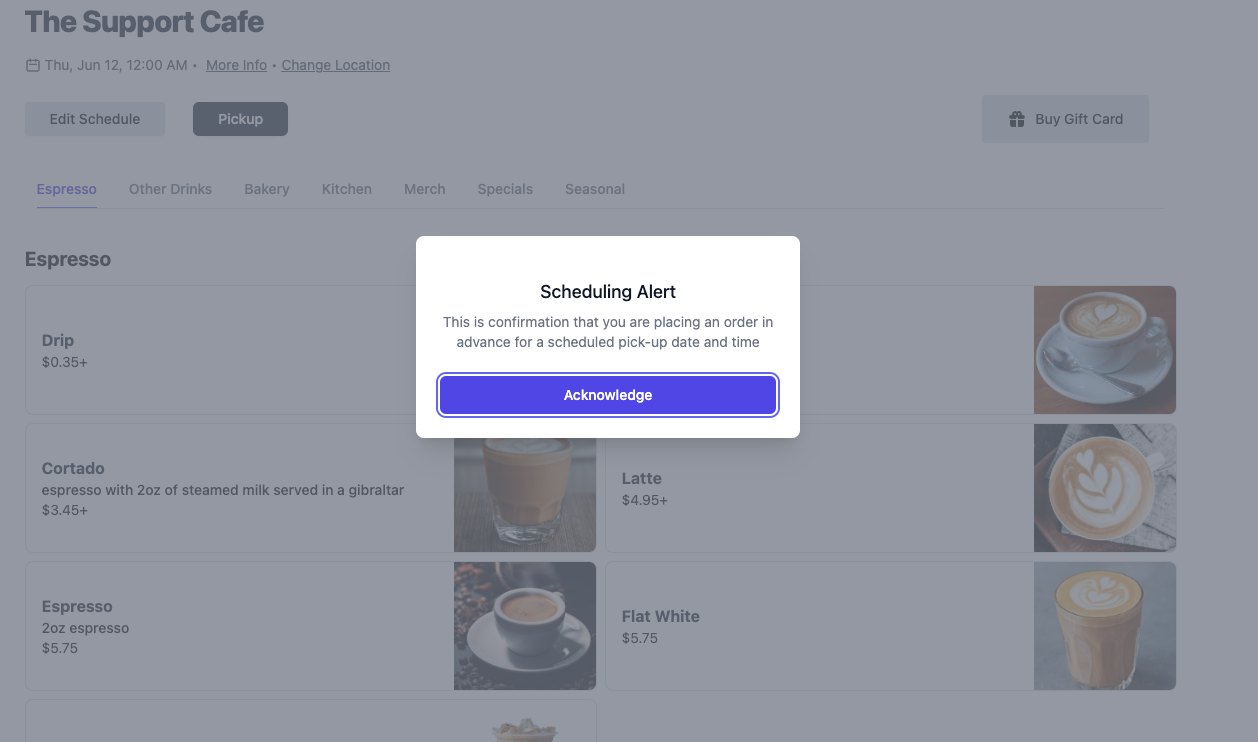
 If enabled, displays a pop-up when selecting scheduled requiring customer to Acknowledge before scheduling an order one or more days in advance.
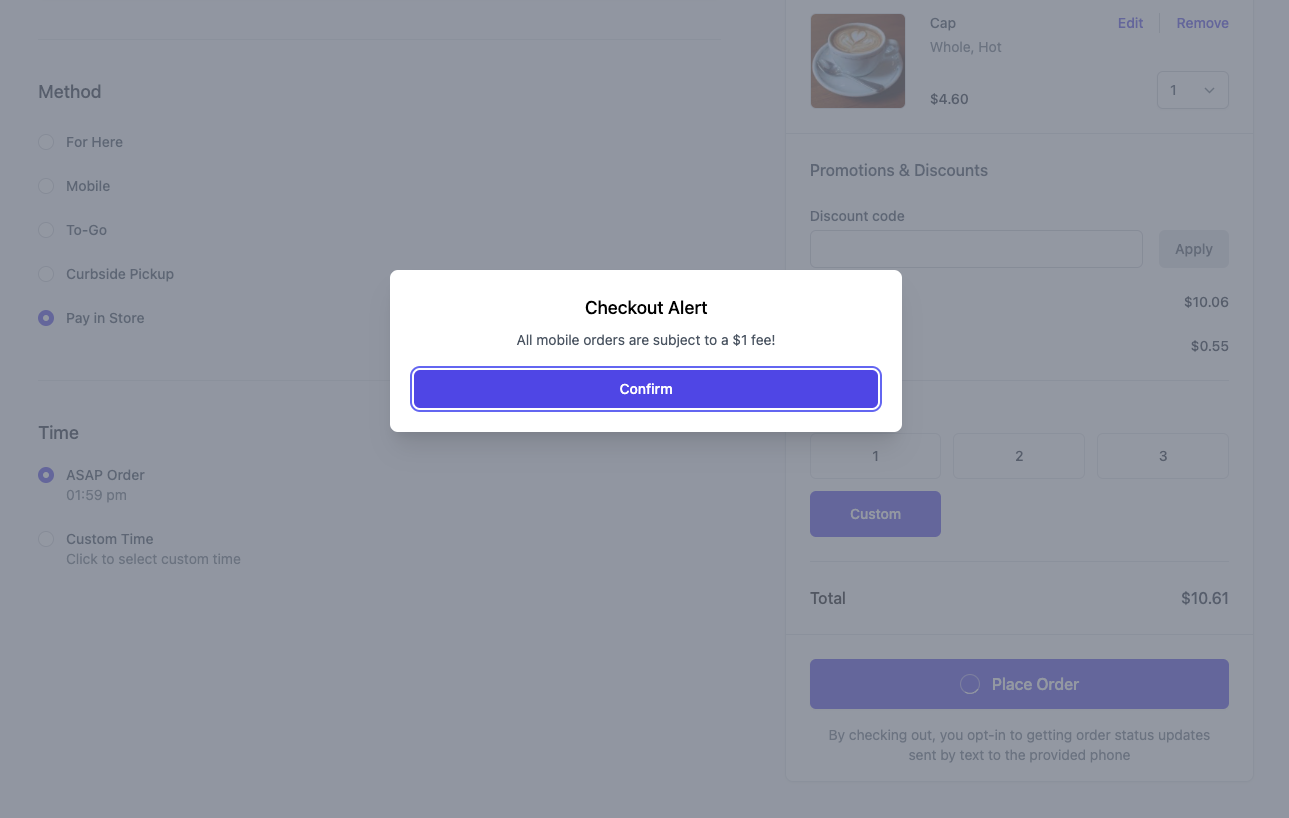
 If enabled, displays a pop-up at Checkout to Confirm before completing an order.
 If enabled, only digital gift cards are available for purchase (directing customers to the gift card screen by default).
Enter an item or dollar amount threshold to be met that prevents orders or adds time to the minimum scheduled time. Learn more [here](/orders/mobile/mobile-queue)
Configure the Point of Sale Mobile Ordering Settings:
If enabled, only digital gift cards are available for purchase (directing customers to the gift card screen by default).
Enter an item or dollar amount threshold to be met that prevents orders or adds time to the minimum scheduled time. Learn more [here](/orders/mobile/mobile-queue)
Configure the Point of Sale Mobile Ordering Settings:
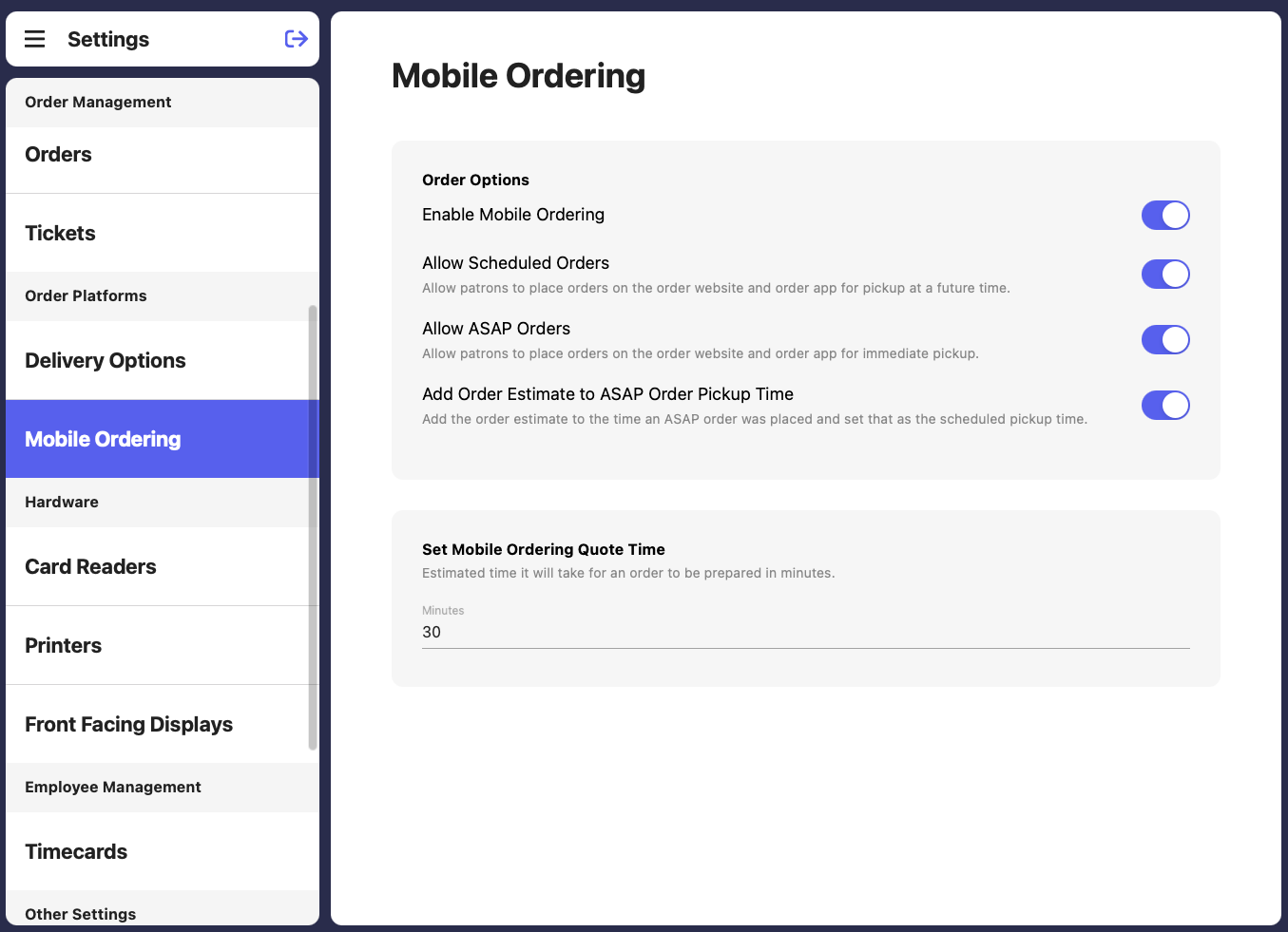 When disabling mobile ordering, set a time to autoenable mobile orders again.
If no time is selected, mobile ordering will reopen the next day when the store opens.
When disabling mobile ordering, set a time to autoenable mobile orders again.
If no time is selected, mobile ordering will reopen the next day when the store opens.
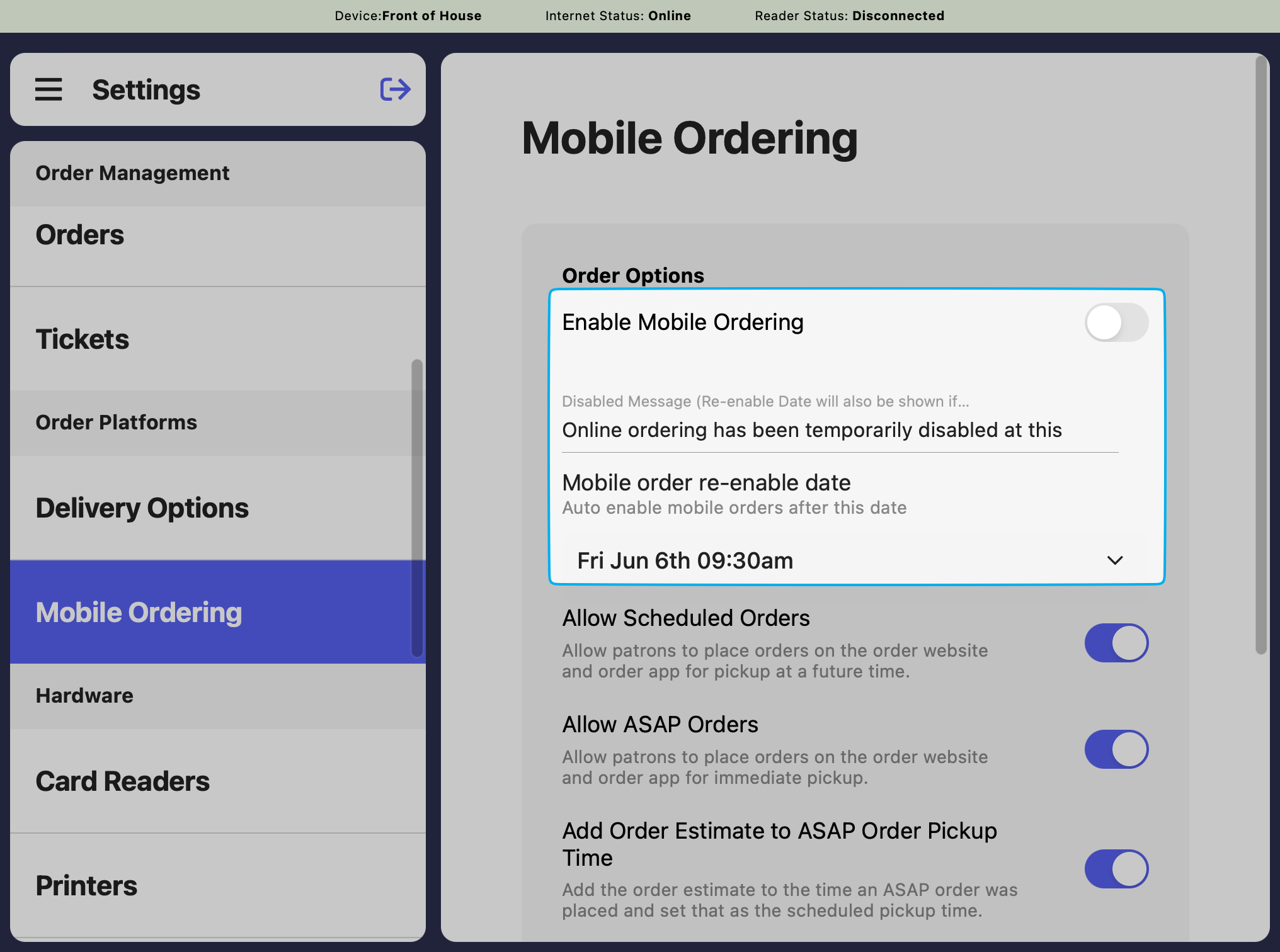 If enabled, allow patrons to order ahead and place scheduled orders.
If enabled, allow patrons to order ahead and place orders as soon as the Set Pickup Quote Time, and Weighted Queue Time thresholds are met.
Add the order estimate to the time an ASAP order was placed and set that as the scheduled pickup time.
Sets the preparation time (in minutes) added to all mobile orders before they can be picked up.
If enabled, allow patrons to order ahead and place scheduled orders.
If enabled, allow patrons to order ahead and place orders as soon as the Set Pickup Quote Time, and Weighted Queue Time thresholds are met.
Add the order estimate to the time an ASAP order was placed and set that as the scheduled pickup time.
Sets the preparation time (in minutes) added to all mobile orders before they can be picked up.