> ## Documentation Index
> Fetch the complete documentation index at: https://support.dripos.com/llms.txt
> Use this file to discover all available pages before exploring further.
# PIN Protected Features
> Grant or deny access to specific Dripos Point of Sale features
## PIN Protected Features
PIN protect access to the following features on the Point of Sale:
Tax Toggle on POS
Reports page on POS
Edit Mode on POS
Refunds on POS
Discounts on POS
Custom Discounts and Fees on POS
Transactions page on POS
Settings on POS
Supply Chain on POS
Edit Patron Points
On the **Dashboard** click the **Settings** icon > **Settings** > **Employee Management**
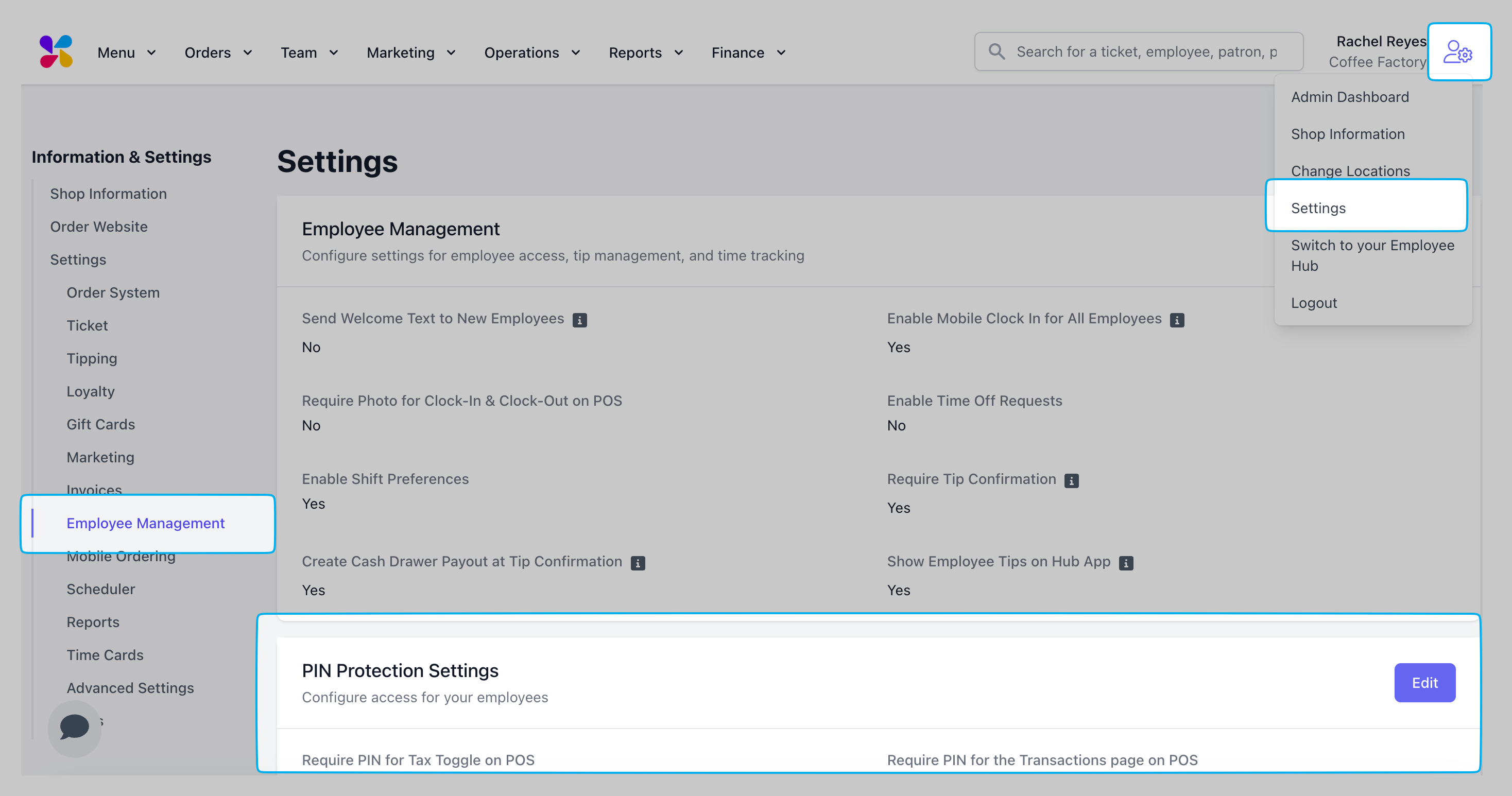 Press **Edit** next to **PIN Protection Settings**
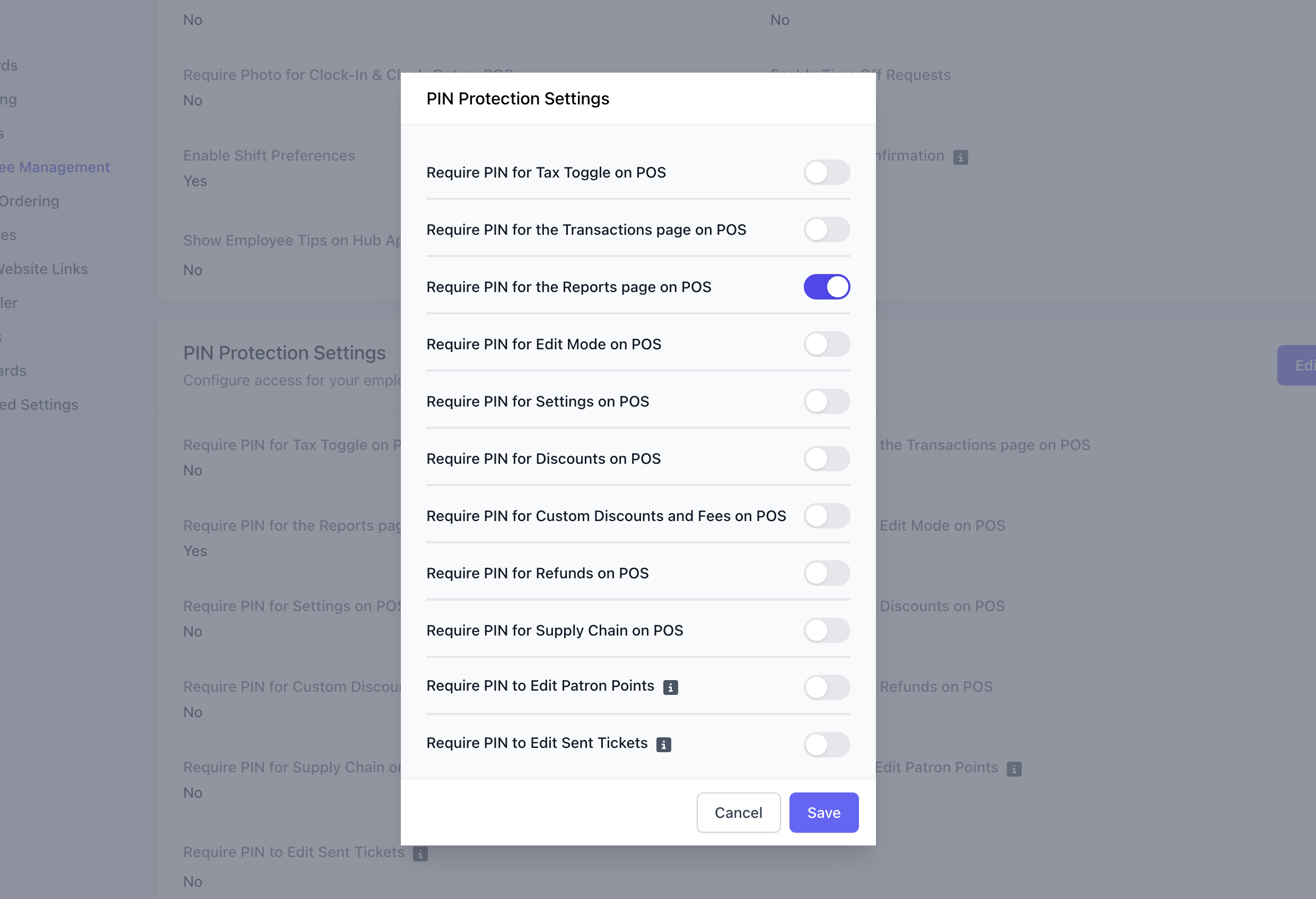
Enable or disable PIN protection on the following settings:
Press **Edit** next to **PIN Protection Settings**
Enable or disable PIN protection on the following settings:
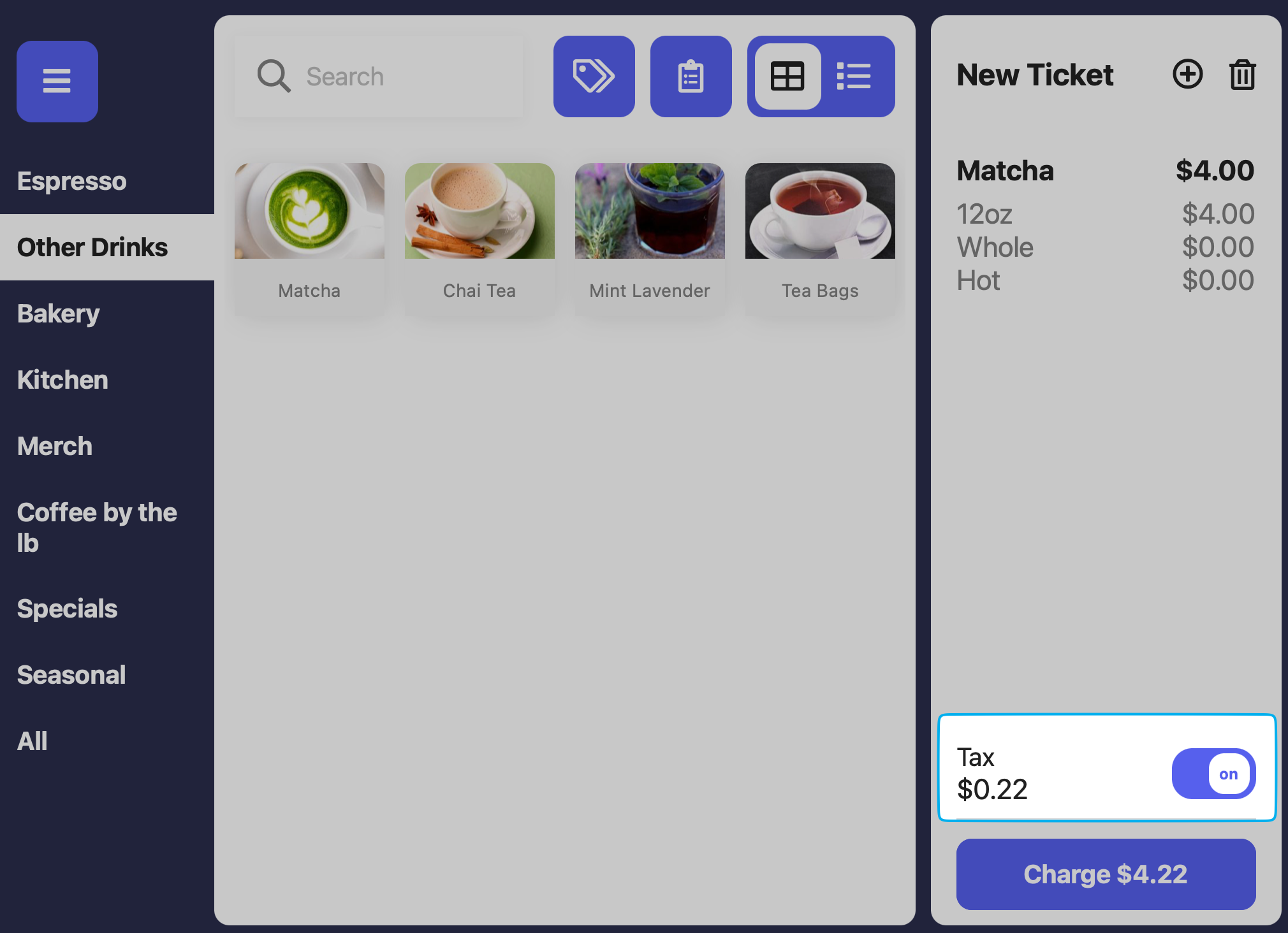
 If enabled, an employee with sufficient permissions will have to input their pin to disable taxes on an order.
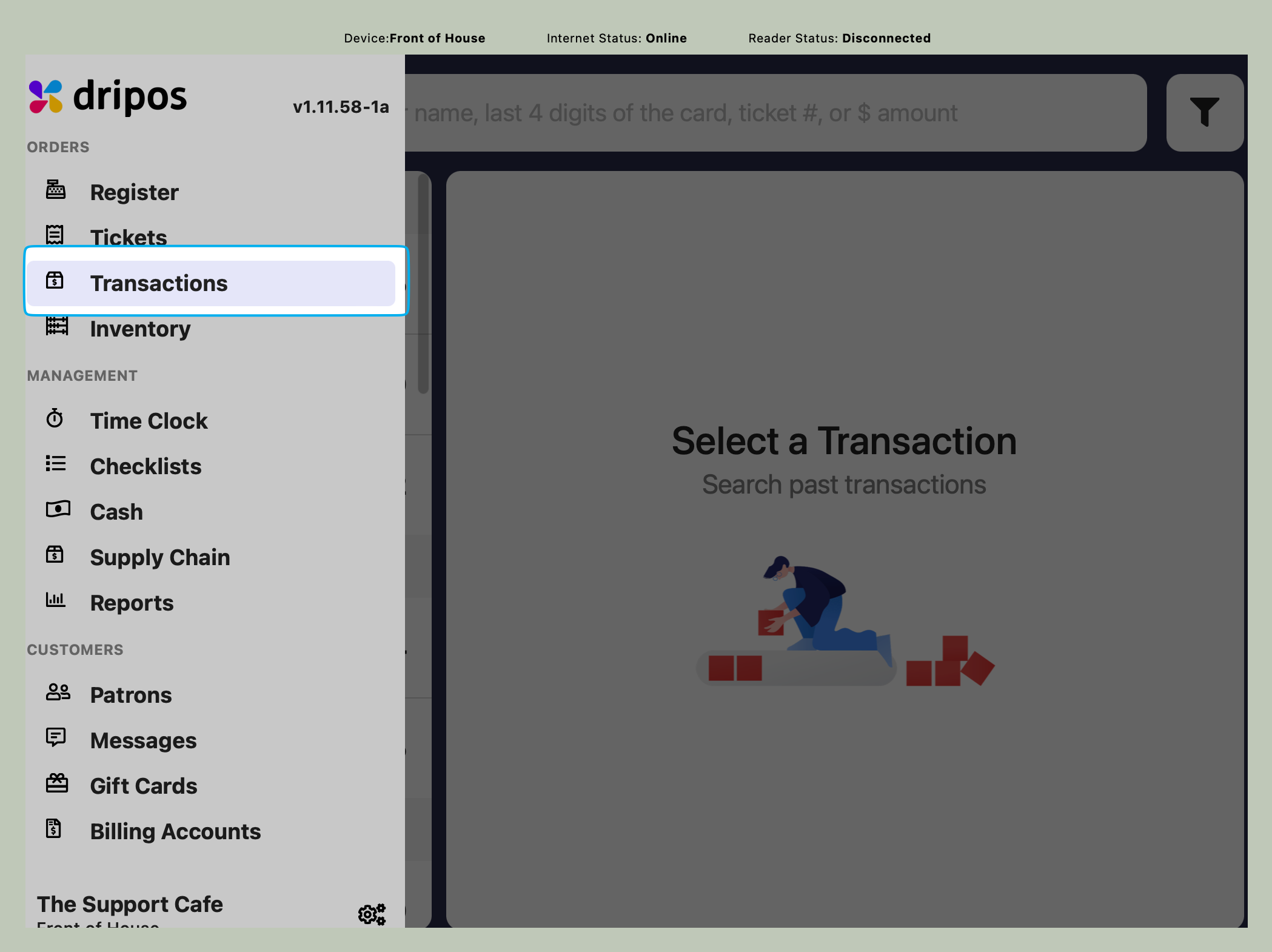
 If enabled, an employee with sufficient permissions will have to input their pin to view the Transactions page.
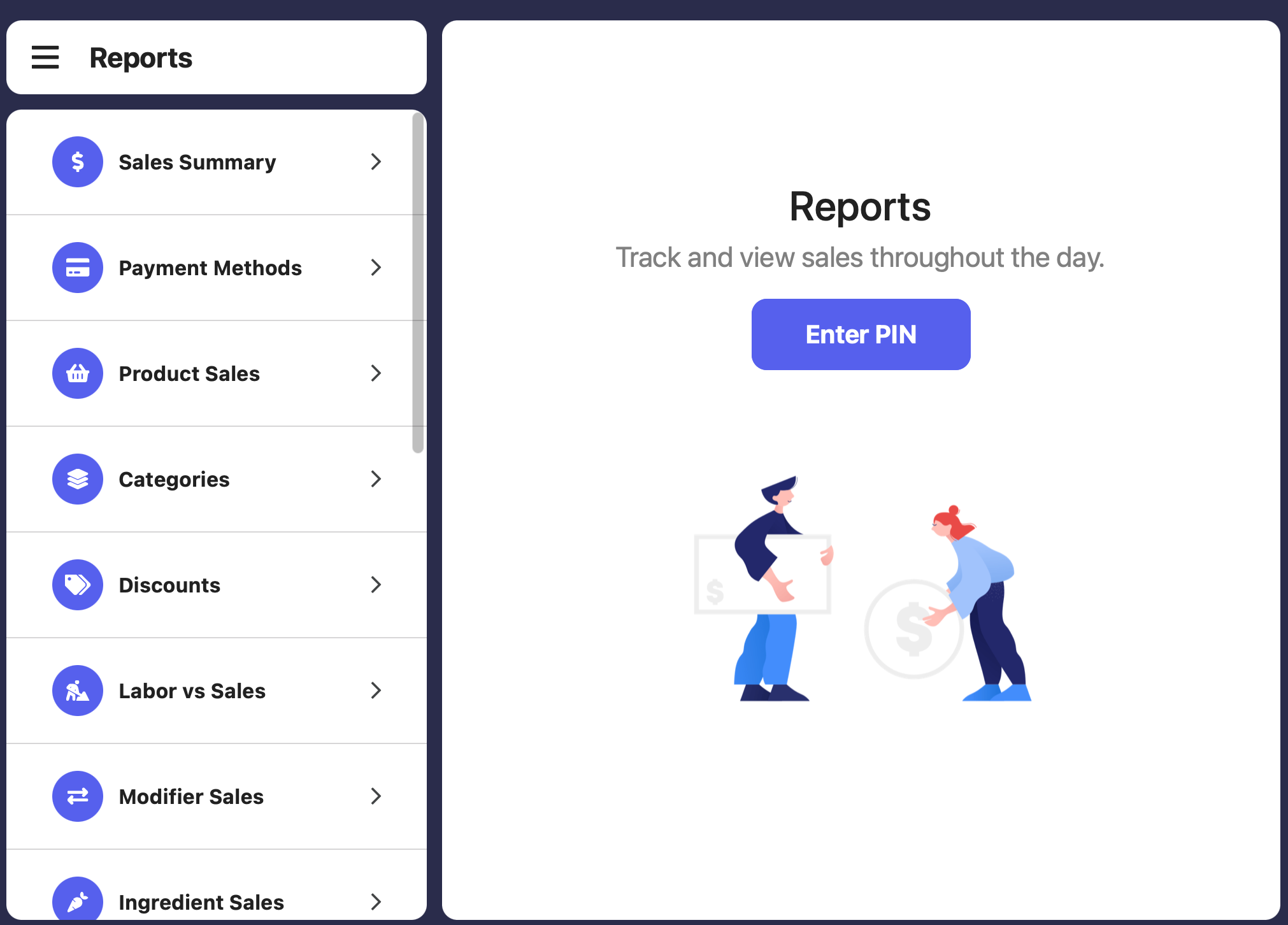
 If enabled, an employee with sufficient permissions will have to input their pin to view Reports page.
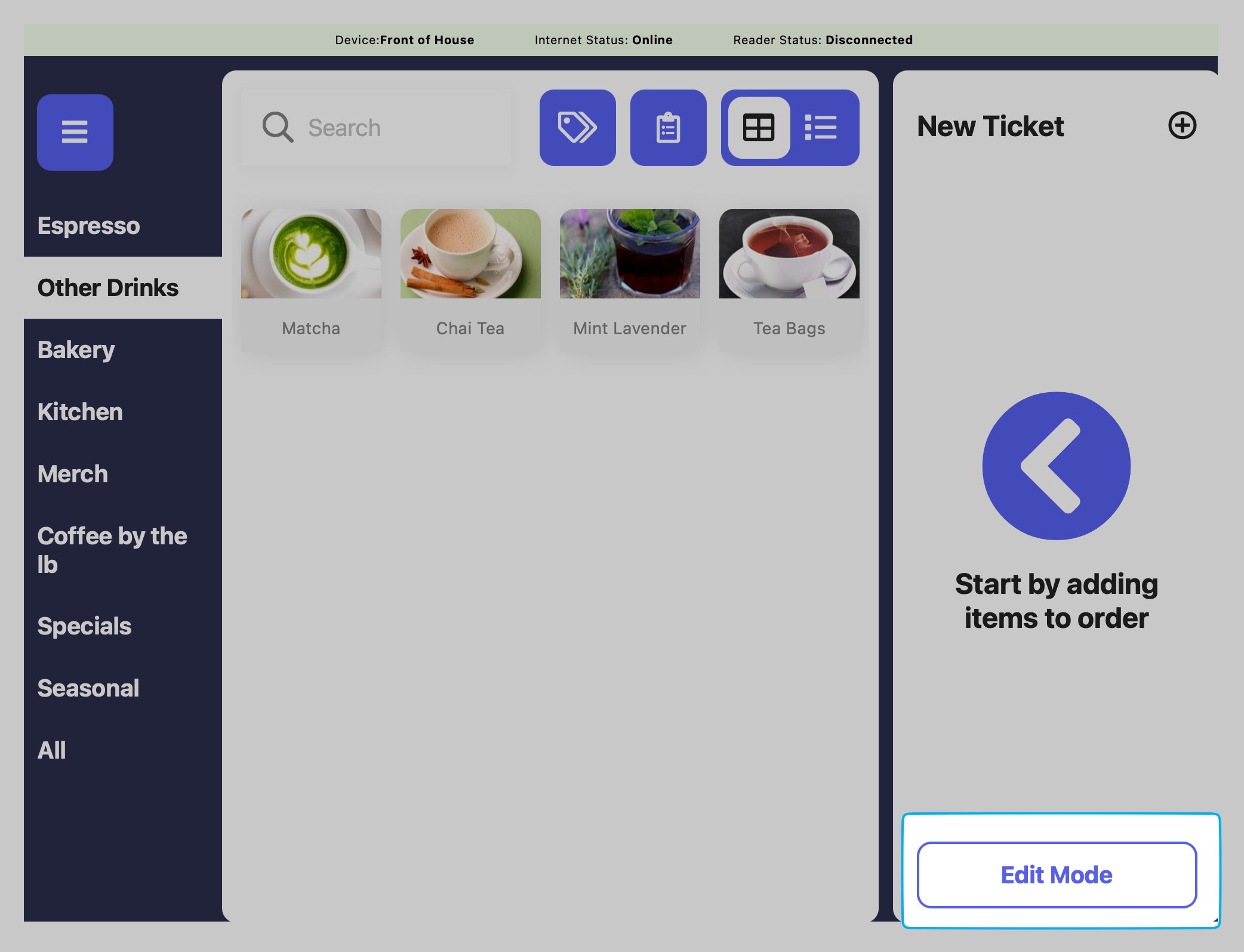
 If enabled, an employee with sufficient permissions will have to input their pin to use Edit Mode.
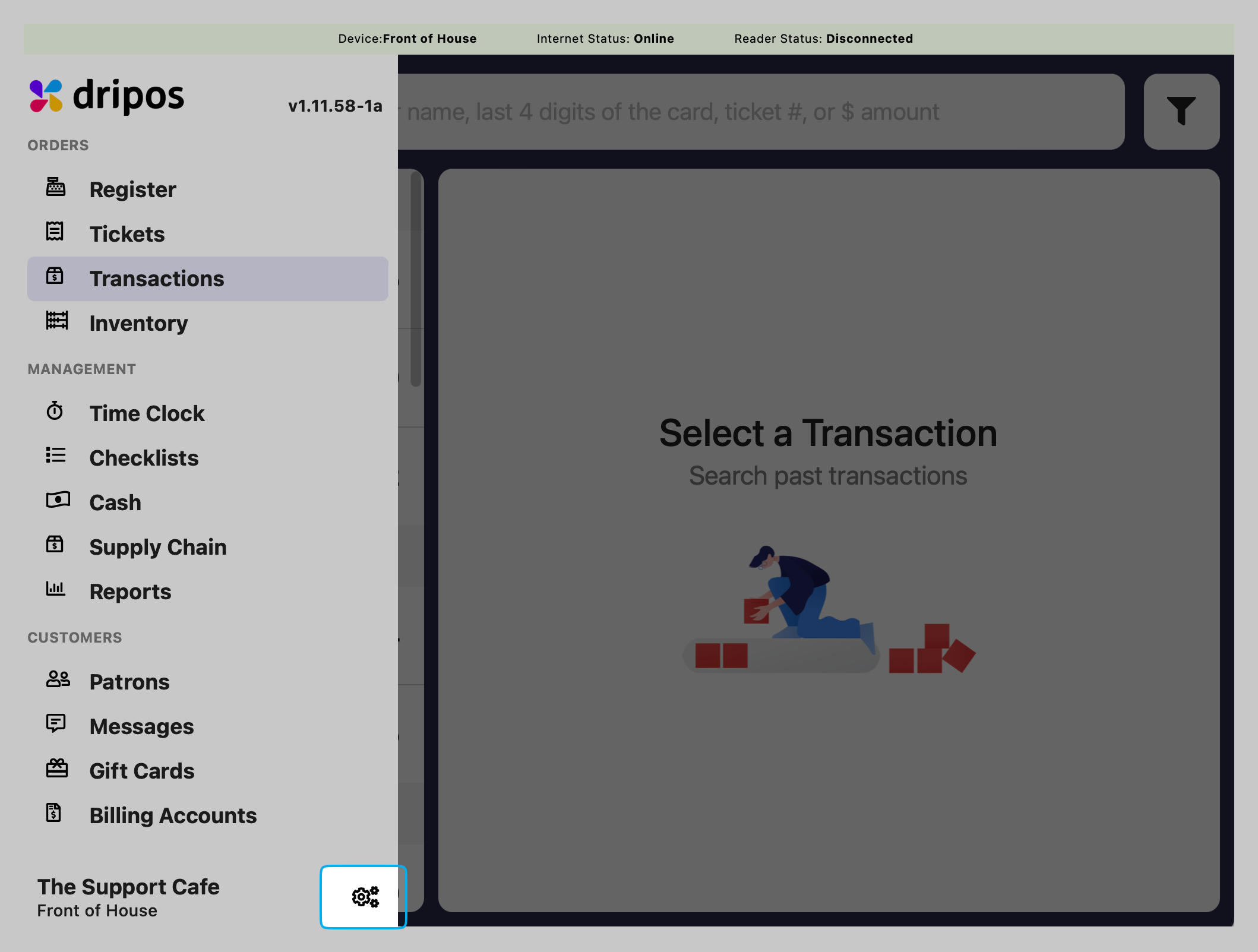
 If enabled, an employee with sufficient permissions will have to input their pin to view the Settings page.
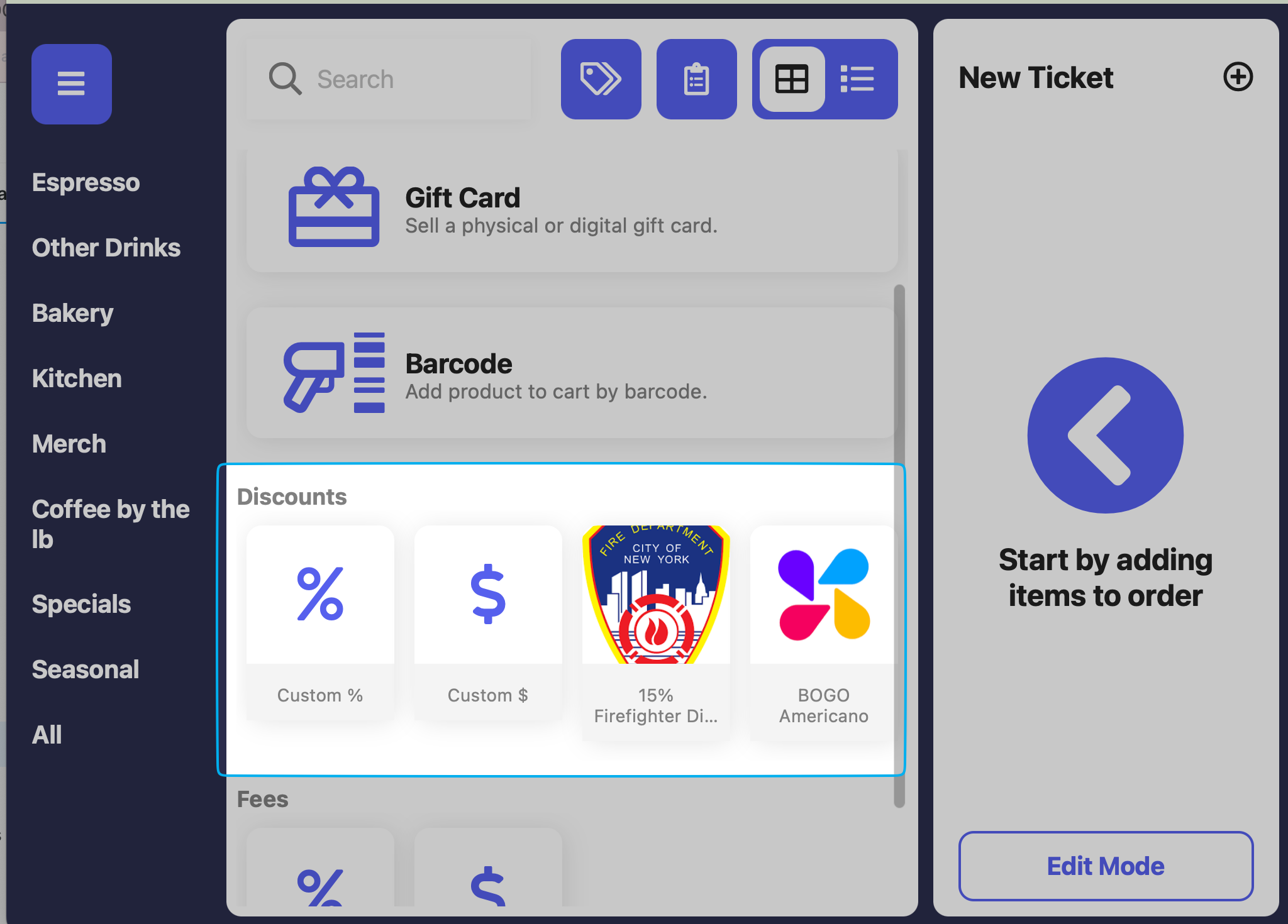
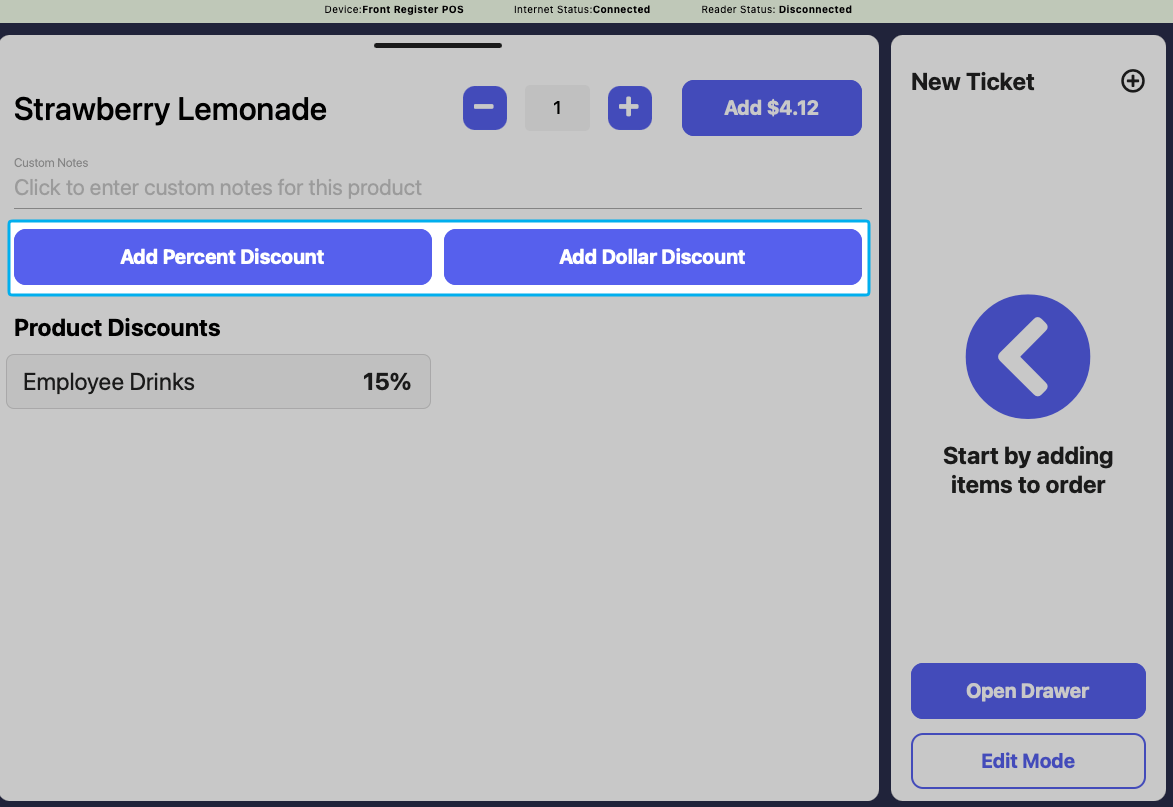
 If enabled, an employee with sufficient permissions will have to input their pin to apply a discount to an order.
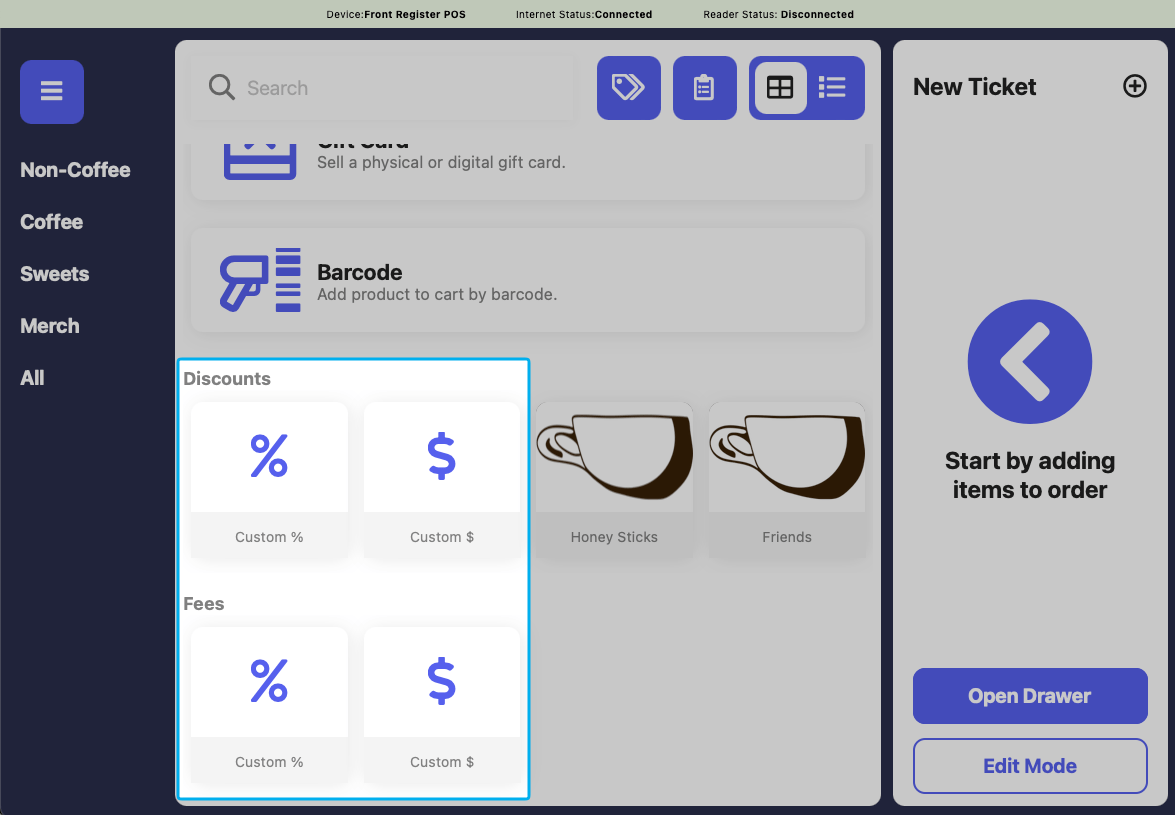
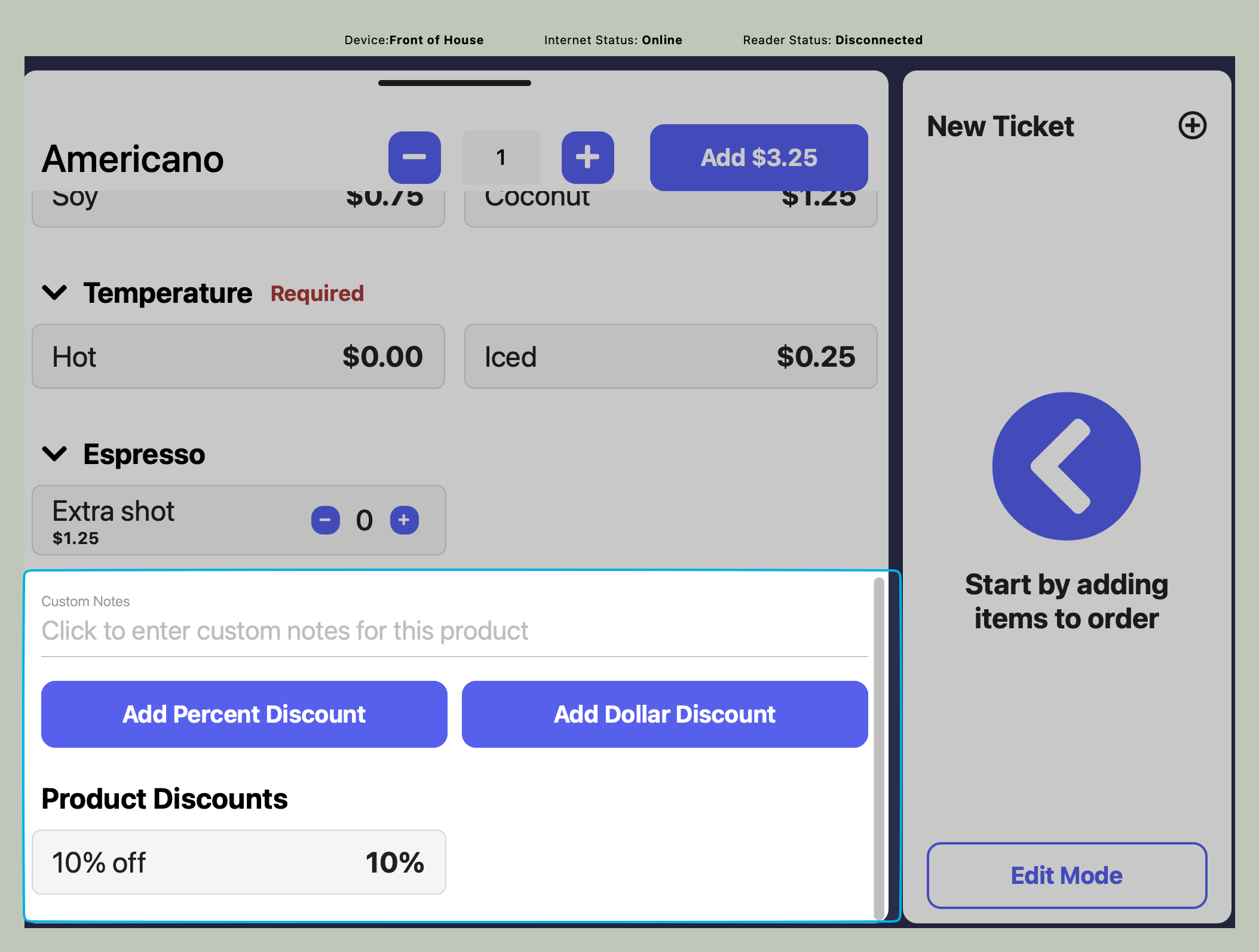 If enabled, an employee with sufficient permissions will have to input their pin to apply a custom discount or fee to an order.
 If enabled, an employee with sufficient permissions will have to input their pin to refund an order.
If enabled, an employee with sufficient permissions will have to input their pin to edit the amount of points attached to a patron's profile.
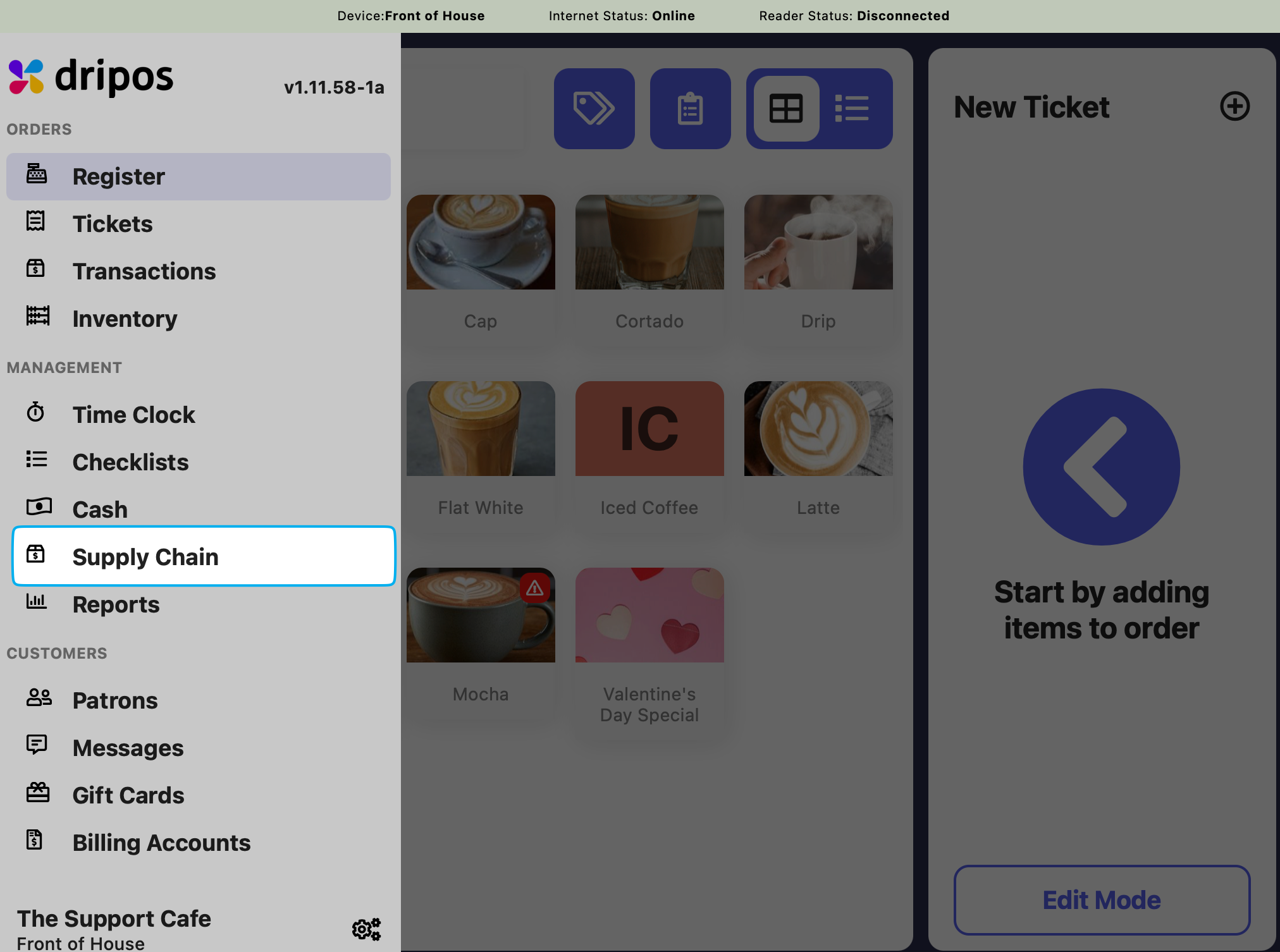
If enabled, an employee with sufficient permissions will have to input their pin to view the Supply Chain page.
If enabled, an employee with sufficient permissions will have to input their pin to refund an order.
If enabled, an employee with sufficient permissions will have to input their pin to edit the amount of points attached to a patron's profile.
If enabled, an employee with sufficient permissions will have to input their pin to view the Supply Chain page.
 ***
## PIN Protect the Point of Sale
Require an employee pin to be entered into the POS to continue using the app. This will keep track of who is taking orders.
***
## PIN Protect the Point of Sale
Require an employee pin to be entered into the POS to continue using the app. This will keep track of who is taking orders.
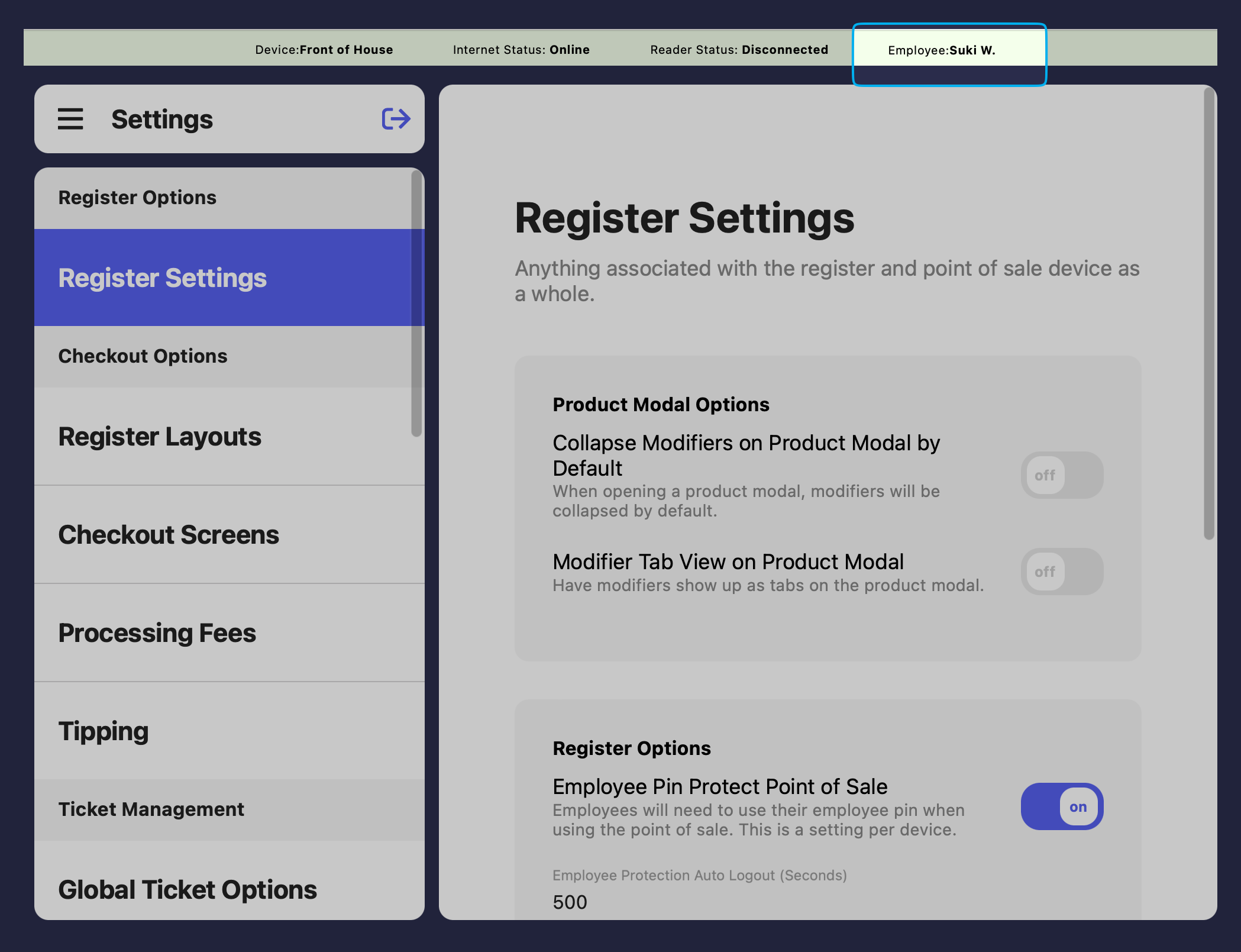
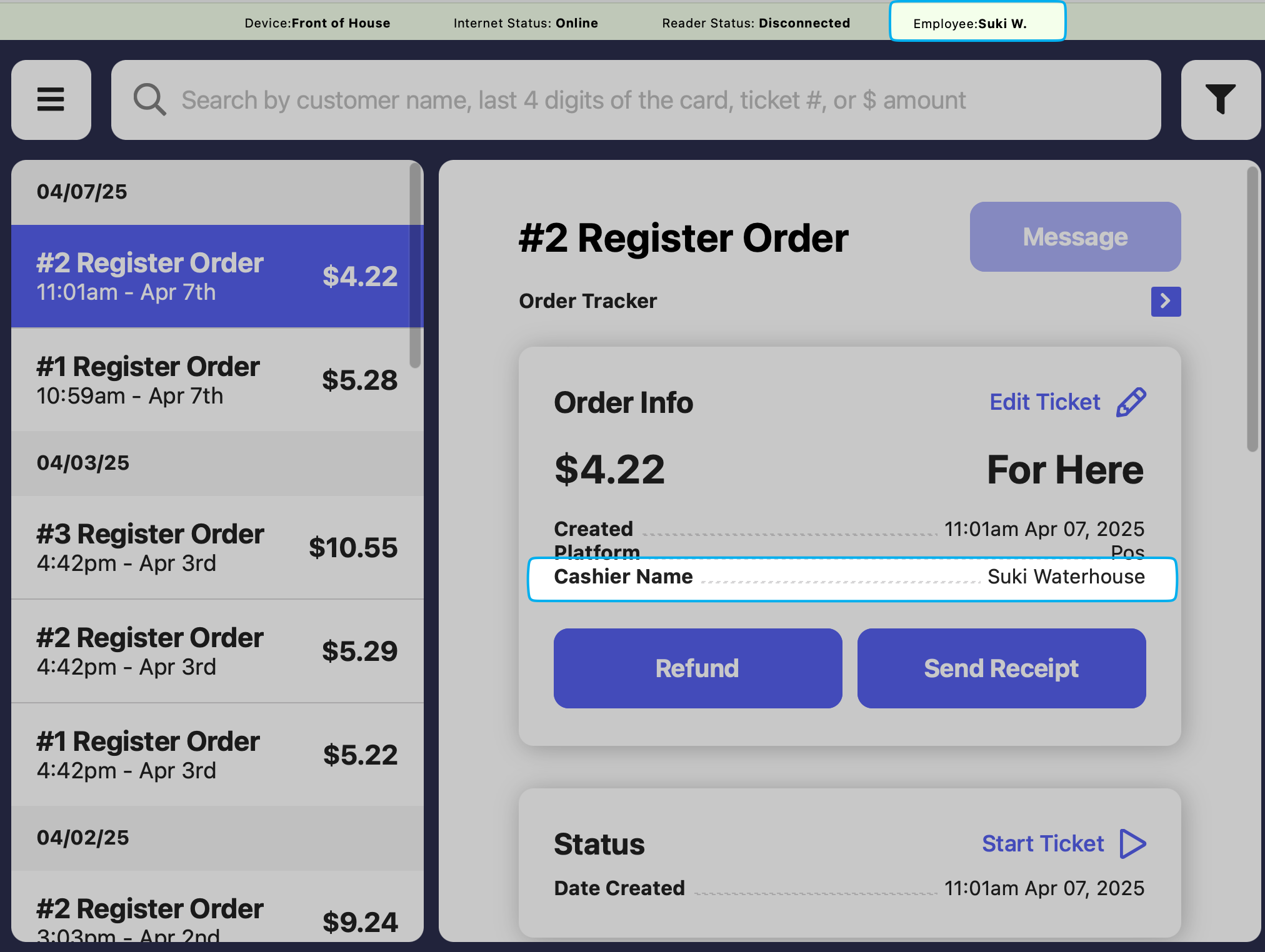 On the **Point of Sale**, press the **tribar** in the upper left screen corner > **Settings** button > **Register Settings**
Enable **Employee Pin Protect Point of Sale** and set in seconds how frequently an employee pin must be inputted to continue using the POS.
***
## PIN Protection Settings
Manage PIN protection settings from the [**Dashboard**](https://dashboard.dripos.com/settings?tab=employee-management) > **Settings** > **Employee Management**
On the **Point of Sale**, press the **tribar** in the upper left screen corner > **Settings** button > **Register Settings**
Enable **Employee Pin Protect Point of Sale** and set in seconds how frequently an employee pin must be inputted to continue using the POS.
***
## PIN Protection Settings
Manage PIN protection settings from the [**Dashboard**](https://dashboard.dripos.com/settings?tab=employee-management) > **Settings** > **Employee Management**
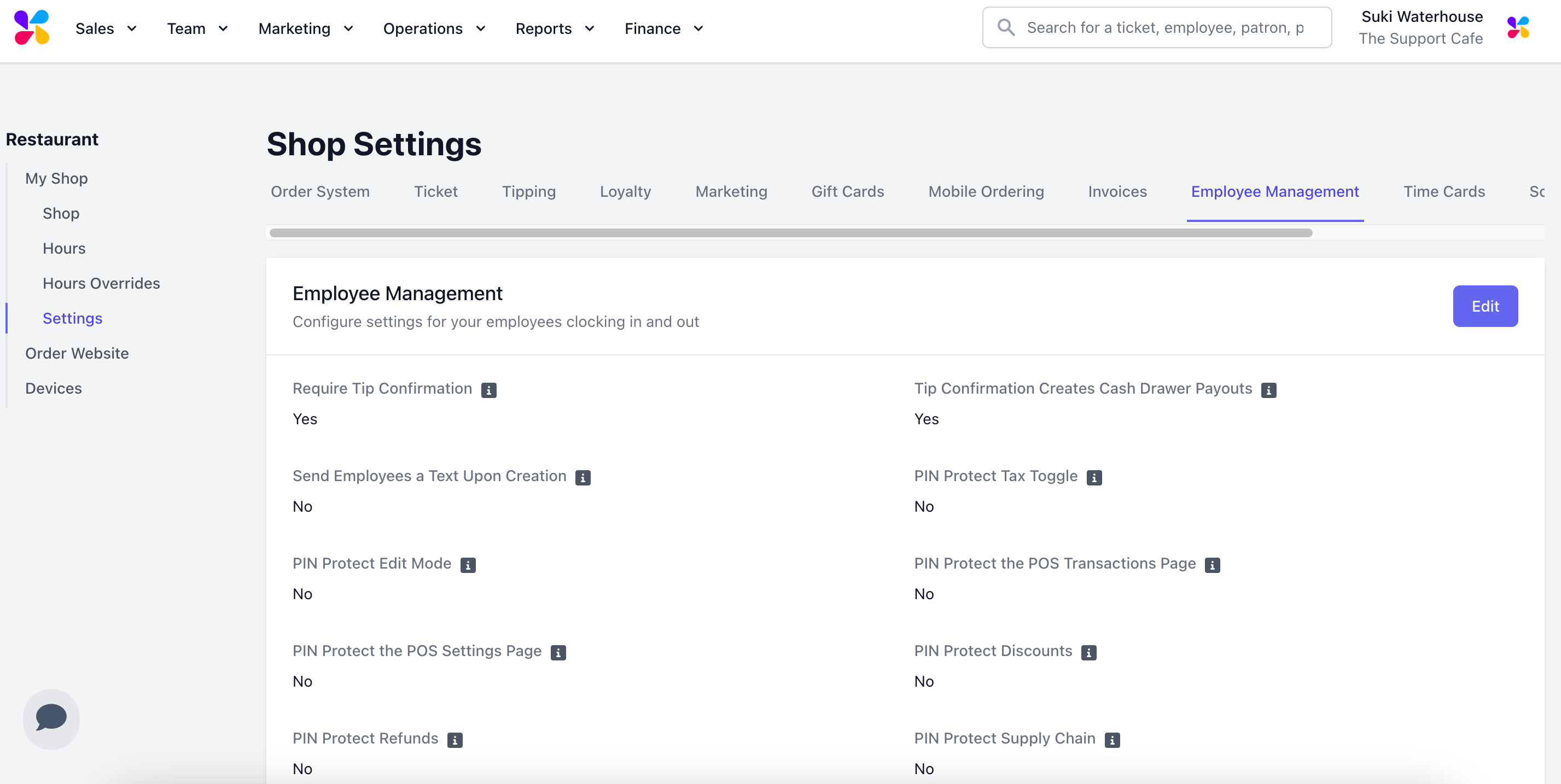 **PIN Protect Tax Toggle**
Require an employee PIN with sufficient permissions to disable the tax toggle on the POS
**PIN Protect Tax Toggle**
Require an employee PIN with sufficient permissions to disable the tax toggle on the POS
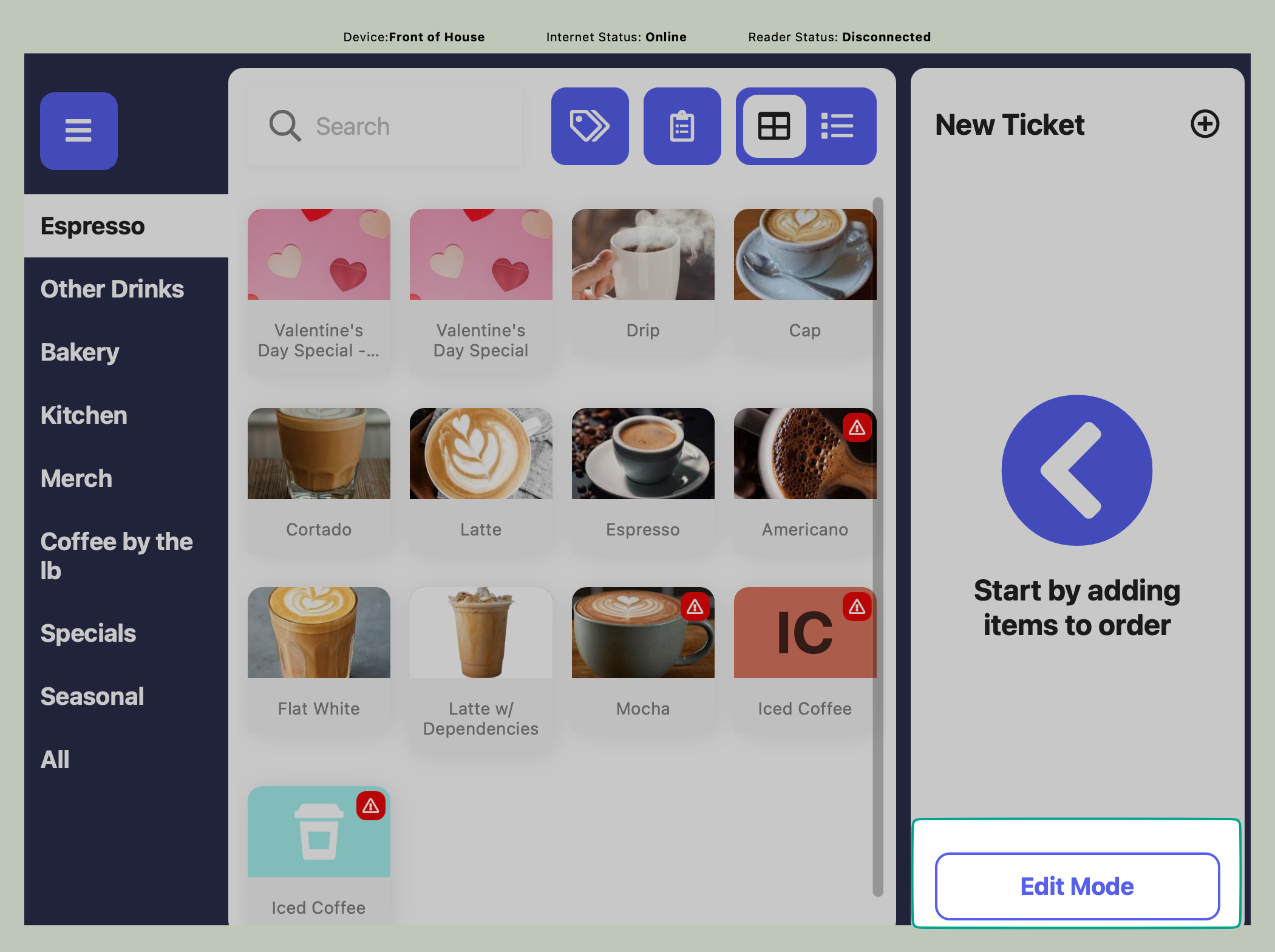
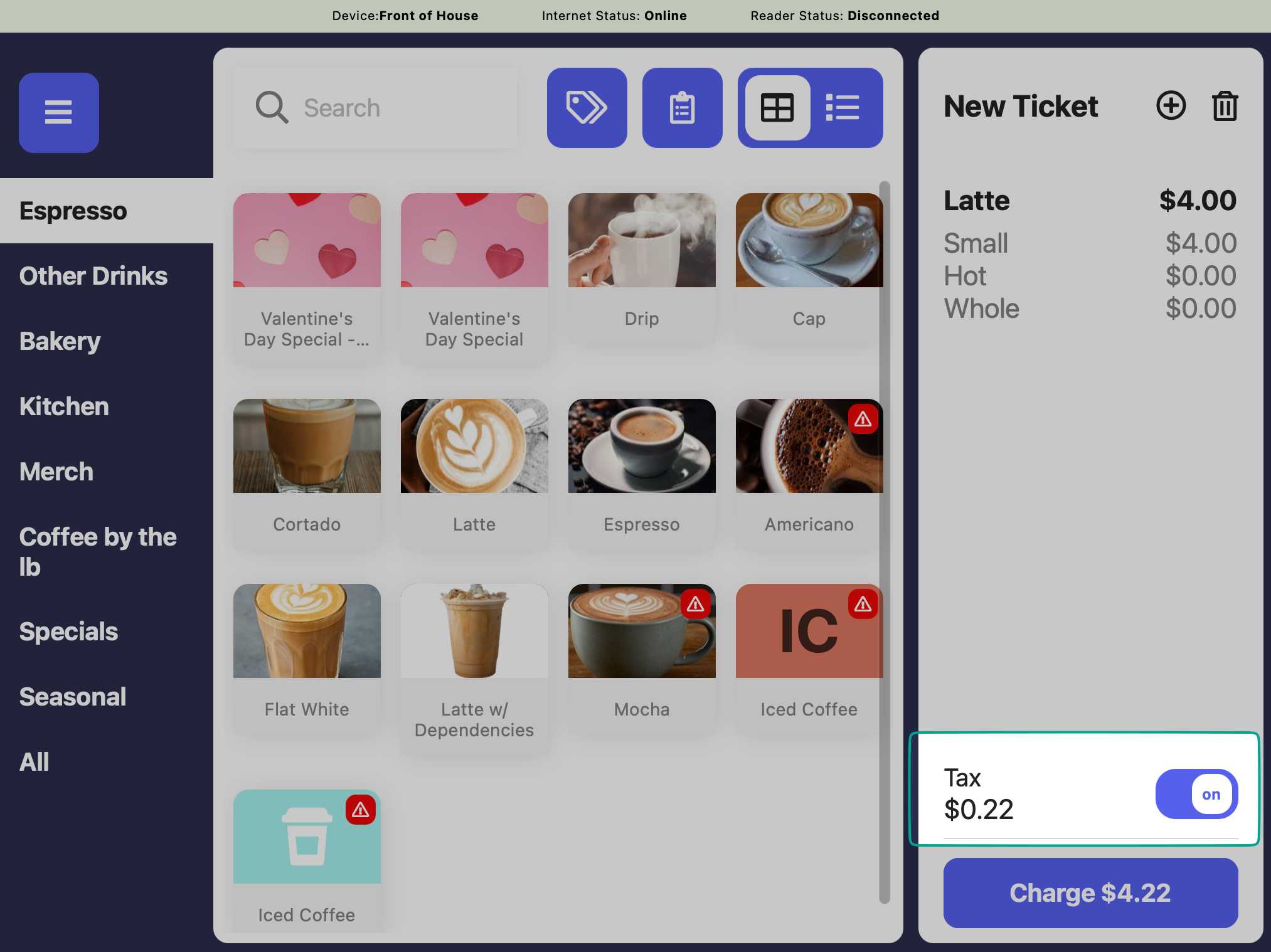 **PIN Protect Edit Mode**
Require an employee PIN with sufficient permissions to utilize Edit Mode on the POS
**PIN Protect Edit Mode**
Require an employee PIN with sufficient permissions to utilize Edit Mode on the POS
 **PIN Protect the POS Settings Page**
Require an employee PIN with sufficient permissions to access the POS settings page
**PIN Protect Refunds**
Require an employee PIN with sufficient permissions to refund a ticket from the POS
**PIN Protect the POS Transactions Page**
Require an employee PIN with sufficient permissions to access the Transactions tab on the POS
**PIN Protect Discounts**
Require an employee PIN with sufficient permissions to apply any discounts to an order on the POS
Require an employee PIN with sufficient permissions to apply any custom discounts or fees to an order on the POS
**PIN Protect Supply Chain**
Require an employee PIN with sufficient permissions to access the Supply Chain tab on the POS
**PIN Protect the POS Settings Page**
Require an employee PIN with sufficient permissions to access the POS settings page
**PIN Protect Refunds**
Require an employee PIN with sufficient permissions to refund a ticket from the POS
**PIN Protect the POS Transactions Page**
Require an employee PIN with sufficient permissions to access the Transactions tab on the POS
**PIN Protect Discounts**
Require an employee PIN with sufficient permissions to apply any discounts to an order on the POS
Require an employee PIN with sufficient permissions to apply any custom discounts or fees to an order on the POS
**PIN Protect Supply Chain**
Require an employee PIN with sufficient permissions to access the Supply Chain tab on the POS