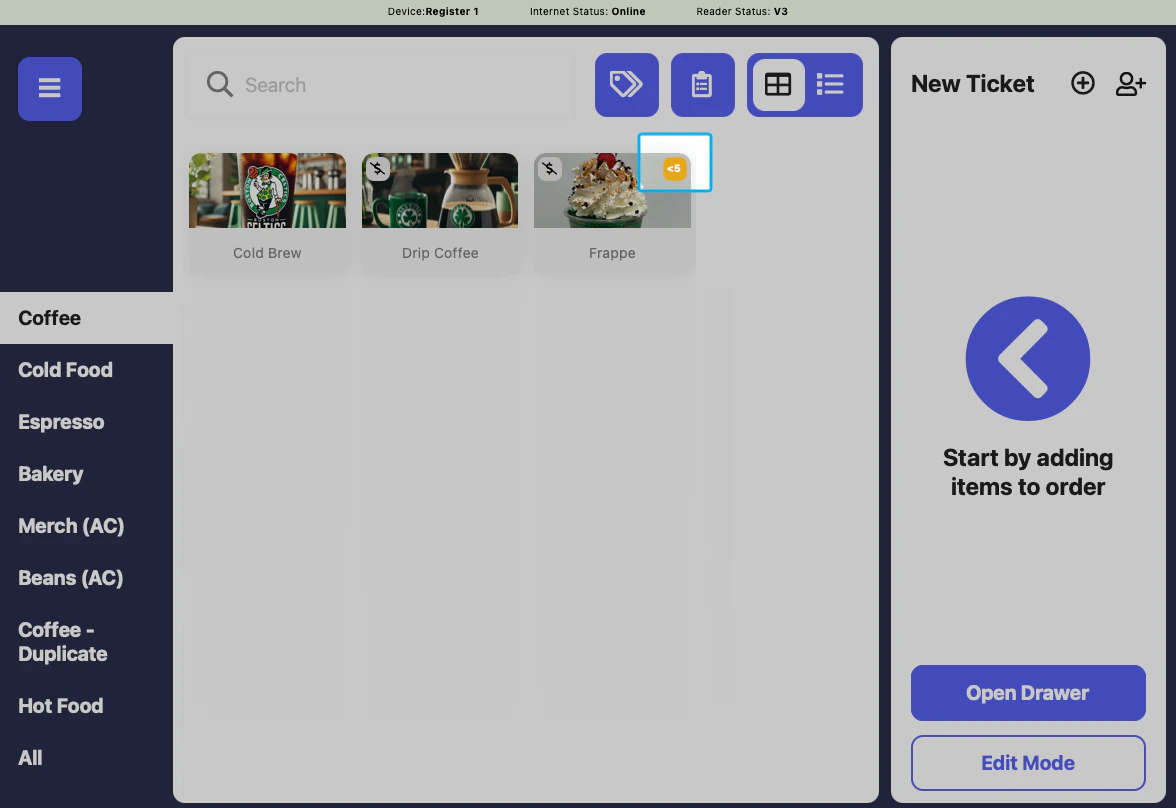
Enable Low Stock Flag
1
Configure inventory stock settings by navigating to dashboard Settings > Order System and find the Inventory Settings section.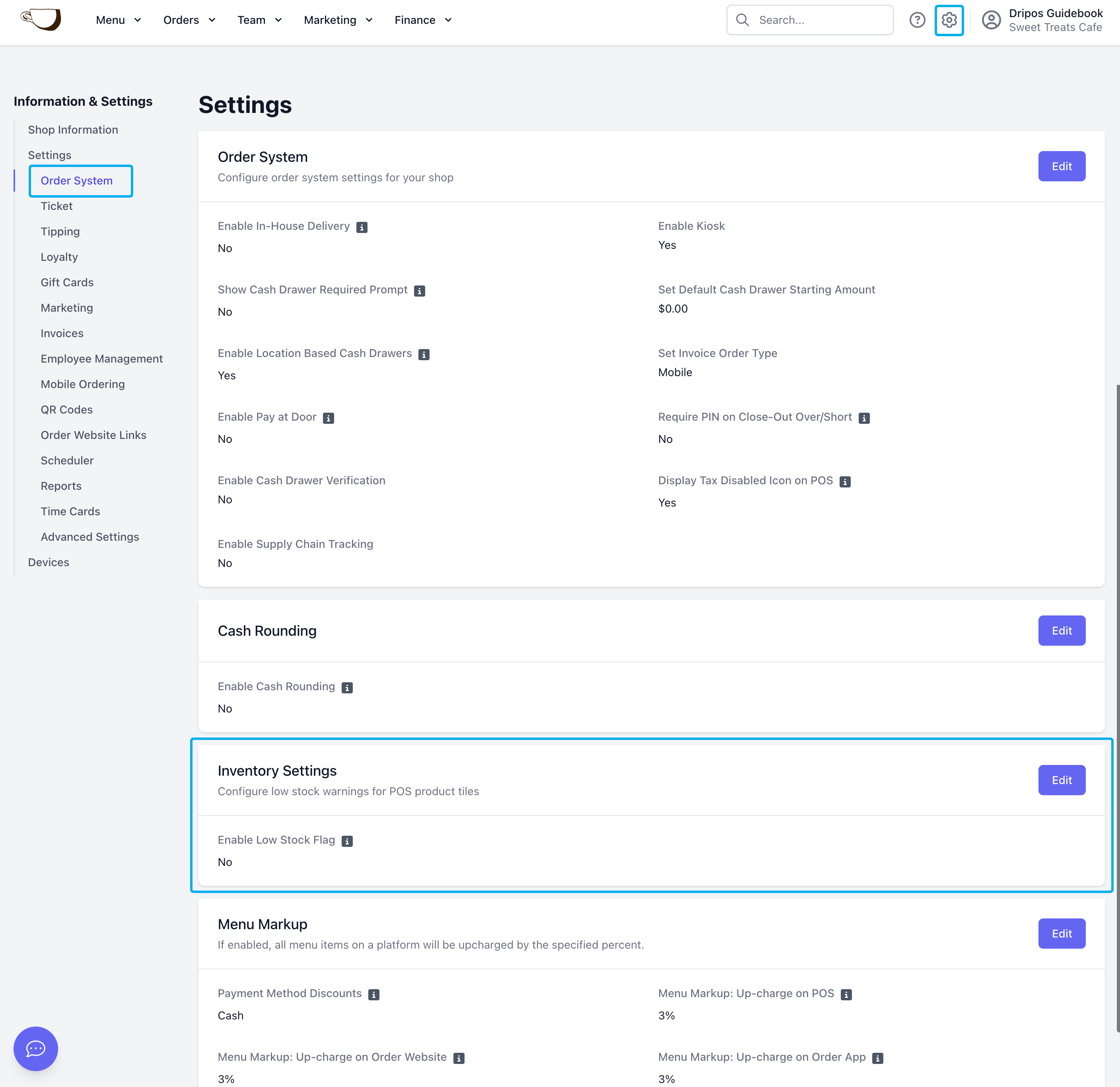
2
Click Edit to turn on the Enable Low Stock Flag setting and set the threshold before clicking Save.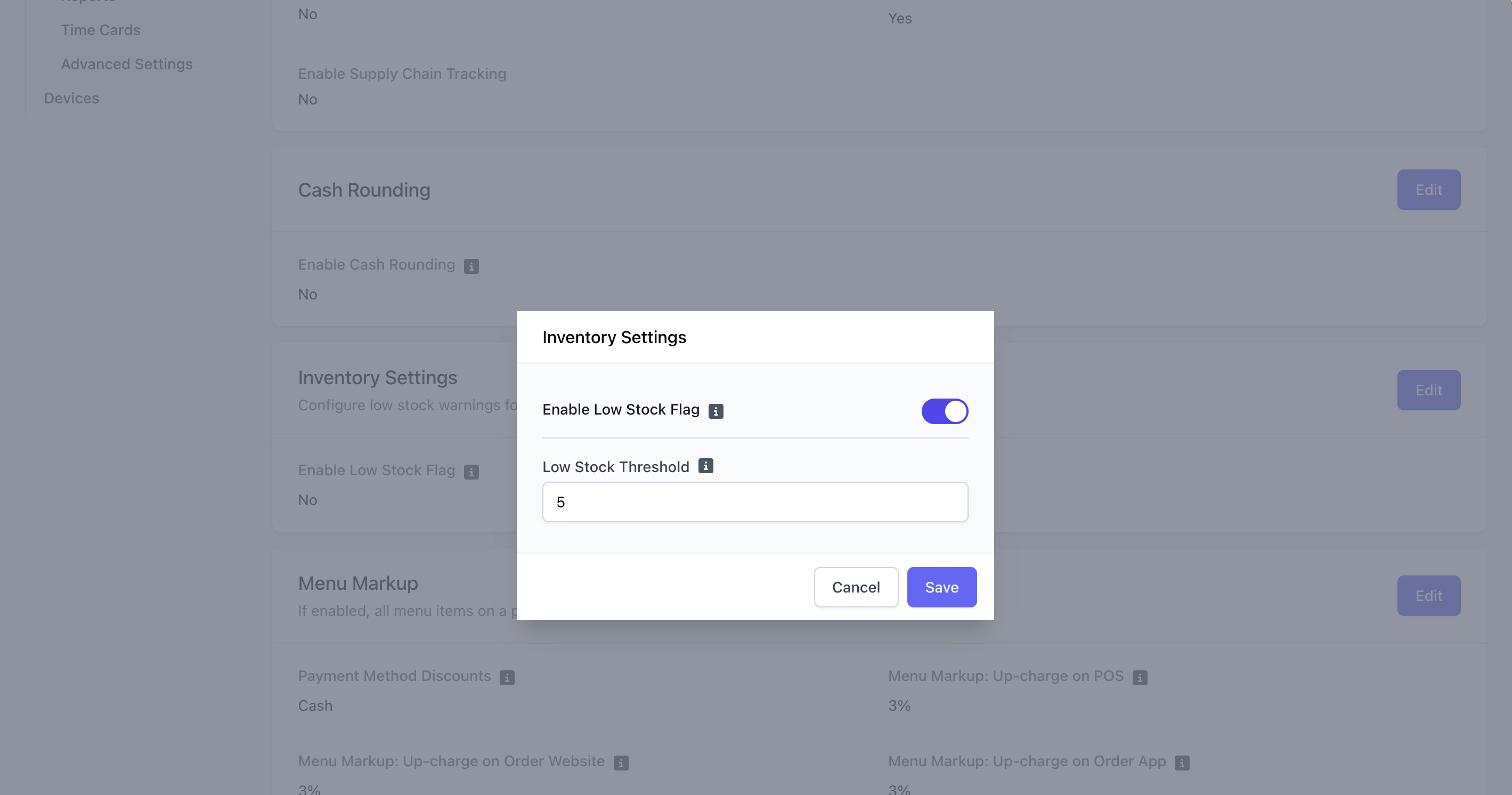
3
Now, any product using simple inventory tracking will display a low-stock flag on the POS if the quantity falls below the threshold set on the dashboard.