

Add Printing Rules
1
On the Point of Sale > Setings > Printers > Printer Rules and press Add Printing Rule.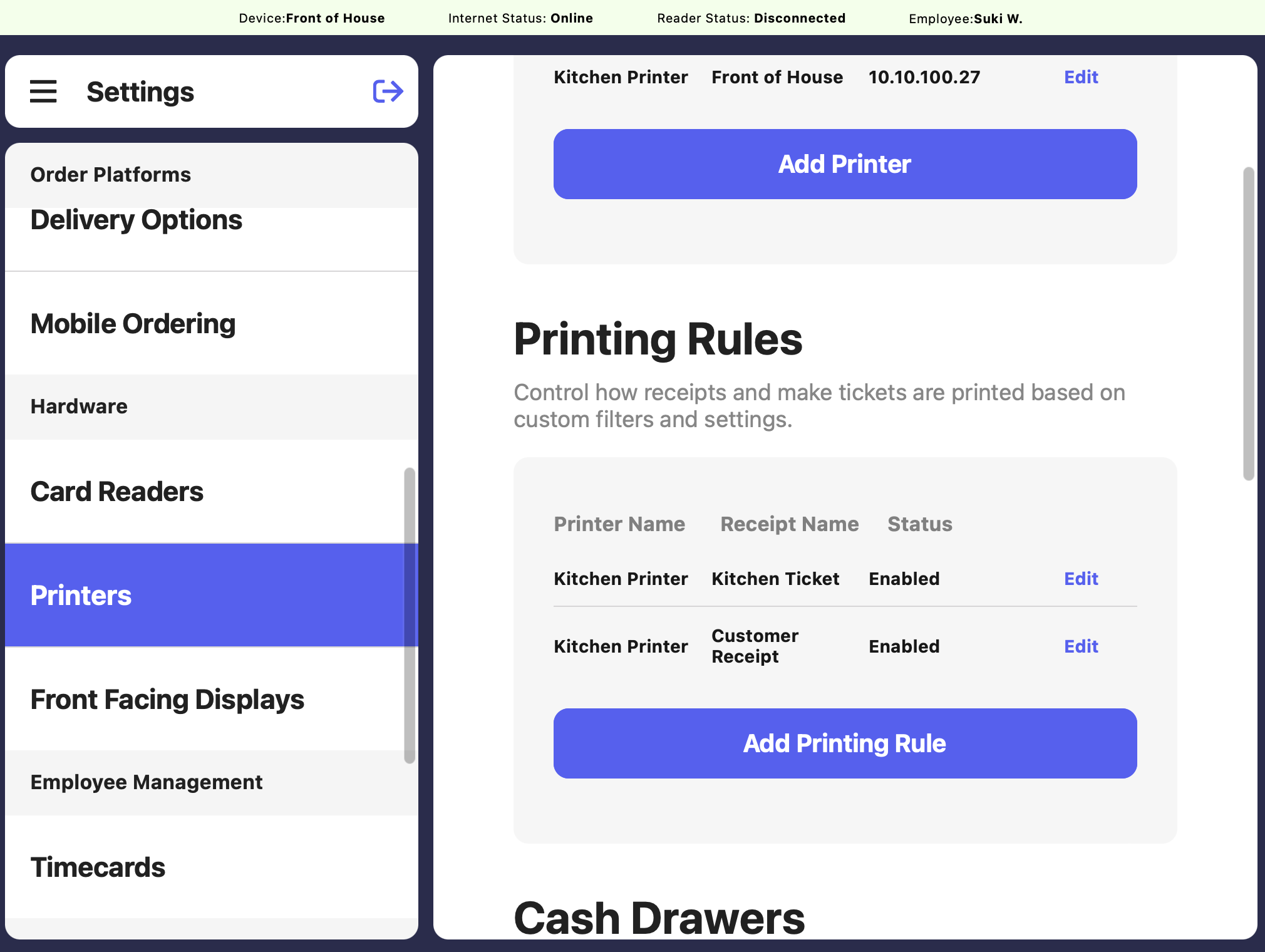
2
Make the following selections. Select the Receipt Template to use and the applicable Printer to use for this rule.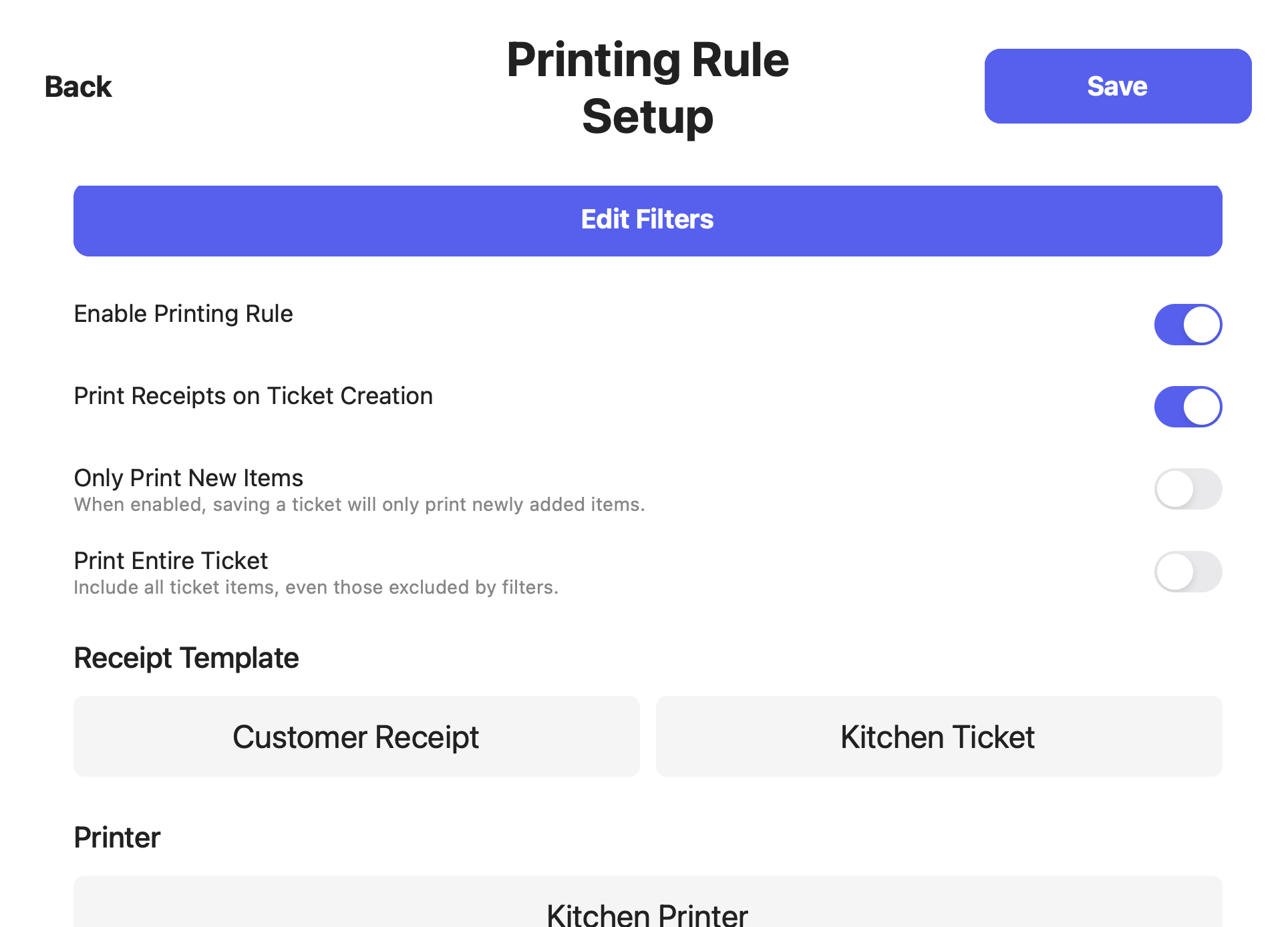
Enable Printing Rule
Enable or disable the printing rule
Print Receipts on Ticket Creation
Receipts will automatically print after checkout
Only Print New Items
Products that have already printed will not print again - even if new items are added to the order or a saved ticket is updated
Print Gift Cards on Make Tickets
Gift cards will be included on make tickets
Print Entire Ticket
All ticket items will print if at least one item on the ticket is included in the printing rule filter (next section)
3
Click Save
Filter Printer Rules
Add filters to only print specific ticket types, categories, products, or orders from specific devices.When creating a new category or product, change your printing rules to ensure all new items print!
1
Navigate to POS Settings > Printers
2
Click Edit next to your printing rule and press Edit Filters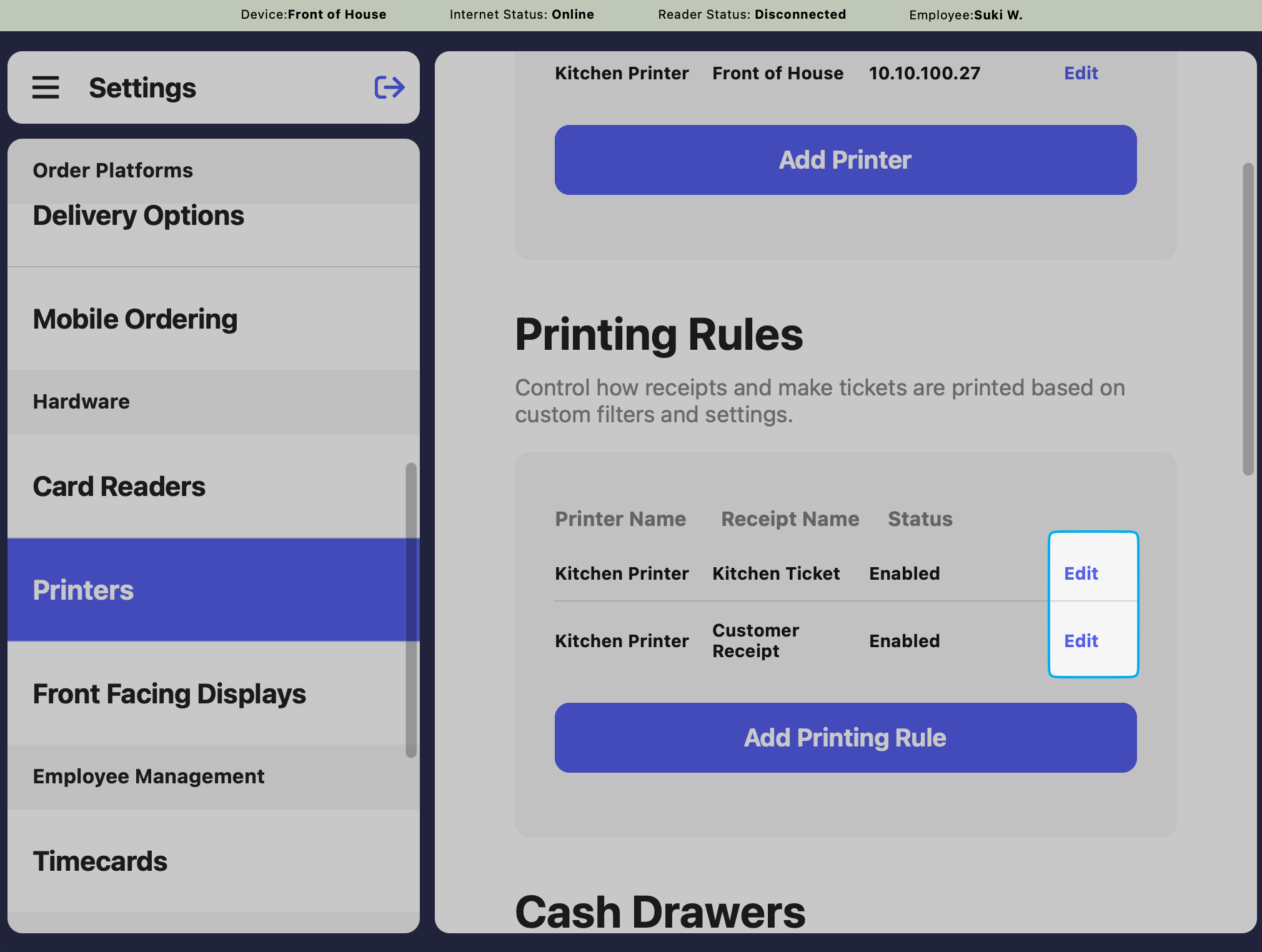
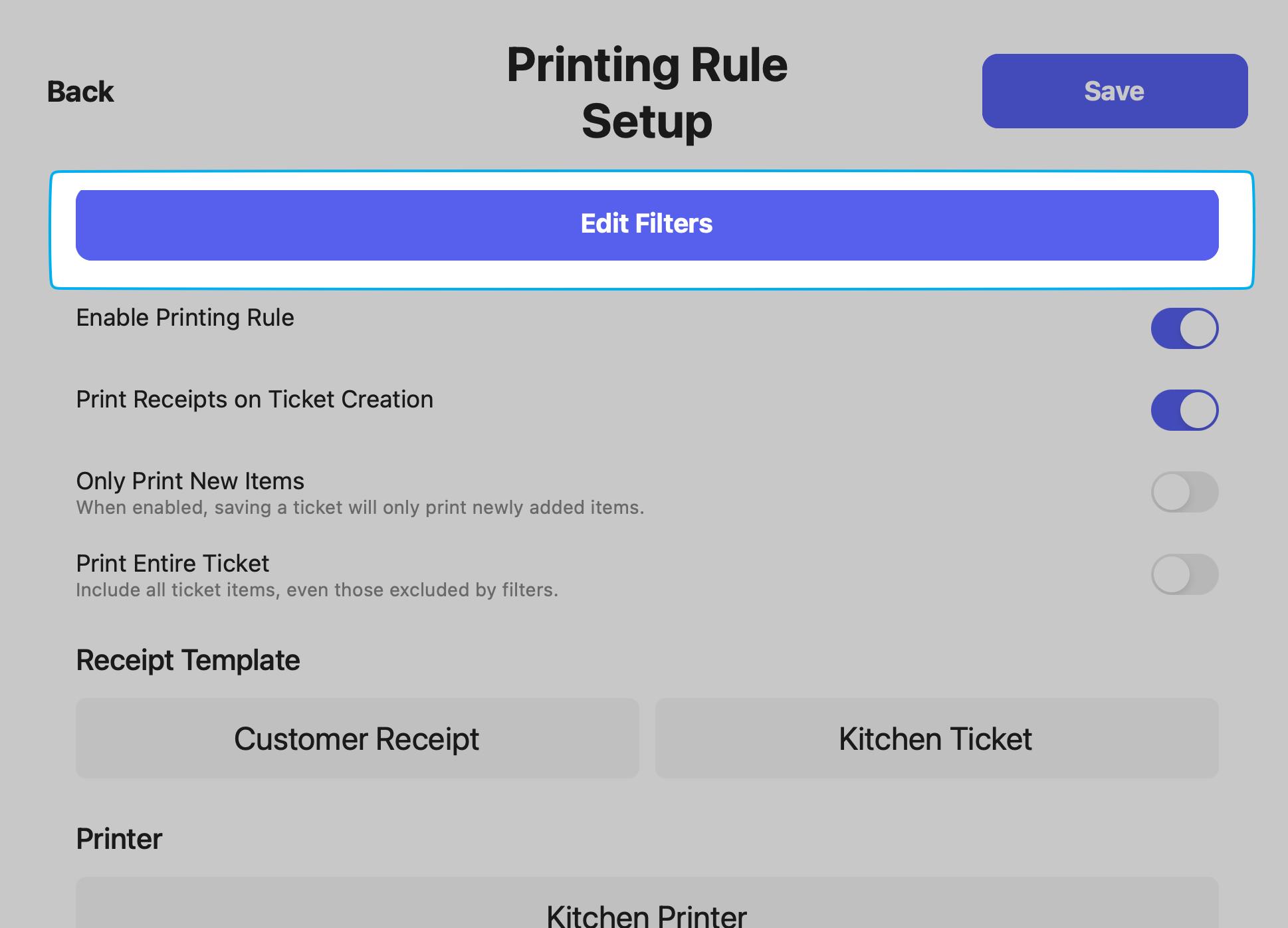
3
Printing rules are ordered by priority. The ones at the top take priority, but multiples rules can be applied.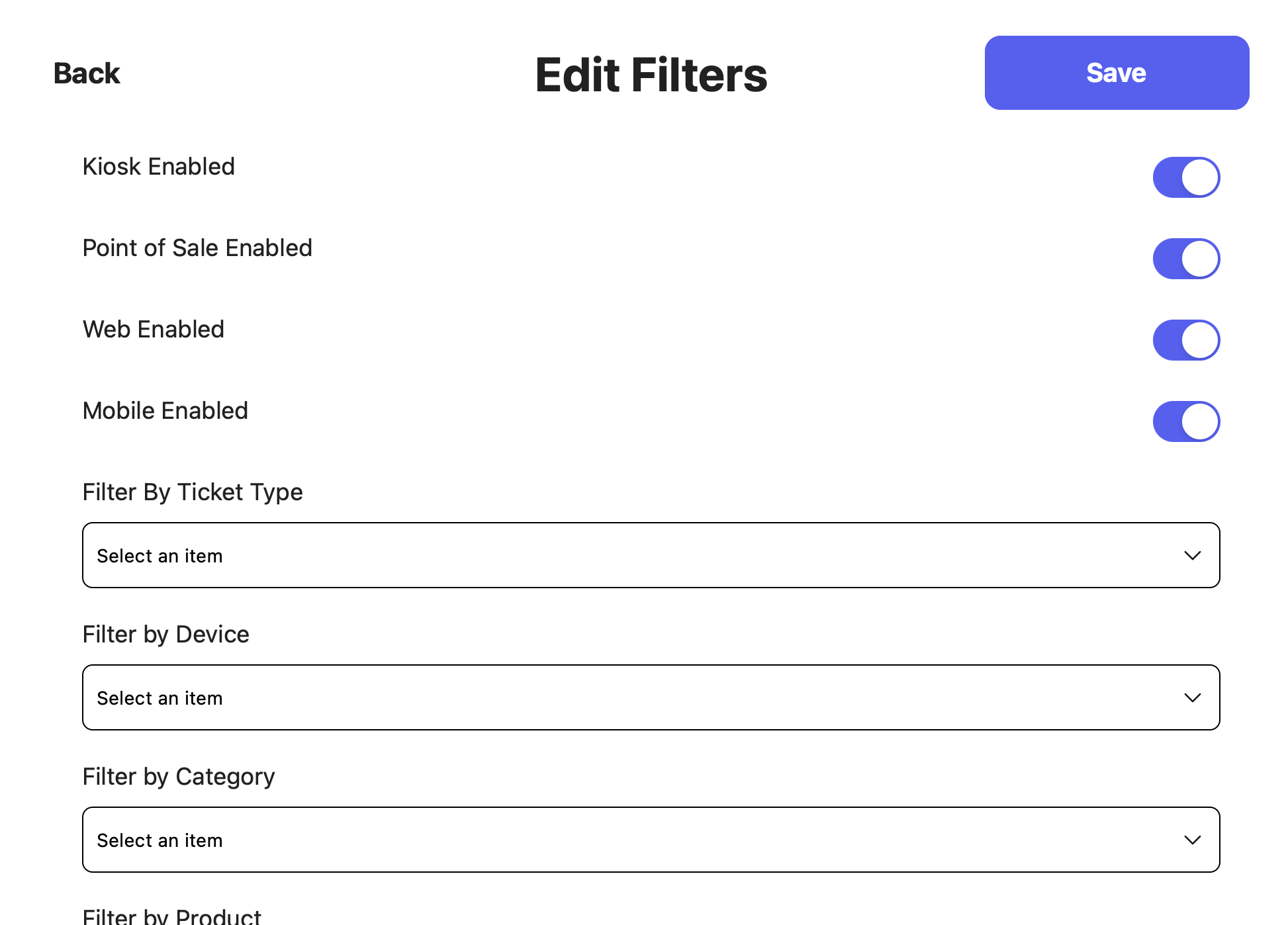
Ticket Type
Print orders only from specific ticket types (For Here, To Go, Mobile, etc.)
Device Type
Print tickets only from specific Point of Sale devices (Main Register, Drive Thru, etc.)
Categories
Print products from specific categories only (Espresso, Breakfast, etc.)
Products
Print specific products only (Strawberry Matcha Latte, Mango Matcha Latte, Matcha Cookie, etc.)