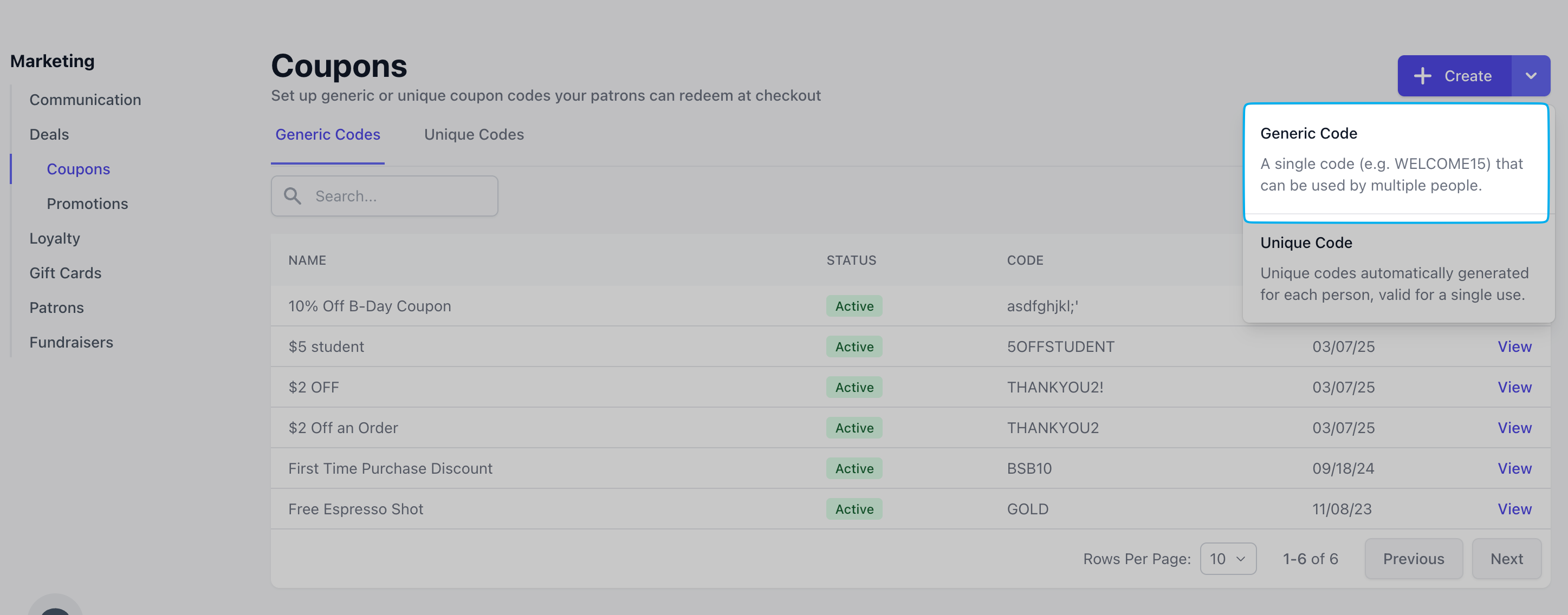
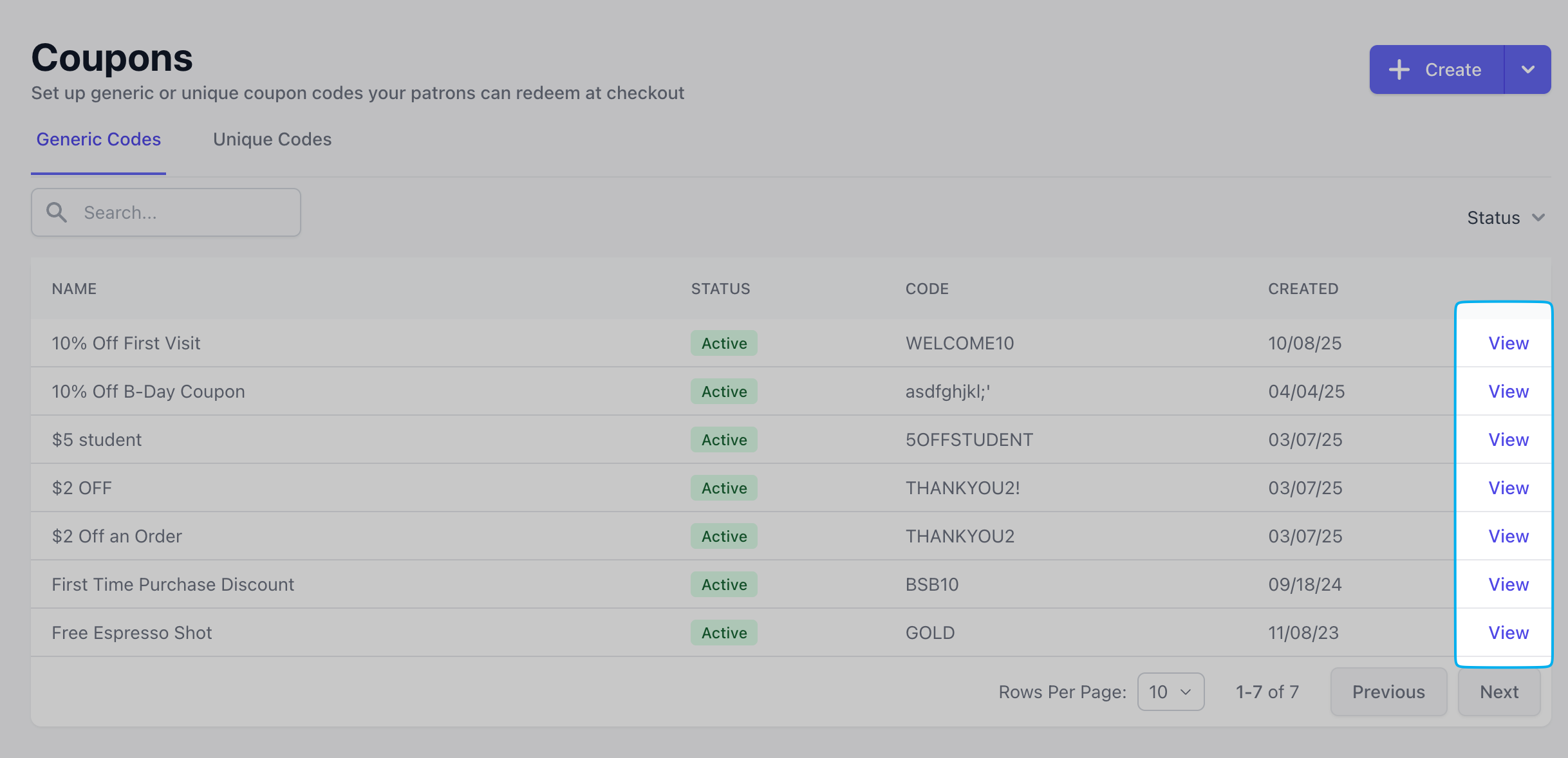
A generic coupon code is a simple, reusable discount code that can be applied at checkout to save on an order. Unlike one-time or personalized codes, the same code can be shared and used by anyone who enters it.Example: WELCOME10 for 10% off your first order
How are Generic Coupons applied to orders?
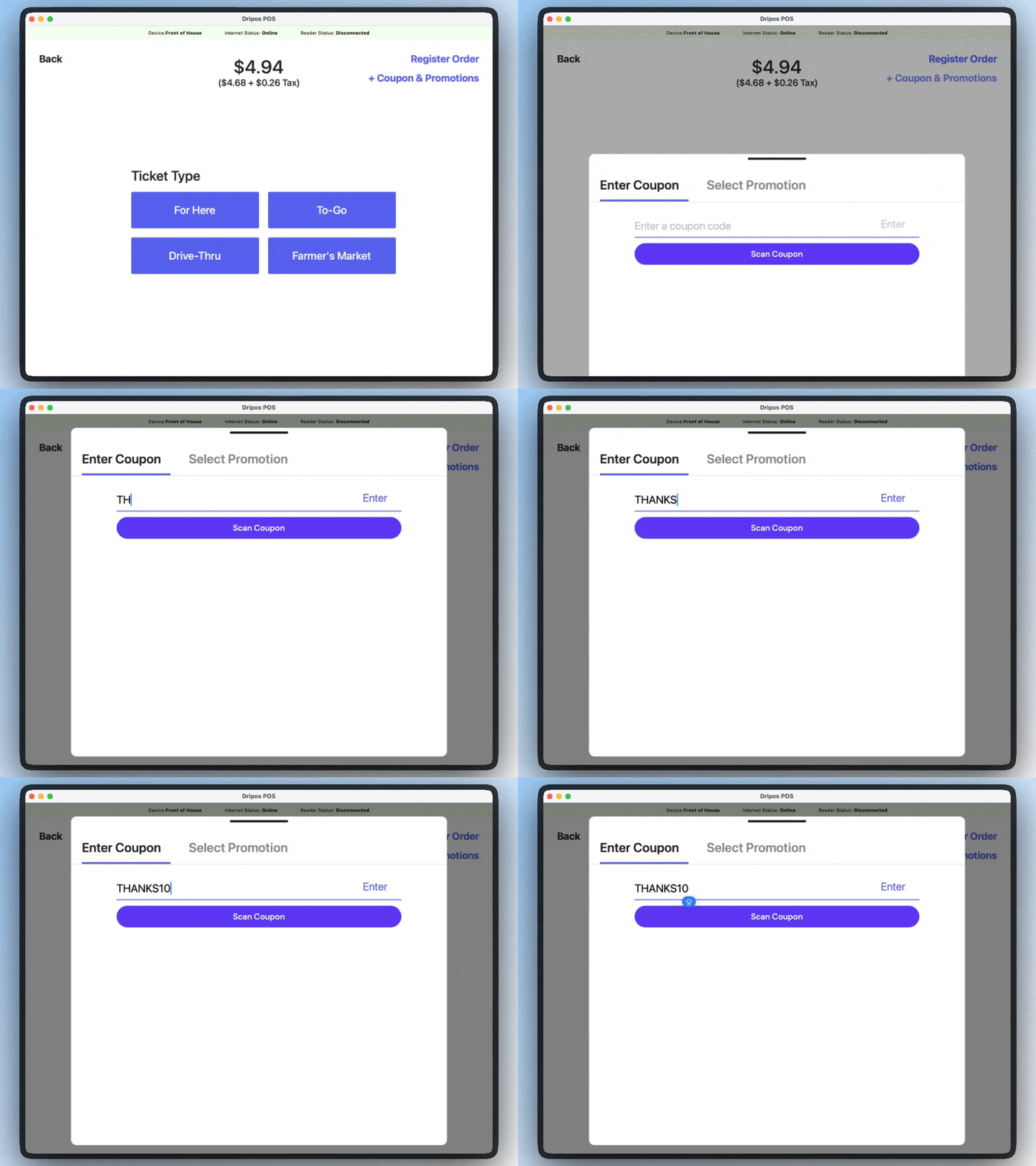
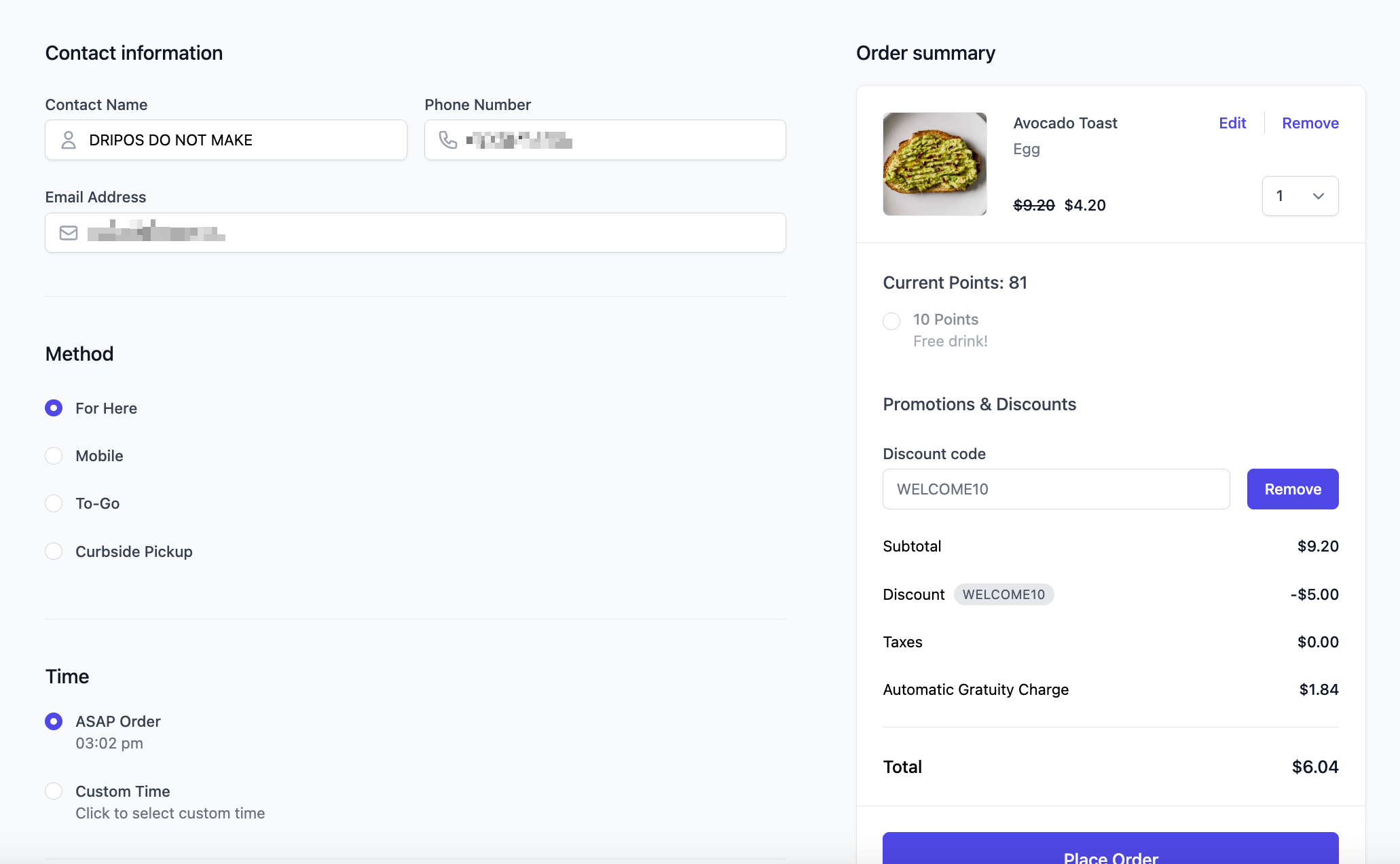
Customers can enters the code during checkout online, or your barista can enter the coupon code at checkout on the POS. The system automatically applies the associated discount (like 10% off, $5 off, or a free item) to eligible purchases.
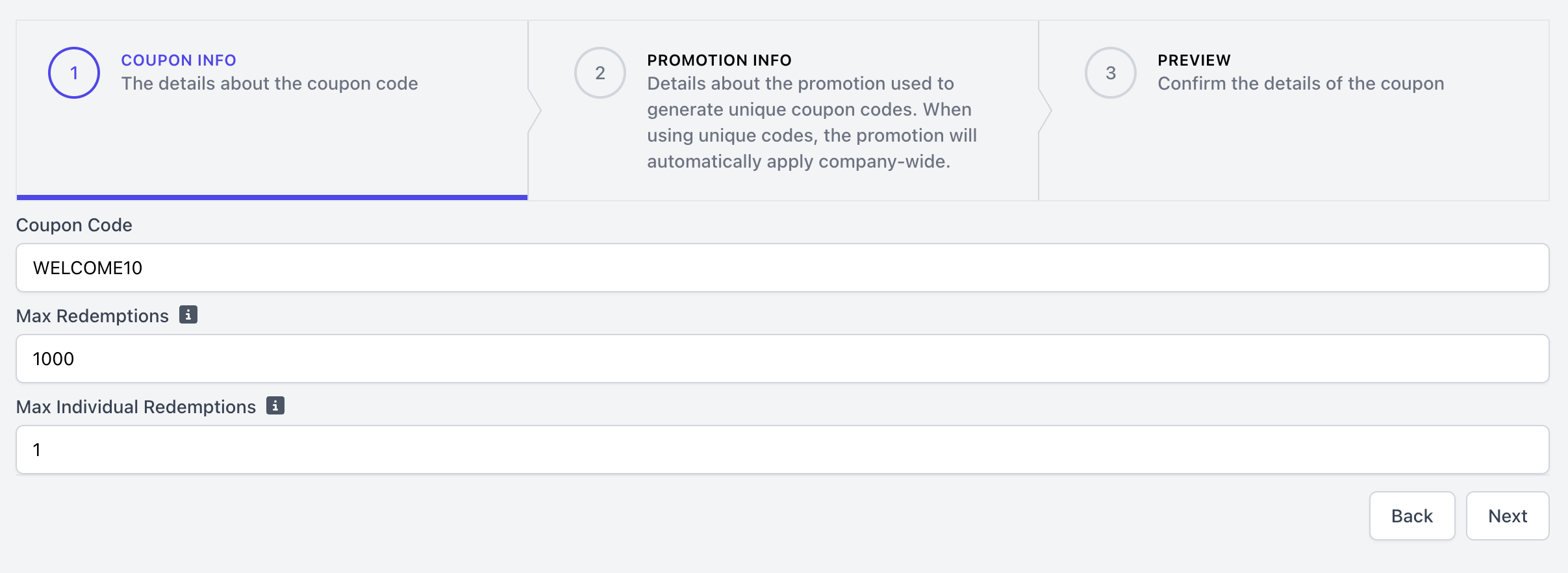
This will be the code itself that is applied to the order, i.e., WELCOME10, BOGO50, LATTE10.
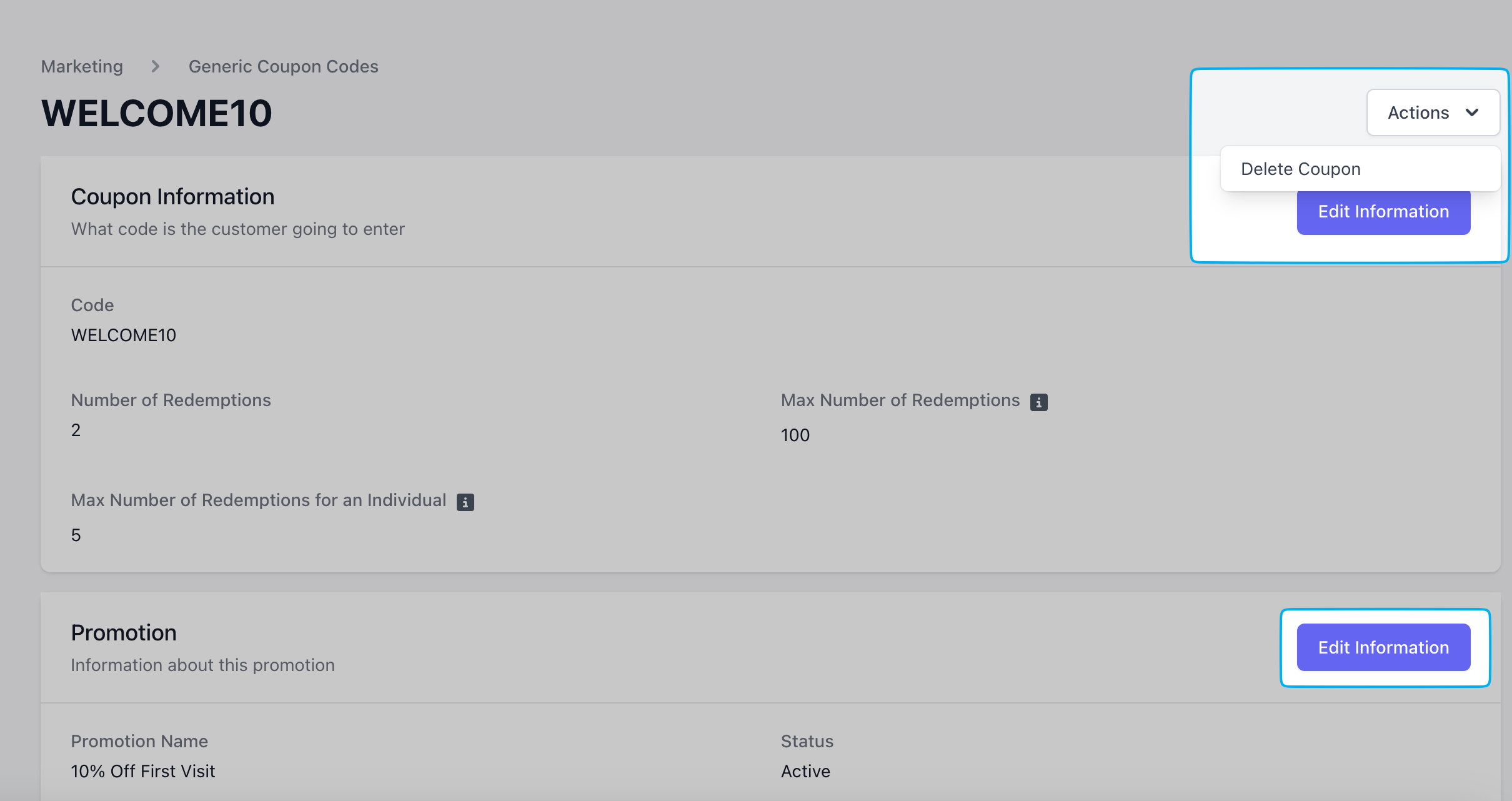
Max Redemptions
The total number of times this coupon can be redeemed across all customers. If you don’t need a limit, set the maximum to 80,000 or higher.
Max Individual Redemptions
This setting controls how many times each customer can use a specific coupon. This is tracked when a customers checks in with their phone number or email at checkout. i.e., if the max individual redemptions is set to 1, each customer can only use that coupon once.
3
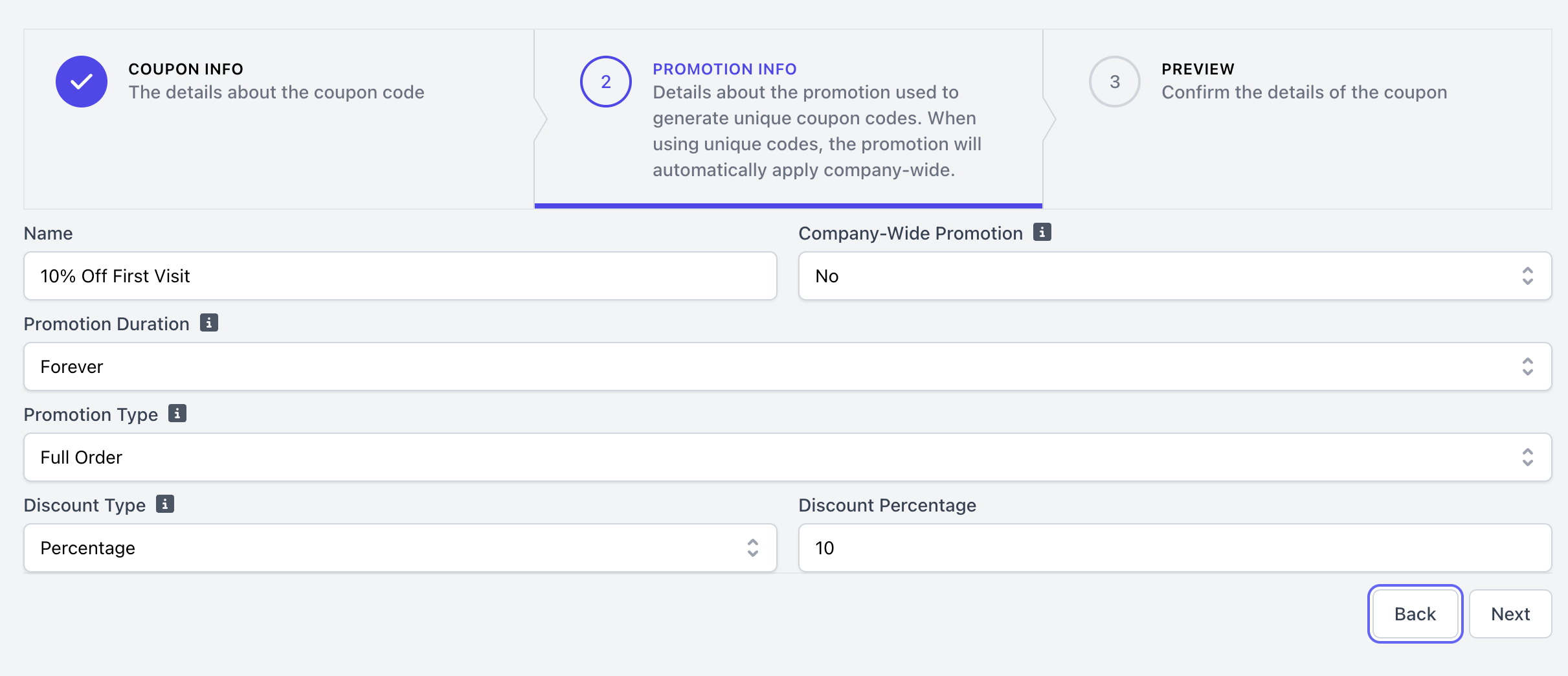
Complete Coupon Details
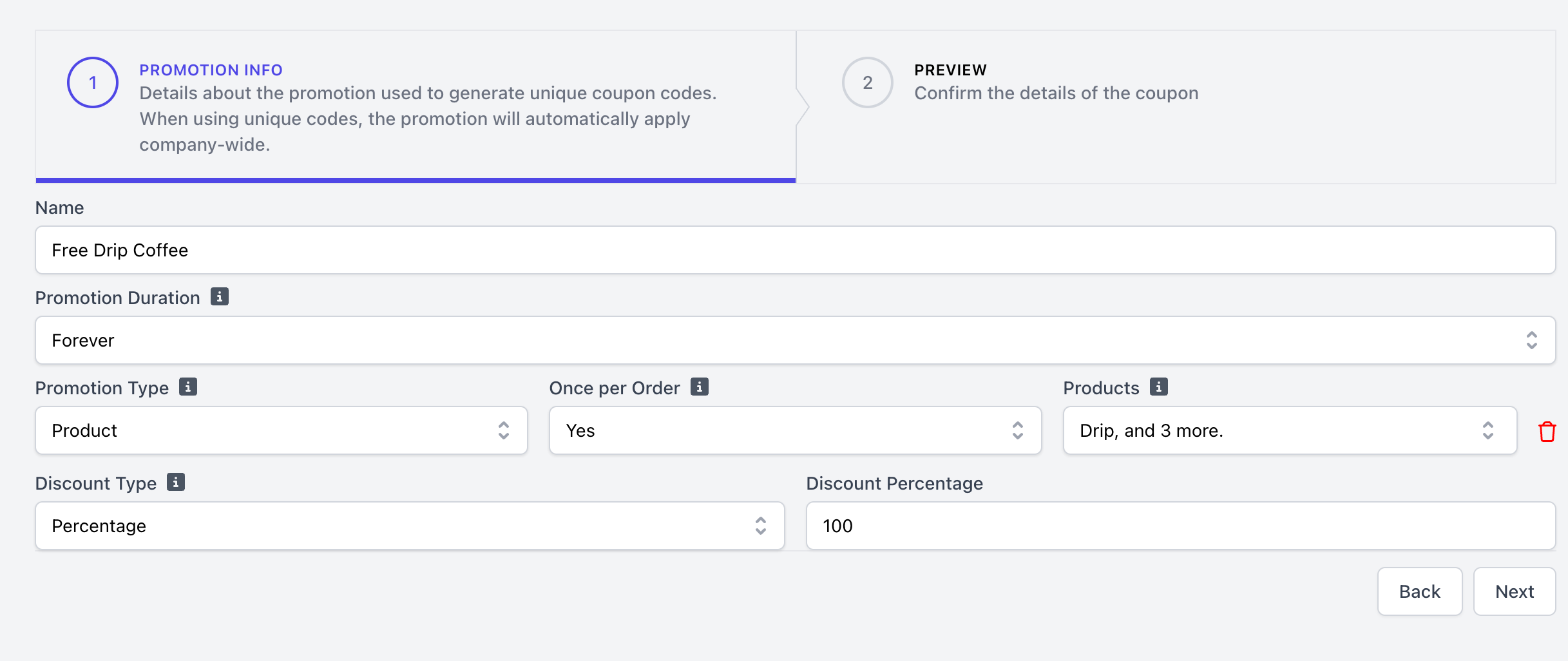
Name
Promotion Duration
Promotion Type
Discount Type
NameCoupon name for internal use only
Promotion Duration
Forever
Coupon will be valid indefinitely
Recurring
Coupon is only valid on certain days of the week, and if applicable, certain times of day. There is an option to set the recurring period to forever, or have this coupon expire on a specific date, i.e., every Friday from 3:00-5:00PM until December 31st, 2025 or every Tuesday from 11:00AM-12:00PM indefinitely
Date Range
Coupon is valid from date A to date B, with the option to select recurring days for which this coupon is valid on. i.e., valid from September 1st - September 20th; valid every Tuesday from 3:00-5:00PM September 1st - December 31st
Promotion Type
Full Order
The coupon’s discount amount will apply to the cart total, regardless of which products are in the cart.
Product
The coupon’s discount will only apply to the specified products.If Once per Order = Yes, the coupon will only apply itself to just one of the qualifying product’s with the highest dollar amount.If Once per Order = No, the discount will apply to each qualifying product in the cart, not just one.
Category
The coupon’s discount will only apply to the products within the specified categories.If Once per Order = Yes, the coupon will only apply itself to just one of the qualifying product’s with the highest dollar amount.If Once per Order = No, the discount will apply to each qualifying product in the cart, not just one.
Discount Type
Dollar
A total dollar amount to be taken off of an order, product, or category i.e., $5 off.Please note, if Once per Order = No and the Promotion Type = Product or Category, the coupon total will apply individually to each qualifying product.i.e., $5 off Avocado Toast will apply $5 off each Avocado Toast product
Percent
A total dollar amount to be taken off of an order, product, or category, i.e., 10% offPlease note, if Once per Order = No and the Promotion Type = Product or Category, the percentage discount will apply individually to each qualifying product or category.
4
Preview & Save
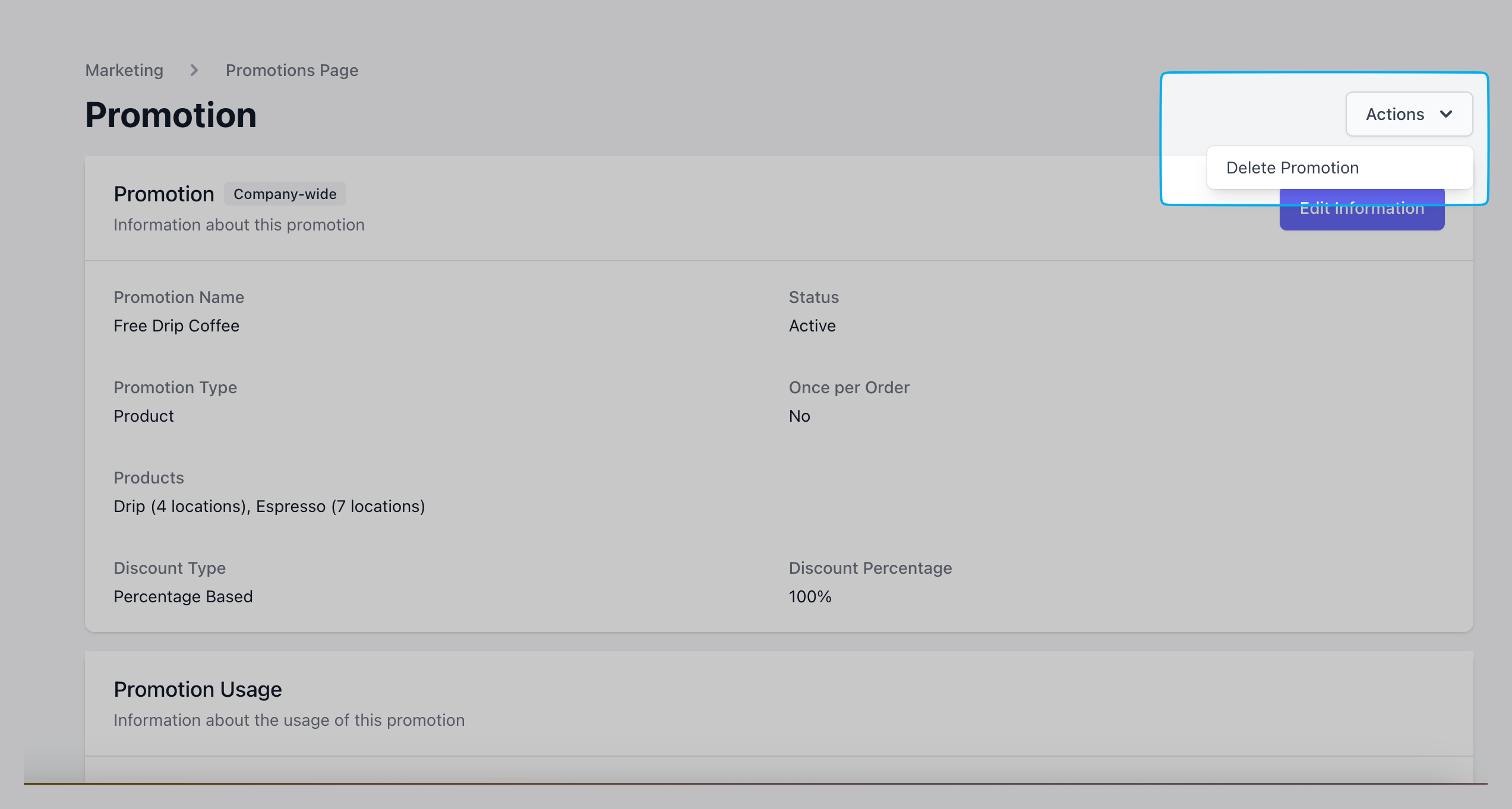
Preview all coupon details and click save to create. Coupons may be edited or deleted at any time.
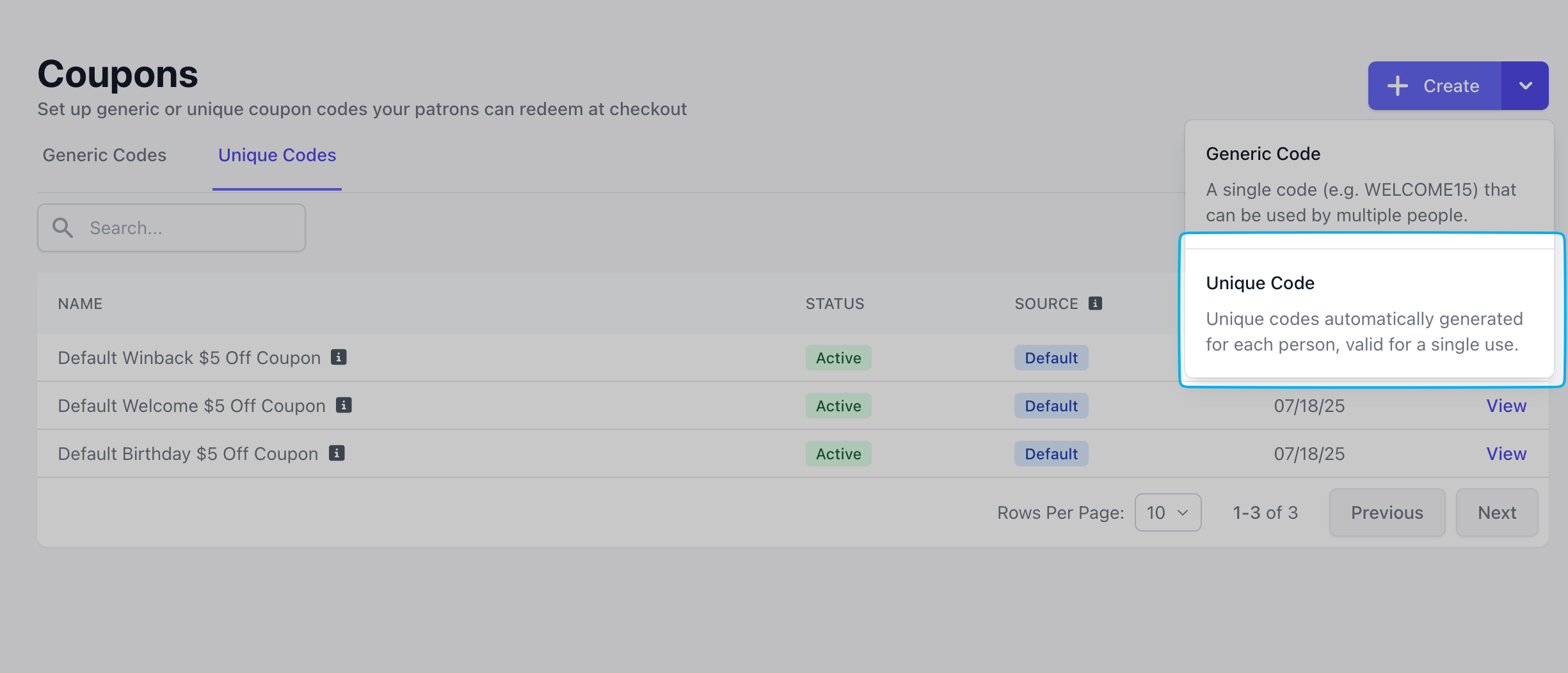
The intended use for a Unique Coupon Code is within Dripos’ Marketing Campaigns feature.Unique coupon codes are sent through automated text and email messages. When a message includes a coupon, a one-time code is generated for each customer, which can only be used once by that individual.
If a customer has an email and phone number on file, and receives an email and text message for the same campaign, the same unique one-time coupon will be sent to both platforms.
Coupon is only valid on certain days of the week, and if applicable, certain times of day. There is an option to set the recurring period to forever, or have this coupon expire on a specific date, i.e., every Friday from 3:00-5:00PM until December 31st, 2025 or every Tuesday from 11:00AM-12:00PM indefinitely
Date Range
Coupon is valid from date A to date B, with the option to select recurring days for which this coupon is valid on. i.e., valid from September 1st - September 20th; valid every Tuesday from 3:00-5:00PM September 1st - December 31st
Promotion Type
Full Order
The coupon’s discount amount will apply to the cart total, regardless of which products are in the cart.
Product
The coupon’s discount will only apply to the specified products.If Once per Order = Yes, the coupon will only apply itself to just one of the qualifying product’s with the highest dollar amount.If Once per Order = No, the discount will apply to each qualifying product in the cart, not just one.
Category
The coupon’s discount will only apply to the products within the specified categories.If Once per Order = Yes, the coupon will only apply itself to just one of the qualifying product’s with the highest dollar amount.If Once per Order = No, the discount will apply to each qualifying product in the cart, not just one.
Discount Type
Dollar
A total dollar amount to be taken off of an order, product, or category i.e., $5 off.Please note, if Once per Order = No and the Promotion Type = Product or Category, the coupon total will apply individually to each qualifying product.i.e., $5 off Avocado Toast will apply $5 off each Avocado Toast product
Percent
A total dollar amount to be taken off of an order, product, or category, i.e., 10% offPlease note, if Once per Order = No and the Promotion Type = Product or Category, the percentage discount will apply individually to each qualifying product or category.
3
Preview & Save
Preview and save the coupon once completed.
Add Unique Coupon Code to Marketing CampaignsWhen editing an email or text campaign, click Add Recipient Info and select the unique coupon to include. A placeholder will appear in the message body, showing where each customer’s unique coupon code will display.Learn more about creating marketing campaigns here.
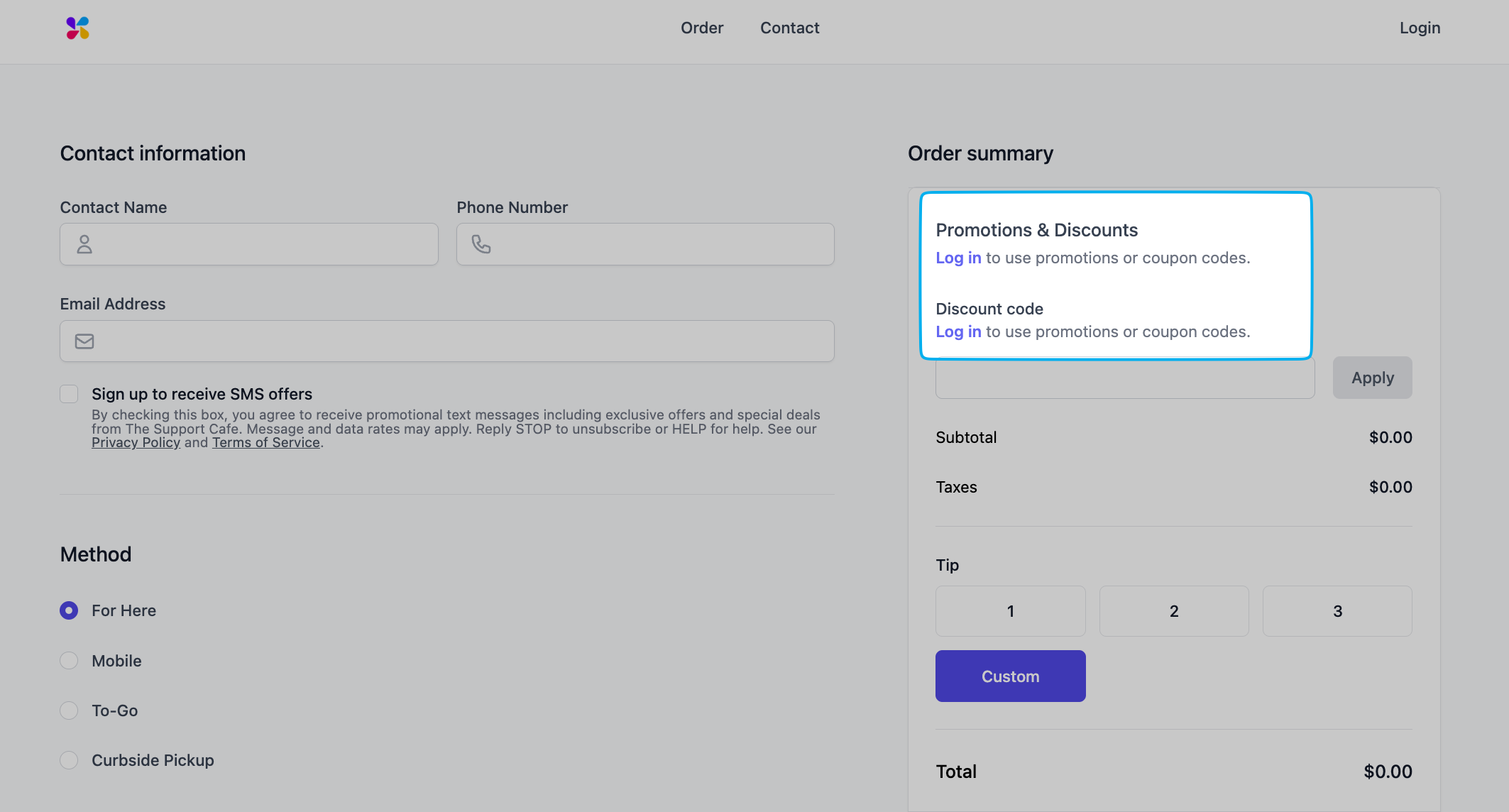
Coupon codes can be applied to mobile orders or at the Point of Sale.Mobile OrderingTo apply coupon codes to an order, customers must log in to the shop’s mobile ordering platform (app or website) using their phone number.
Point of SaleAfter adding the products to cart, proceed to checkout to apply the coupon.Press Charge > before collecting payment, press Coupons & Promotions in the upper right hand corner. Enter the coupon to apply it to cart.If necessary, press Back to see how the coupon applied to cart.
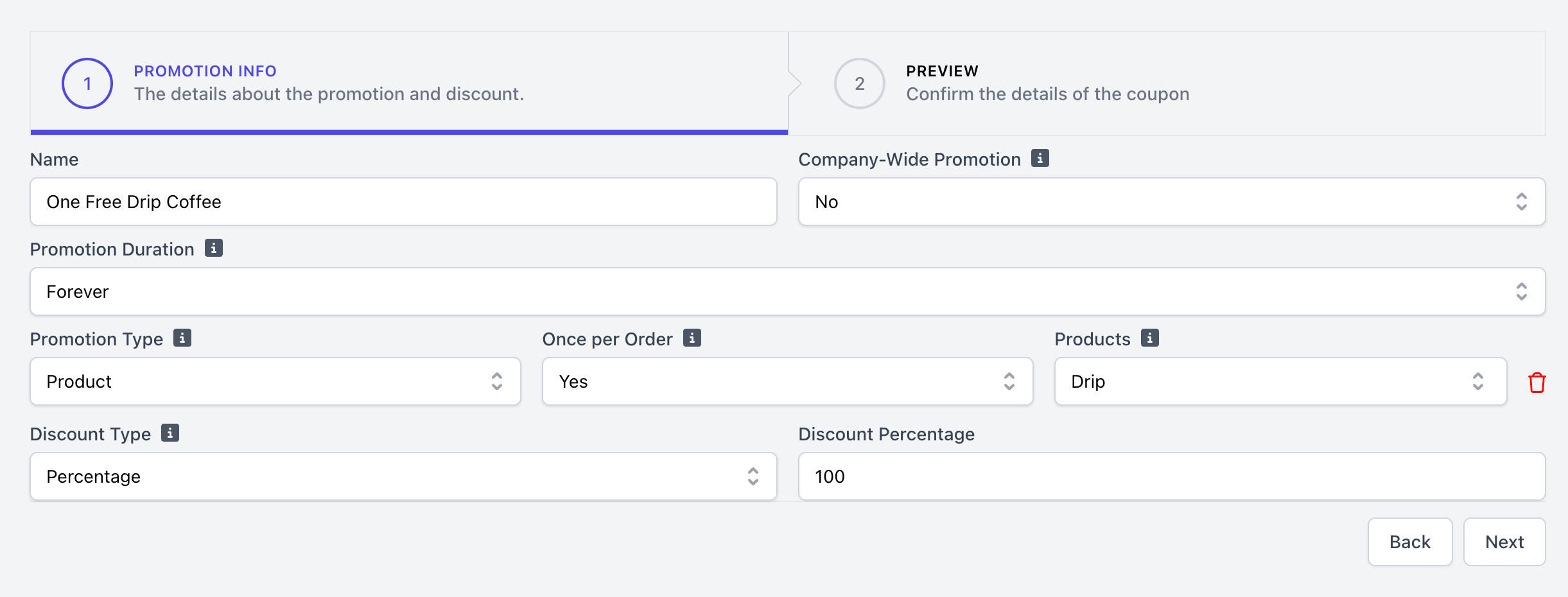
NamePromotion name that will display on Point of Sale and mobile ordering platforms
Promotion Duration
Forever
Promotion can be be applied indefinitely
Recurring
Promotion will only apply on certain days of the week, and if applicable, certain times of day. There is an option to set the recurring period to forever, or have this promotion end on a specific date, i.e., every Friday from 3:00-5:00PM until December 31st, 2025 or every Tuesday from 11:00AM-12:00PM indefinitely
Date Range
Promotion will apply from date A to date B, with the option to select recurring days for which this promotion will be applied. i.e., will apply from September 1st - September 20th; will apply every Tuesday from 3:00-5:00PM September 1st - December 31st
Promotion Type
Full Order
The promotion will apply to the cart total, regardless of which products are in the cart.
Product
The promotion’s discount will only apply to the specified products.If Once per Order = Yes, the promotion will only apply itself to just one of the qualifying product’s with the highest dollar amount.If Once per Order = No, the promotion will apply to each qualifying product in the cart, not just one.
Category
The promotions’s discount will only apply to the products within the specified categories.If Once per Order = Yes, the promotion will only apply itself to just one of the qualifying product’s with the highest dollar amount.If Once per Order = No, the promotion will apply to each qualifying product in the cart, not just one.
Discount Type
Flat Rate
A total dollar amount to be taken off of an order, product, or category i.e., $5 off.Please note, if Once per Order = No and the Promotion Type = Product or Category, the promotion will apply individually to each qualifying product.*i.e., $5 off Avocado Toast will apply $5 off each Avocado Toast in cart
Percent
A total dollar amount to be taken off of an order, product, or category, i.e., 10% offPlease note, if Once per Order = No and the Promotion Type = Product or Category, the promotion will apply individually to each qualifying product or category.
3
Preview & Save
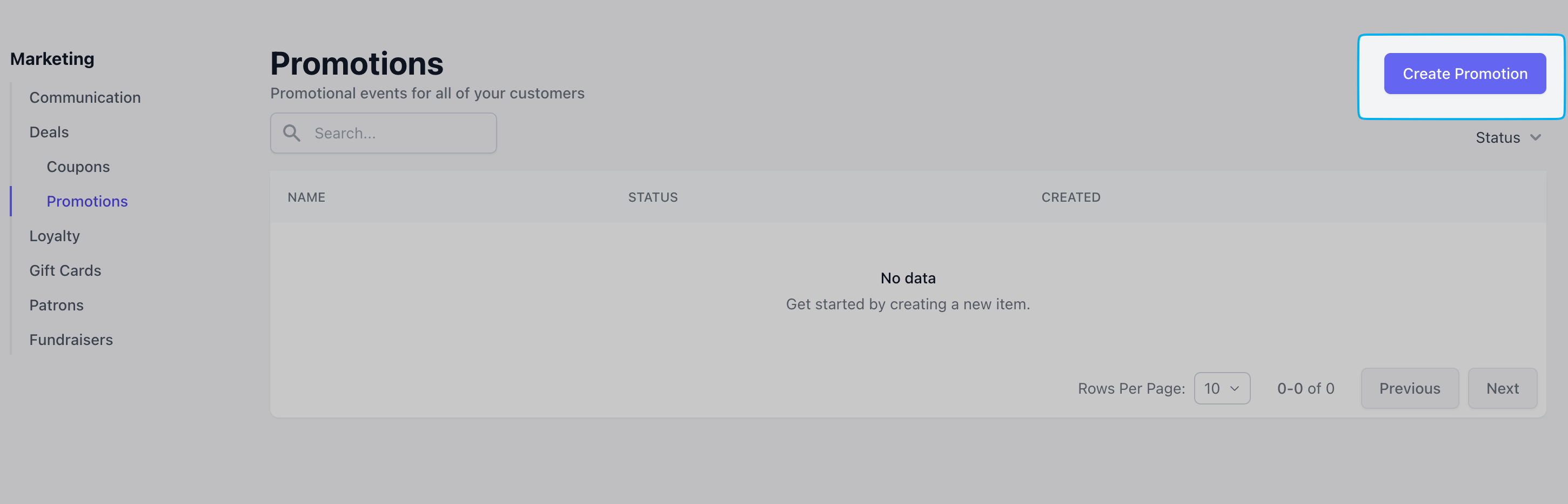
Preview all promotion details and click save to create. Promotions may be edited or deleted at any time.
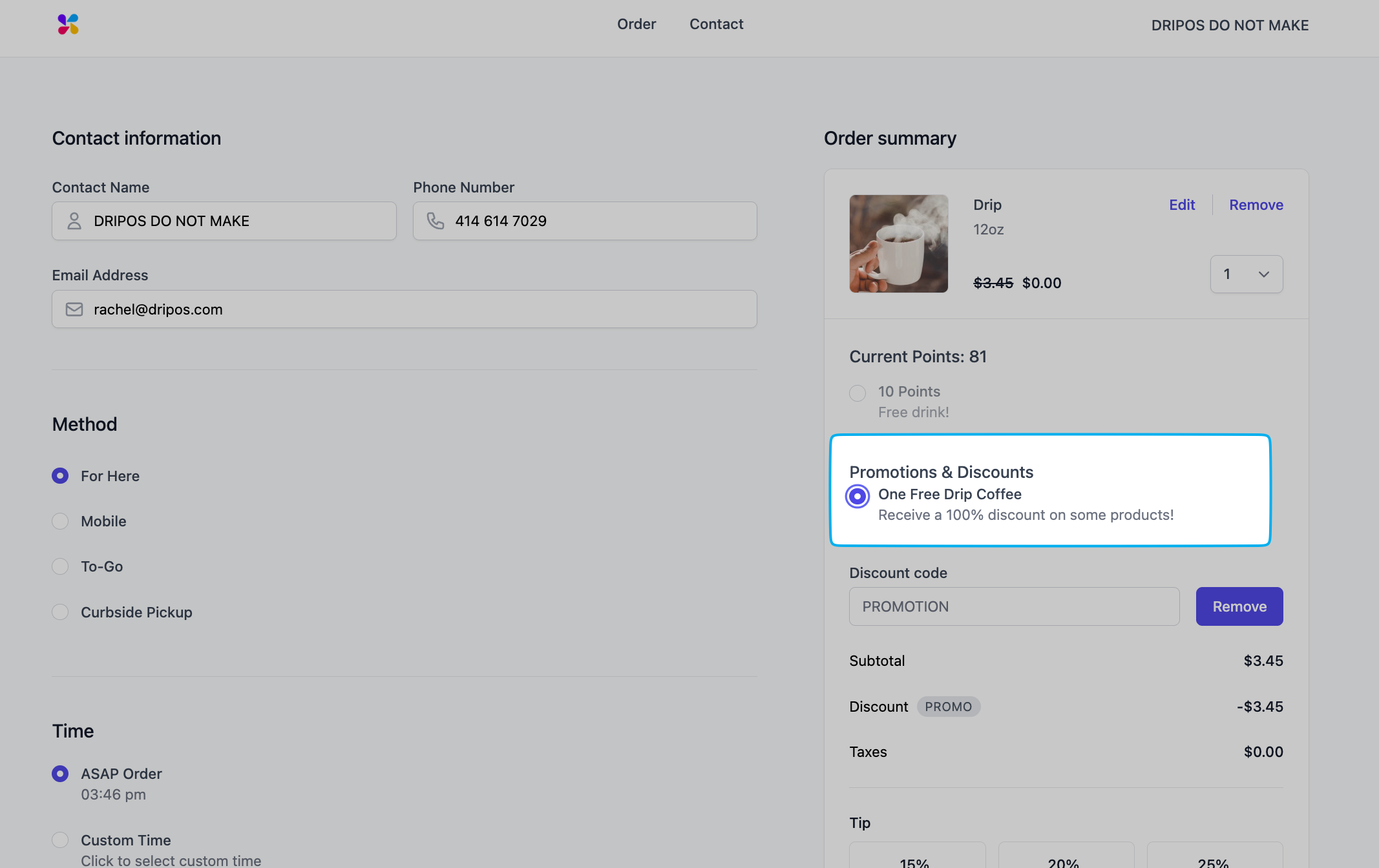
Mobile OrderingTo apply promotions codes to an online order, customers must log in to the shop’s mobile ordering platform (app or website) using their phone number.
Point of SaleAfter adding the products to cart, proceed to checkout to apply the promotion.Press Charge > before collecting payment, press Coupons & Promotions in the upper right hand corner. Select the promotion to apply it to cart.If necessary, press Back to see how the promotion applied to cart.