

- This setting is per-location. It must be turned on separately for each location where you want it active.
- Roles are company-wide. Since Roles are shared across all Locations in your Company, any tip weight you set on a role will apply at every Location where Weighted Tip Distribution is enabled. You cannot set different proportions for the same role at different locations.
How It Works
By Transaction
Every clocked-in employee contributes their role’s tip proportion to a total pool weight. Each employee’s share is:Employee Share = (Employee Role Weight ÷ Total Pool Weight) × Total Tip Amount
- Total Pool Weight = 125
- Barista → (100 ÷ 125) × $10 = $8.00
- Kitchen → (25 ÷ 125) × $10 = $2.00
- Total Pool Weight = 225
- Each Barista → (100 ÷ 225) × $9 = $4.00
- Kitchen → (25 ÷ 225) × $9 = $1.00
By Day, By Week, and By Period
With these methods the pool covers a whole day, week, or pay period, so each employee’s weight is their hours worked multiplied by their role’s tip proportion:Employee Share = (Hours Worked × Role Weight ÷ Total Pool Weight) × Total Tip Amount
- Barista weight = 40 hours × 100 = 4,000
- Kitchen weight = 40 hours × 25 = 1,000
- Total Pool Weight = 5,000
- Barista → (4,000 ÷ 5,000) × $1,000 = $800.00, or $20.00 per hour
- Kitchen → (1,000 ÷ 5,000) × $1,000 = $200.00, or $5.00 per hour
Enable Weighted Tip Distribution
1
Log in to the Web Dashboard and navigate to Shop Settings > Employee Management
2
Locate the Enable Weighted Tip Splitting setting and toggle it to Yes
3
Once enabled, configure each role’s proportion from Team > My Team > Roles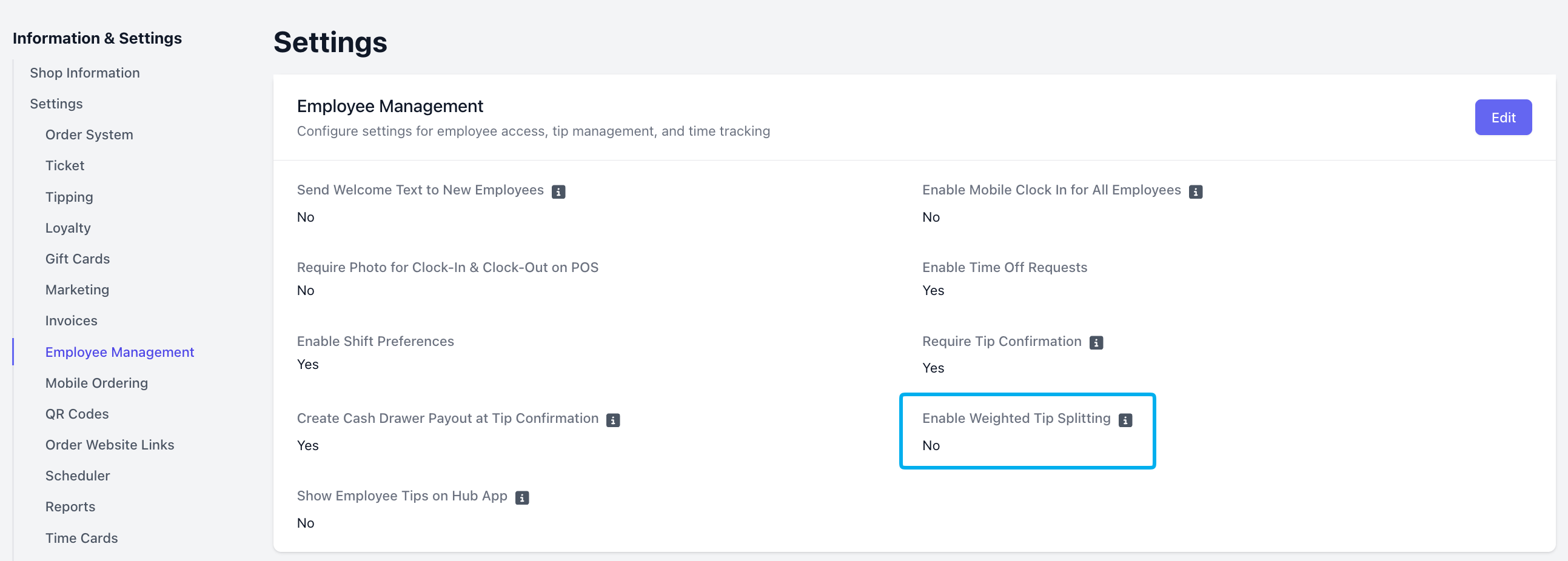
Set or Update Tip Weights
All Roles default to a Tip Weight of 100. You can configure each Role’s proportion at any time, but it will only impact your Employees’ tip splitting when it is enabled.1
Navigate to Team > My Team > Roles
2
Click Edit on the role you want to update
3
On the Role Information page, click Edit Information
4
Update the Set Tip Weighting field and click Save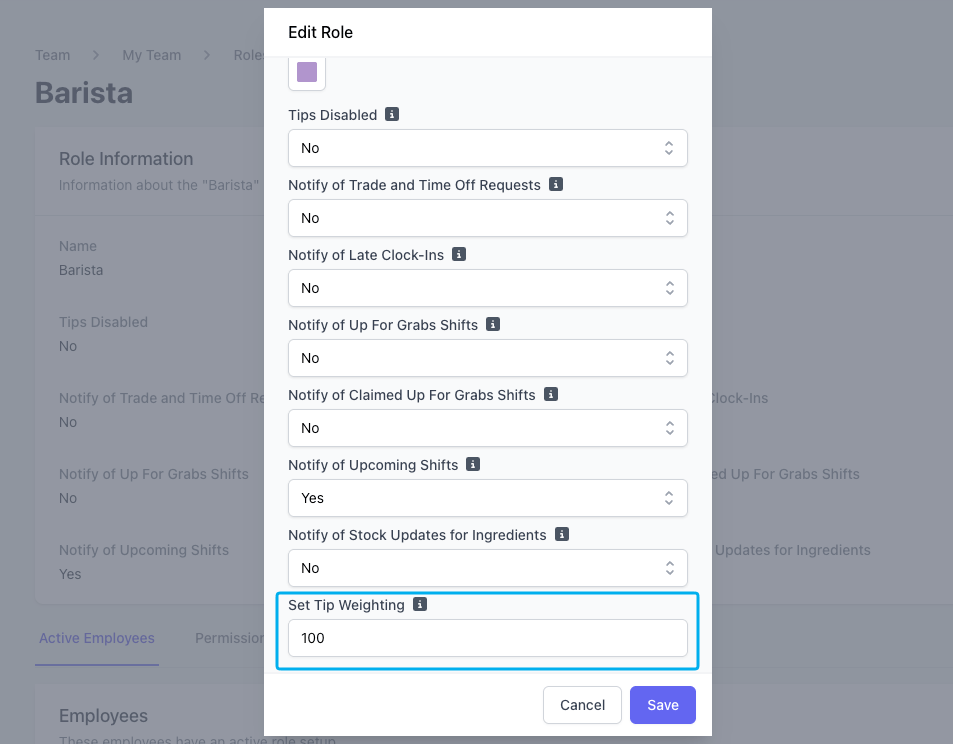
If you update a weight partway through a pay period, that pay period will contain time cards at both weights, and each one is counted at its own weight. Learn more about when tip weights apply.
If a role has Tips Disabled set to Yes, that role is excluded from the tip pool entirely. The remaining clocked-in employees split the tip based on their own proportions, unaffected.
Viewing Tip Calculations
Weighted tip values are reflected everywhere tips appear in Dripos:- Dashboard > Finance > Reports > Time Cards — the Tips column shows each employee’s weighted earnings for the selected period, using the tip splitting method you select on the report.
- Payroll Export — weighted tip amounts are included in payroll calculations
Once a payroll period is closed, the tips recorded on those timesheets are frozen. Changing a role’s tip proportion after a payroll closes will not affect previously closed periods — only the current open period reflects the updated weights.