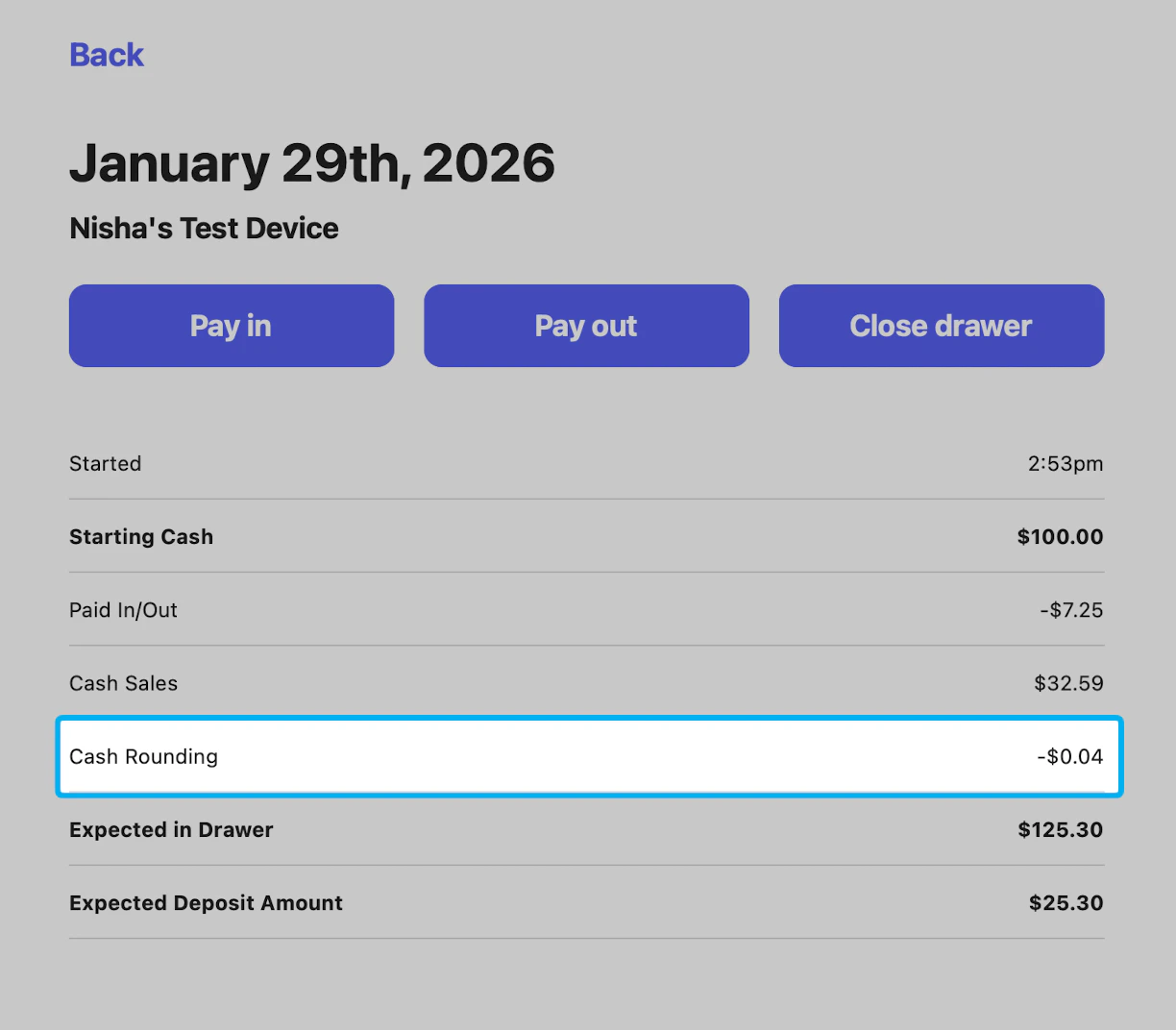
Cash rounding is a location-based setting and must be enabled individually for each location.
Cash Rounding Process
Cash rounding is applied at the end of a transaction, after taxes, fees, and discounts are calculated. Rounding only applies when Cash is selected as the payment method. The transaction total is rounded to the nearest nickel — the adjustment may appear as either a small discount or an additional charge, depending on the final amount. The cash rounding adjustment will be visible as soon as the Cash payment method is selected.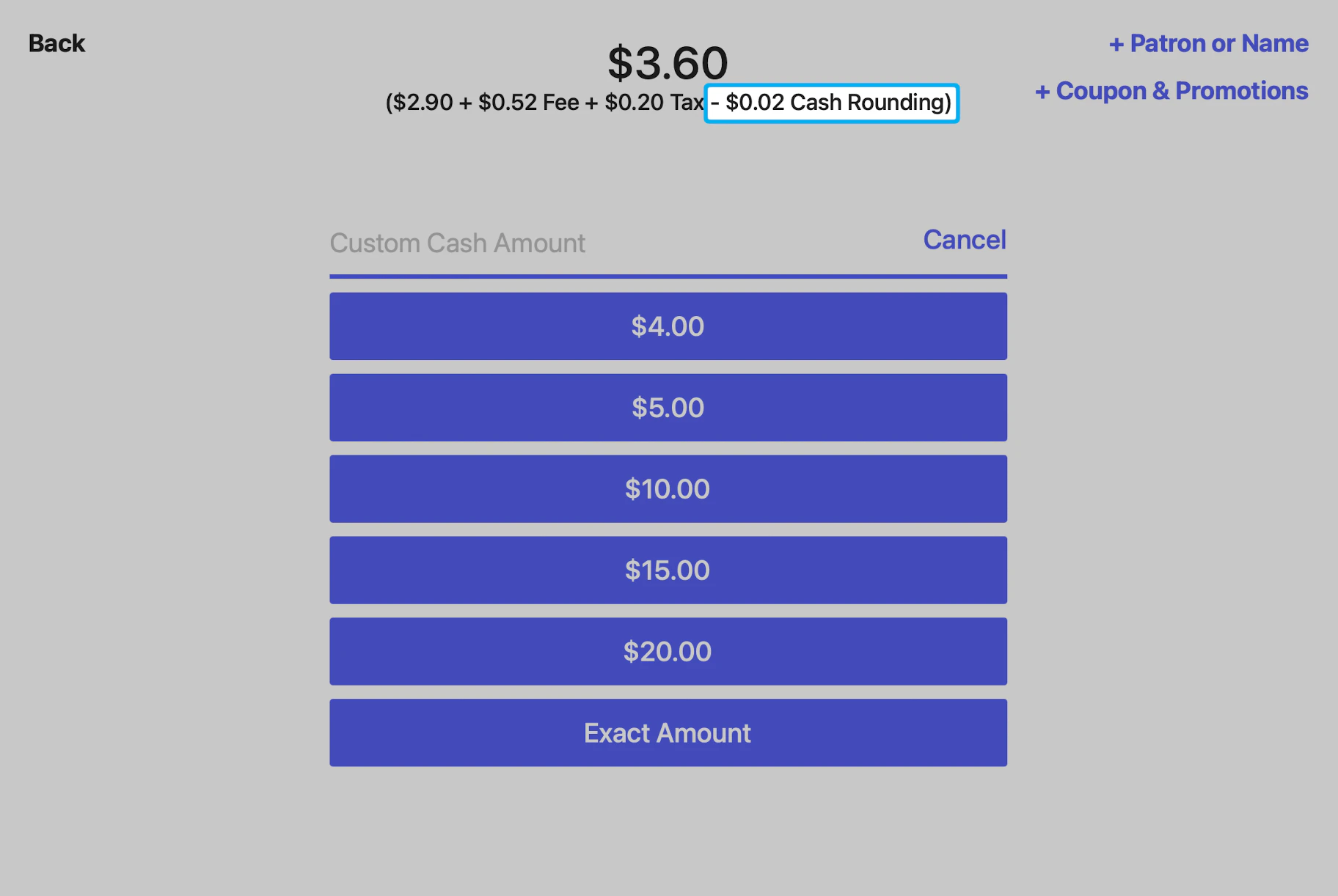
Cash Rounding Dashboard Settings
1
Navigate to your Dashboard.
2
Click the Settings (⚙️) in the upper-right corner.
3
Select Settings and navigate to Order System on the left sidebar.
4
Locate Cash Rounding, click Edit, and set Enable Cash Rounding to Yes.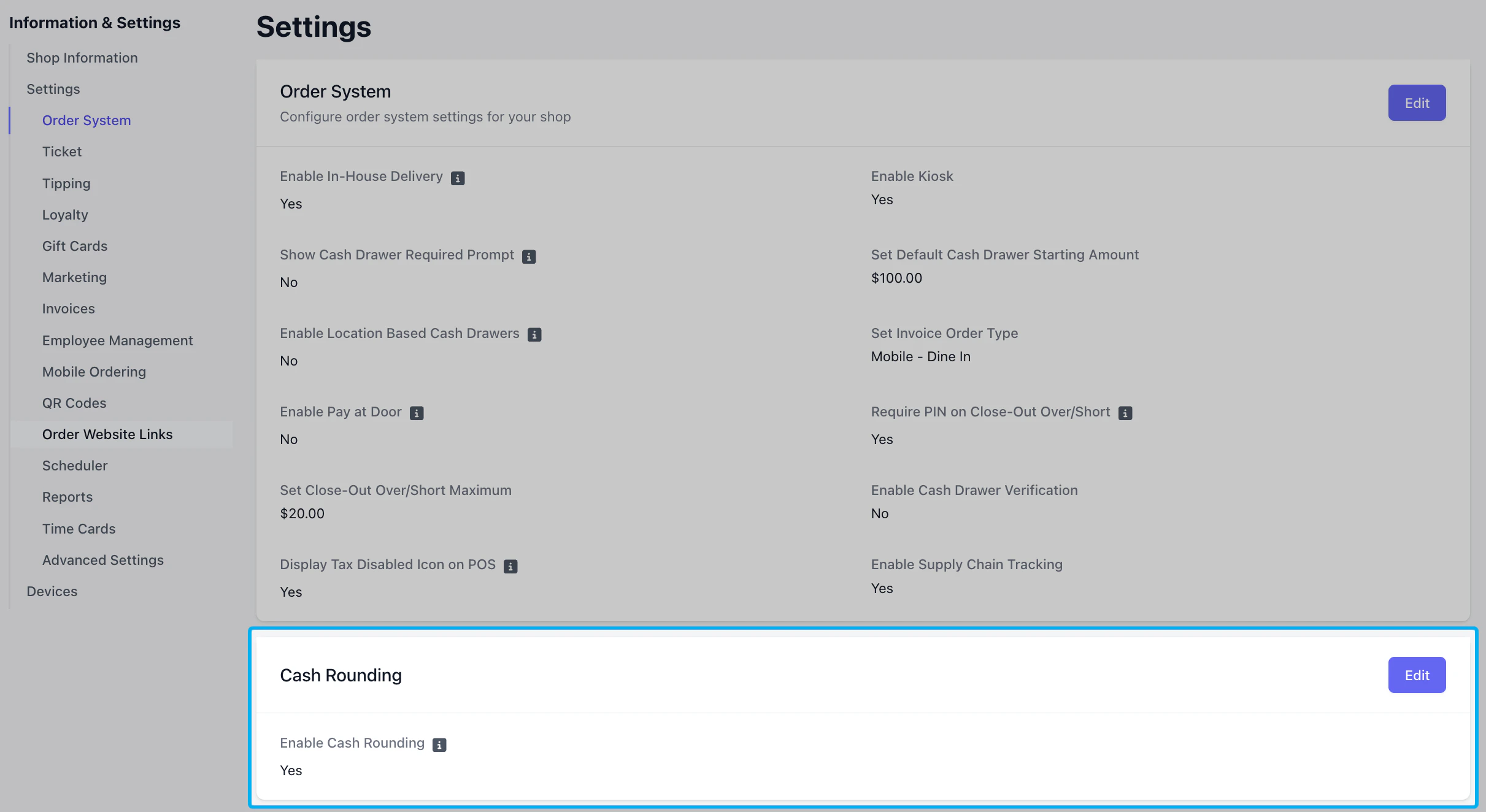
5
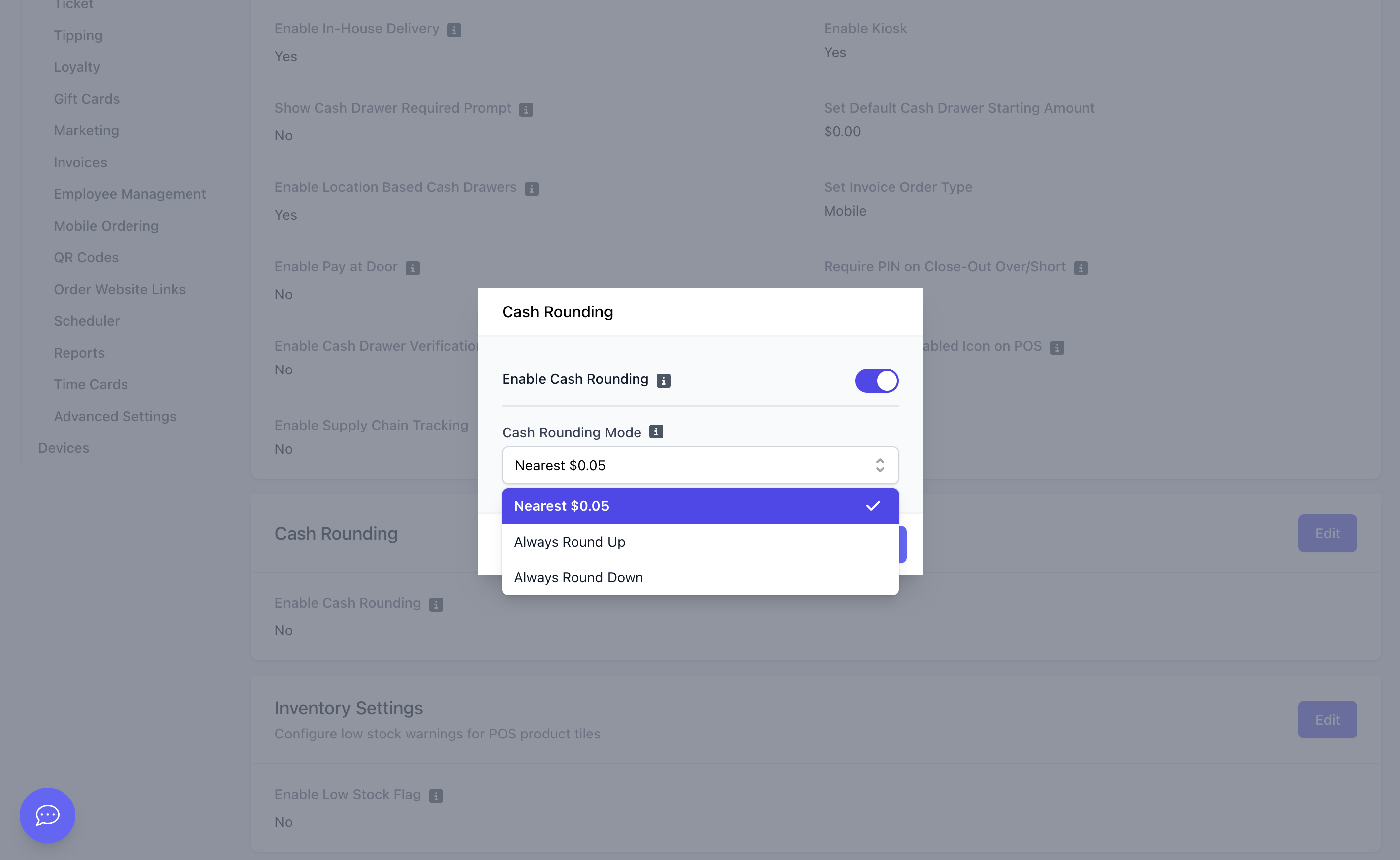
- Nearest $0.05: Rounds the total up or down to the nearest nickel.
- Always Round Up: Always rounds the total up to the nearest nickel.
- Always Round Down: Always rounds the total down to the nearest nickel.
Refunding a Cash Rounded Transaction
When refunding a cash transaction that included rounding, you can choose whether or not to refund the cash rounding adjustment. For more information on refunding transactions, see here.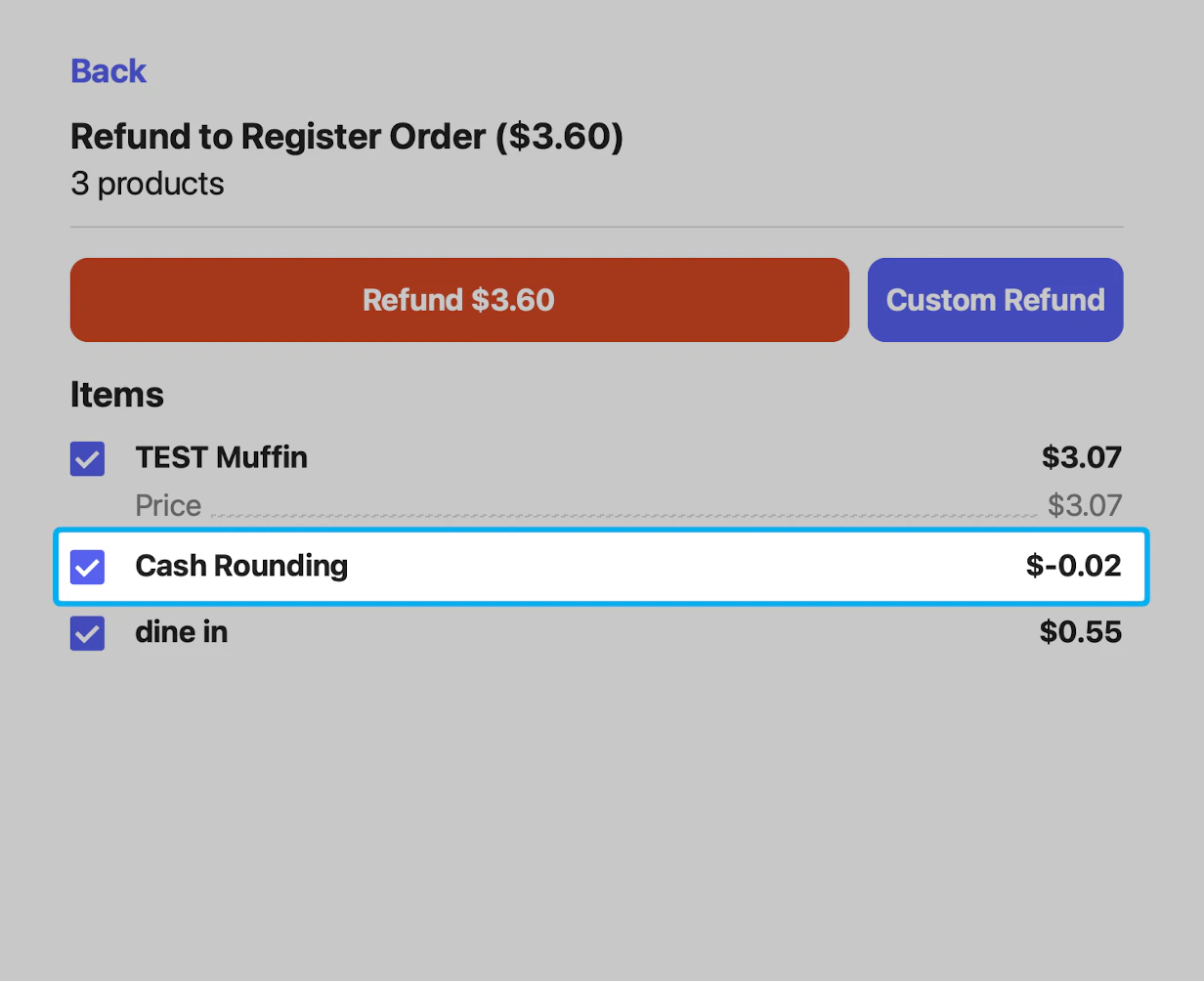
View Cash Rounding in Reports
To see total cash rounding adjustments across transactions:1
Navigate to Reports.
2
Open the Sales Summary Report or Cash Drawers Report.
3
View the Cash Rounding Adjustment line item in the Sales Summary Report.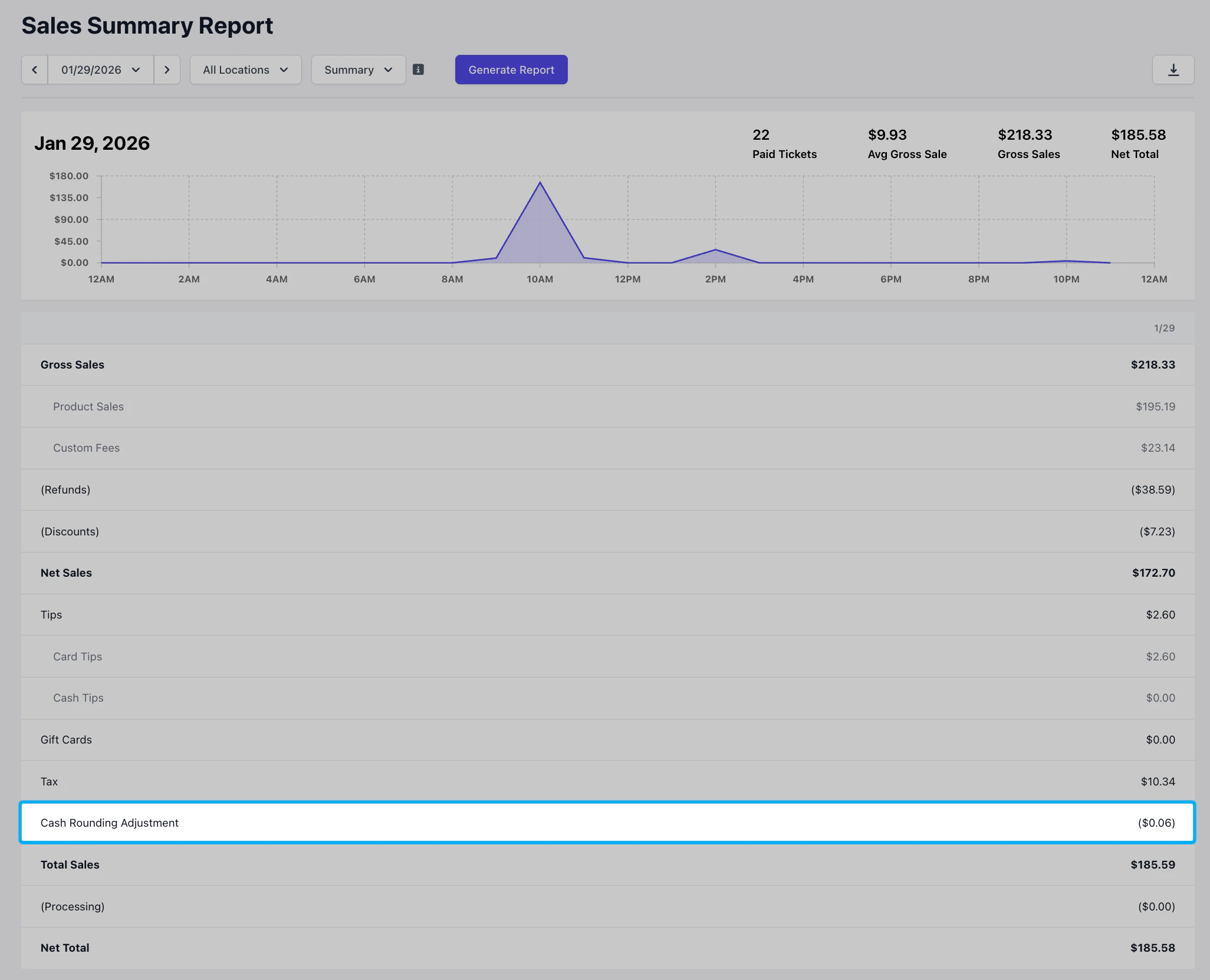
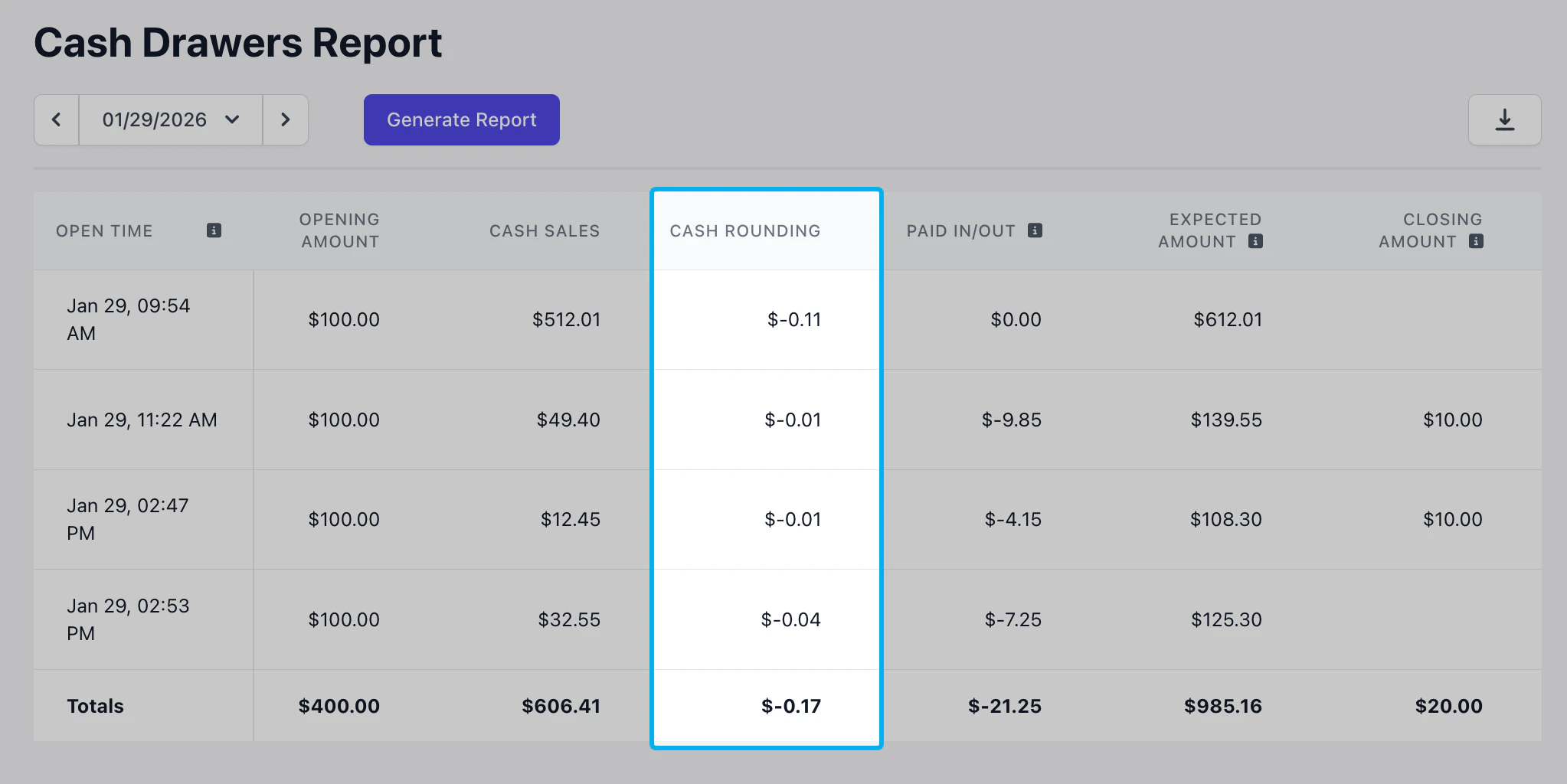
View Cash Rounding in POS Cash Drawers
Cash rounding totals can also be reviewed directly from a cash drawer on the POS:1
Open the active Cash Drawer.
2
Locate the Cash Rounding line item to view the total adjustment amount.