

Menu Markup is a location-based setting and must be enabled individually for each location.
This feature is currently not supported for shops using inclusive tax rates.
Menu Markup Dashboard Settings
To turn on Menu Markup for a location:1
Navigate to your Dashboard.
2
Click the Settings (⚙️) in the upper-right corner.
3
Select Settings and navigate to Order System on the left sidebar.
4
Locate Menu Markup and click Edit.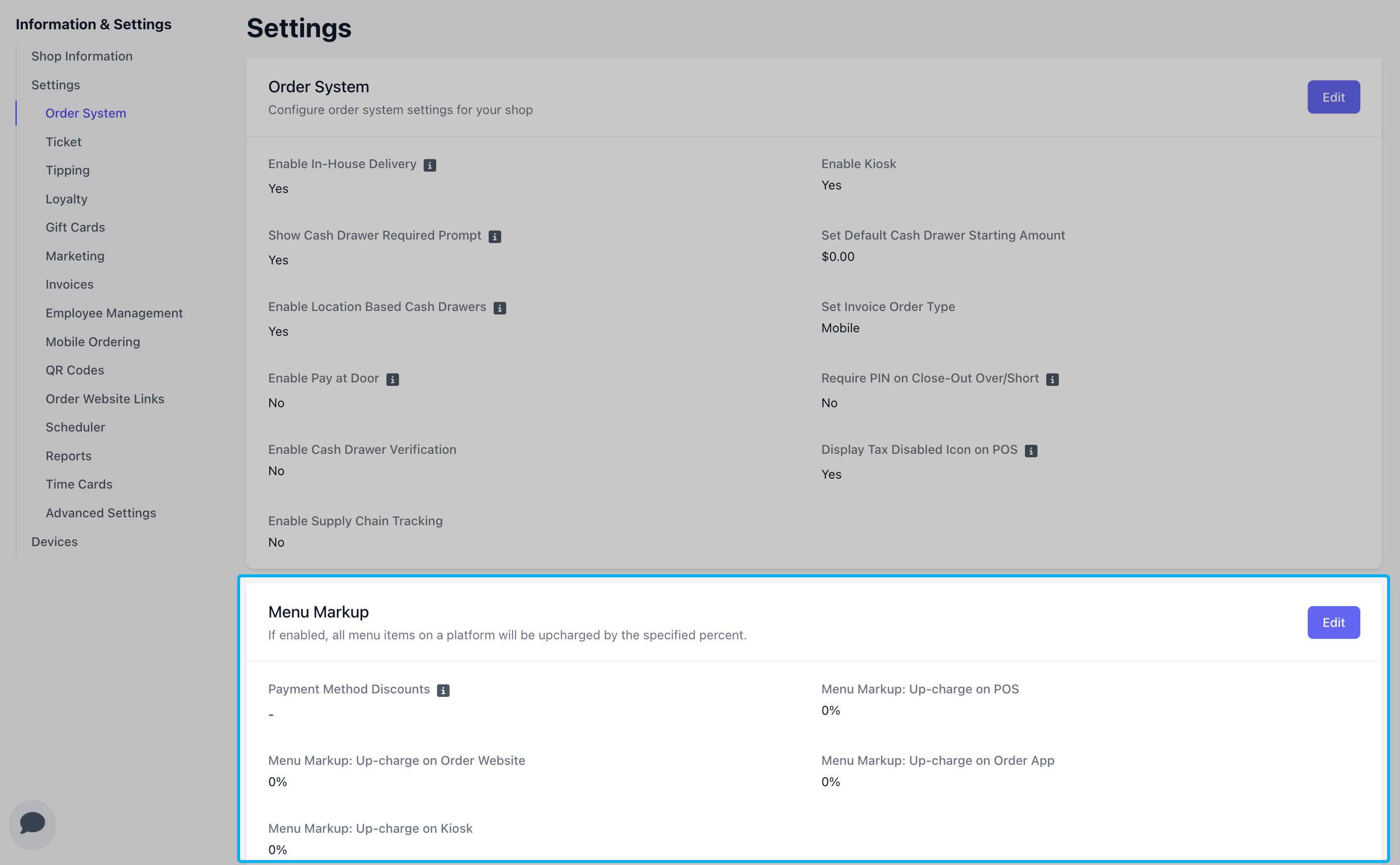
5
Select which Payment Methods are eligible for cash discounts and enter your menu markup percentage for each platform.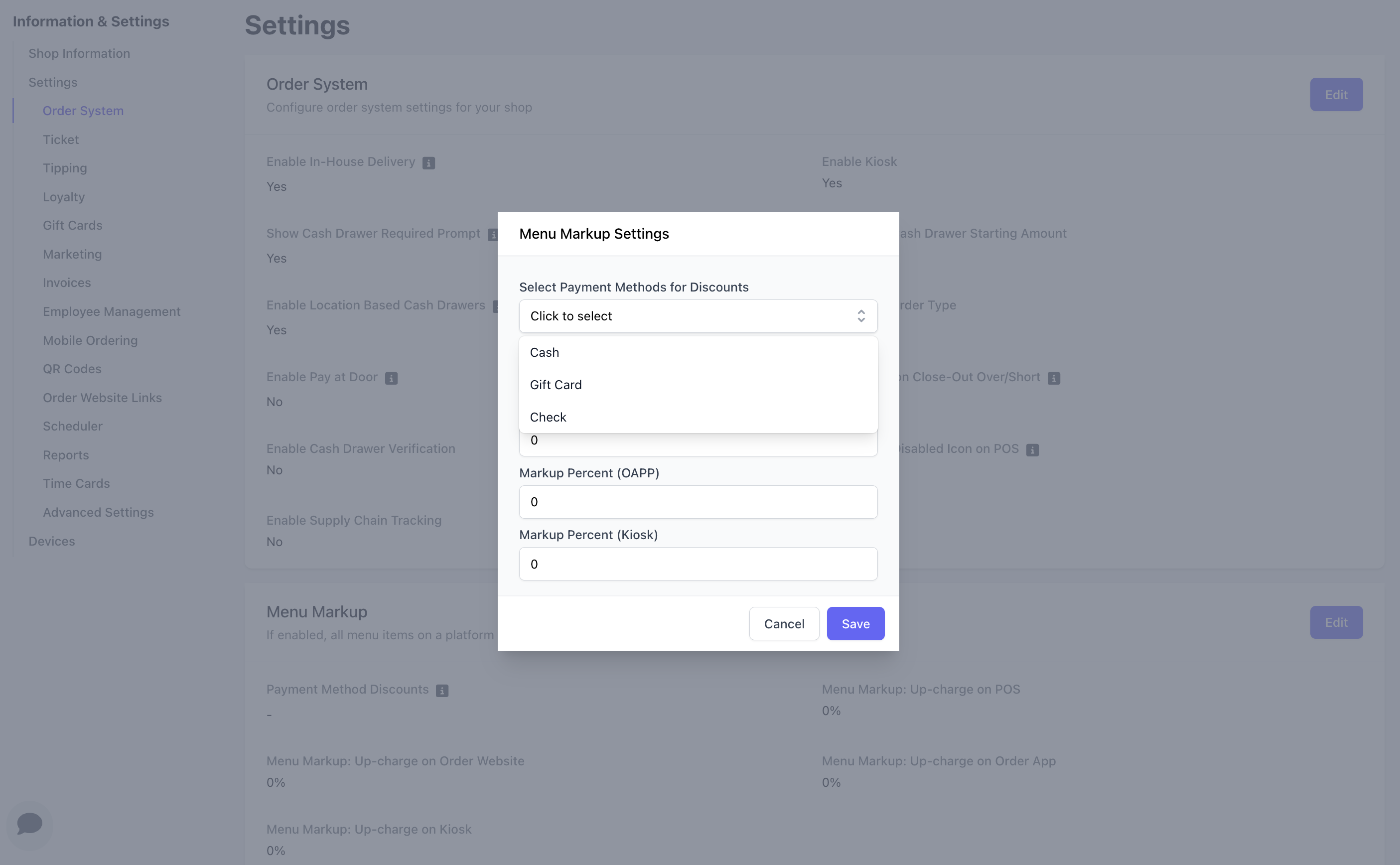
Your original menu prices will remain unchanged in the dashboard after you turn on menu markup settings. This markup will only appear on applicable platforms. In addition, your cash discount will deduct only by the marked up amount.
Menu Markup and Cash Discounts on the POS
A menu markup of 3% will result in a menu-wide increase of 3% on the applicable platforms. The checkout total will display the price with the markup.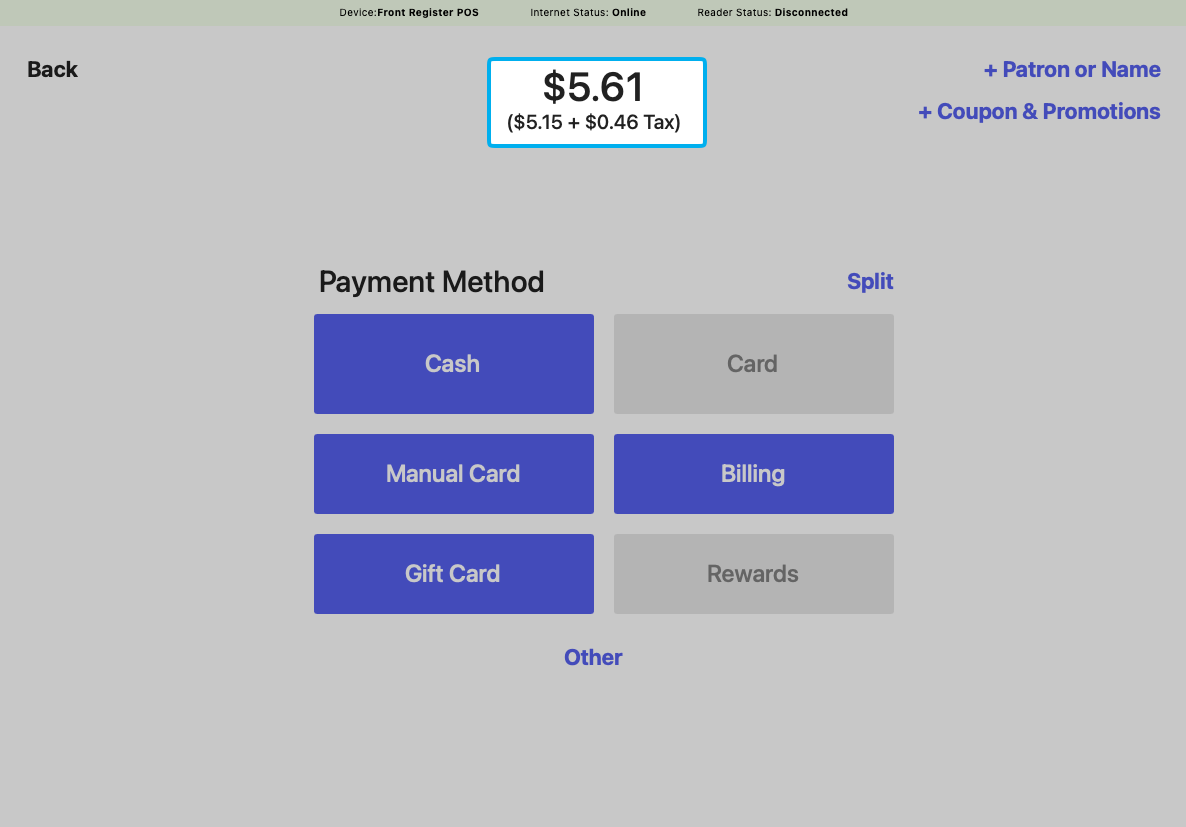
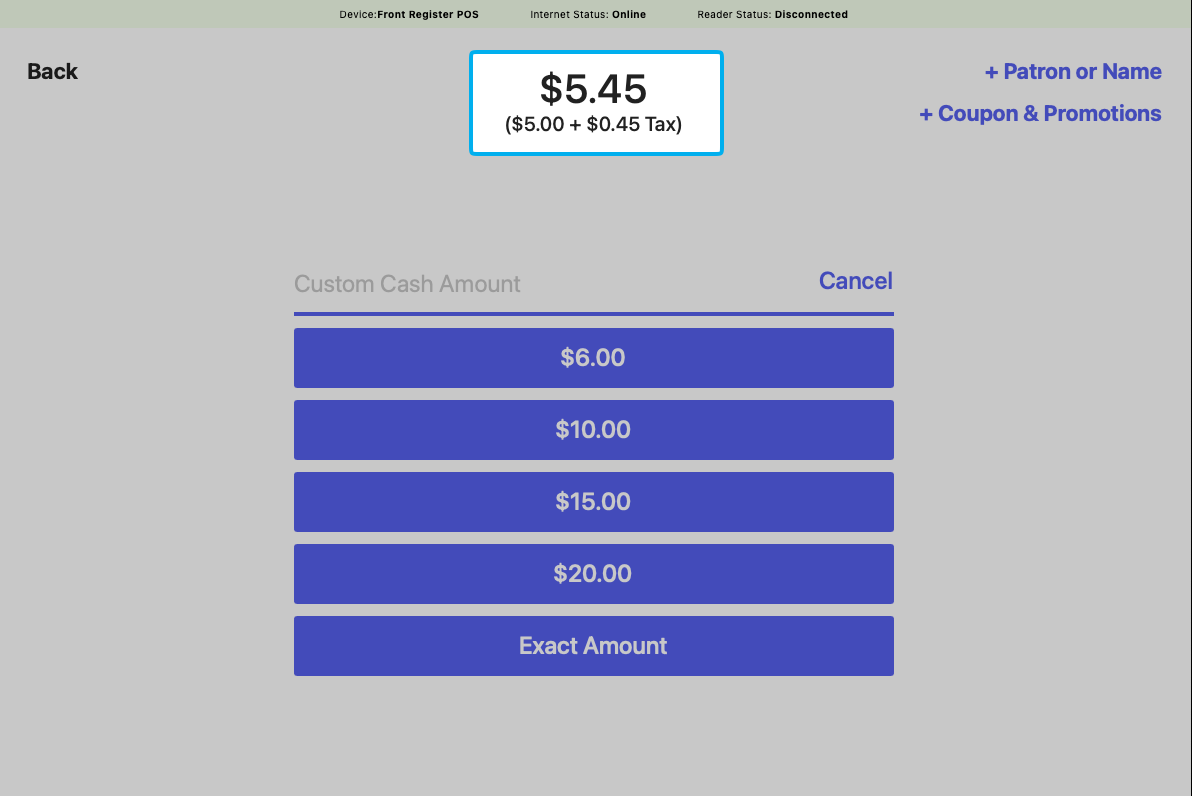
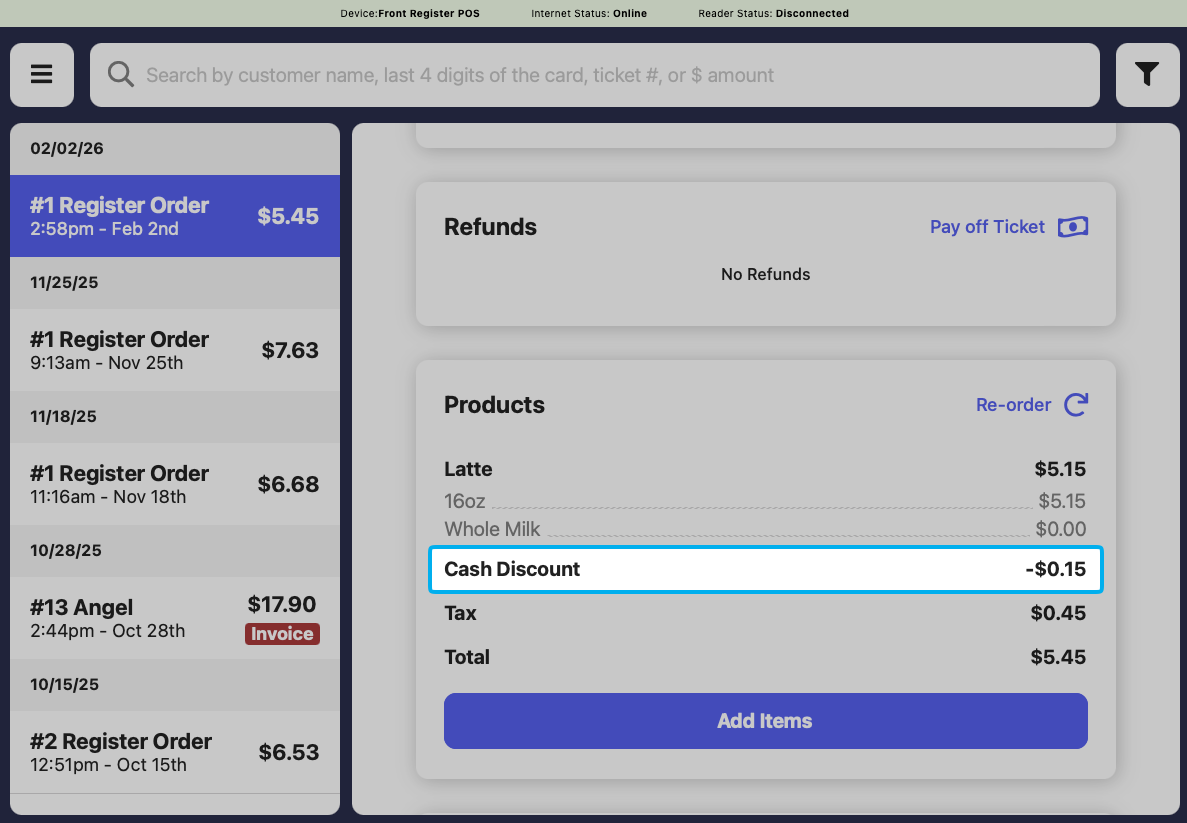
View Cash Discounts in Reports
To see cash discounts adjustments across transactions:1
Navigate to Reports.
2
Open the Discounts Report.
3
View the Cash Discounts line item in the Discounts Report.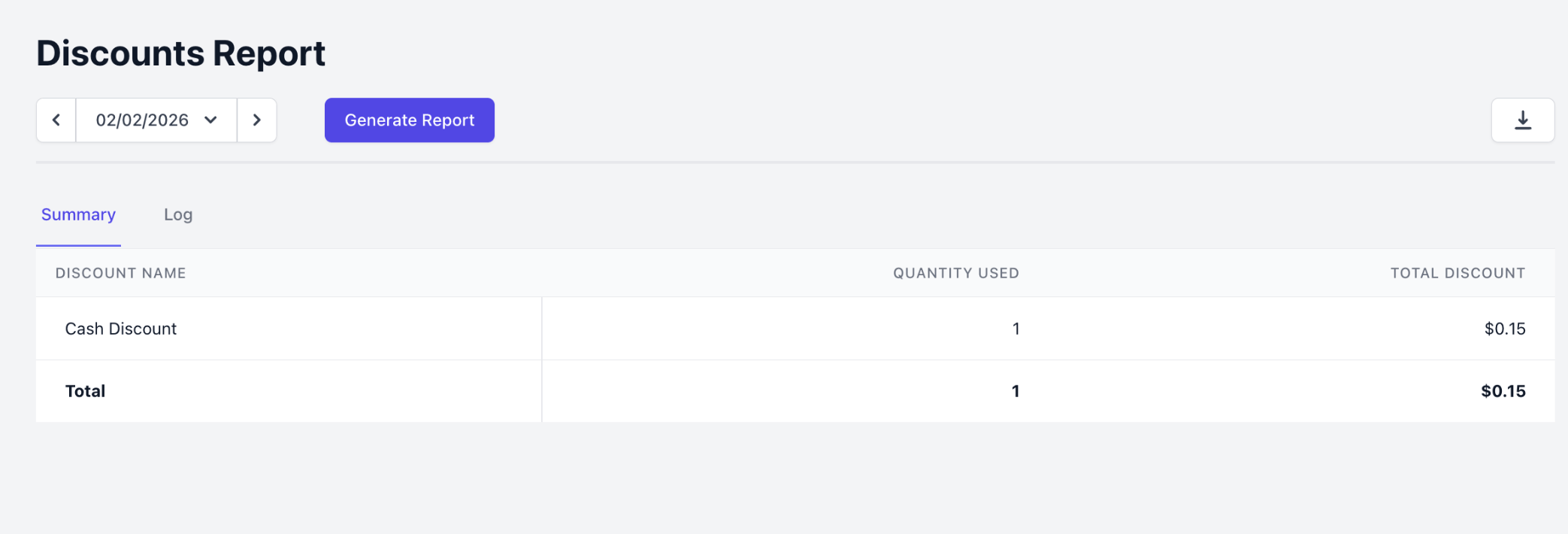
Staying Compliant with Card Network Rules
Menu markup and cash discounting are legal, but only when presented correctly. Card networks like Visa can flag a cash discount as a disguised surcharge if your menu, signage, checkout, and receipts do not line up. The practices below keep your setup compliant. This is not legal advice, so confirm the details for your area with your own advisor. The same $4.00 item, presented both ways:
The dollar amounts are identical. What matters is which price you advertise as standard.
Best practices:
- Advertise the marked-up price everywhere. Your menu, signage, and website should show the higher price as the regular price. The cash discount comes off that at checkout.
- Disclose before payment, not just on the receipt. Post clear notices at the entrance and register, and show the discount on the checkout screen before the customer pays. Receipt-only disclosure is not enough.
- Keep the markup reasonable. Align it with your actual cost of card acceptance rather than setting it higher.
- Keep every touchpoint consistent. Menu, signage, POS, and receipts should show the same prices and describe the program the same way.
This is provided to help you configure the feature responsibly and is not legal advice. Rules vary by state and change over time. For your specific situation, consult your legal or compliance advisor.