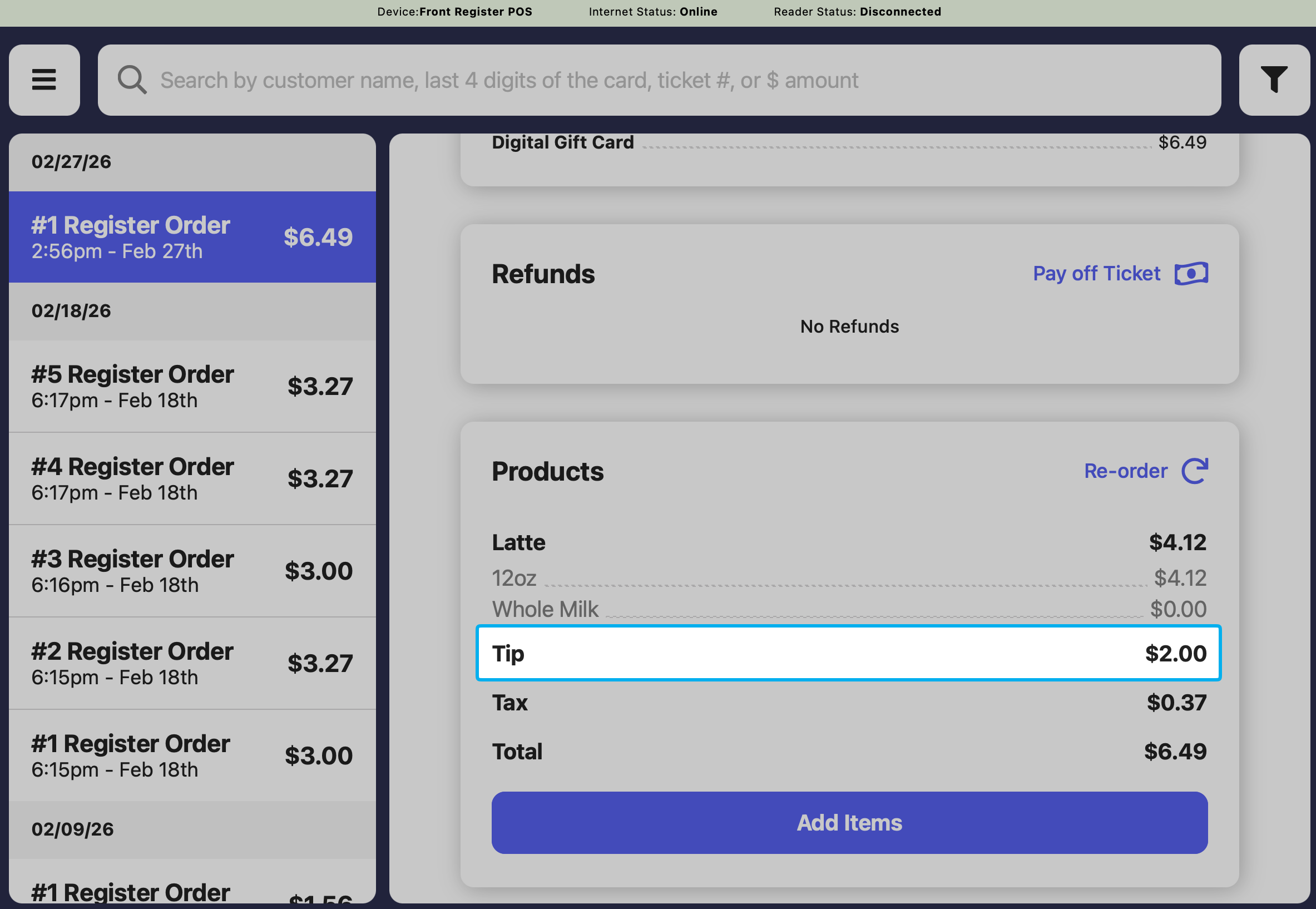
Set Up Delayed Tipping Ticket Type
Delayed Tipping ticket types can be used to capture tips added on paper receipts after payment. Shops can create multiple ticket types with Delayed Tipping to support For Here, To Go, Dine-In, and other workflows as needed.1
On the Dashboard, navigate to Orders > Checkout Flow > Ticket Types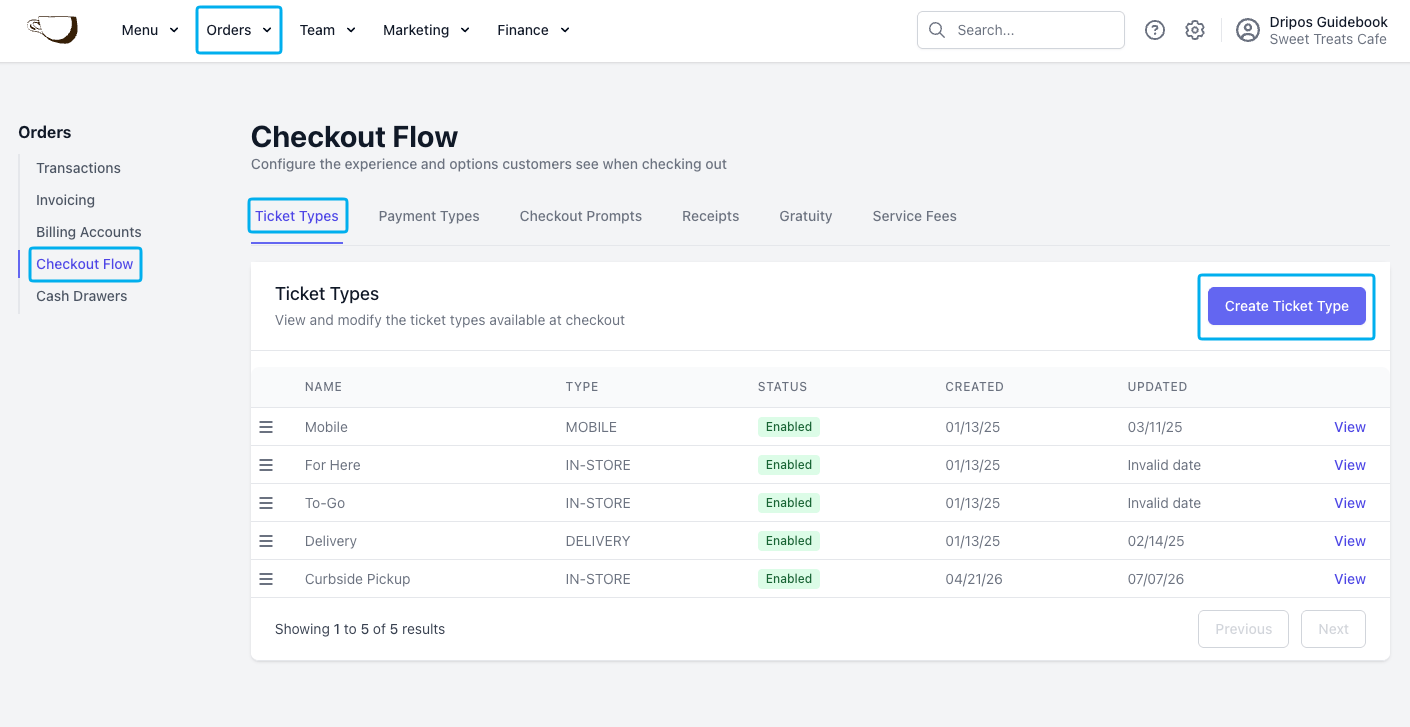
2
Click Create Ticket Type and select Delayed Tipping as the type. Adjust the settings as needed before clicking Add.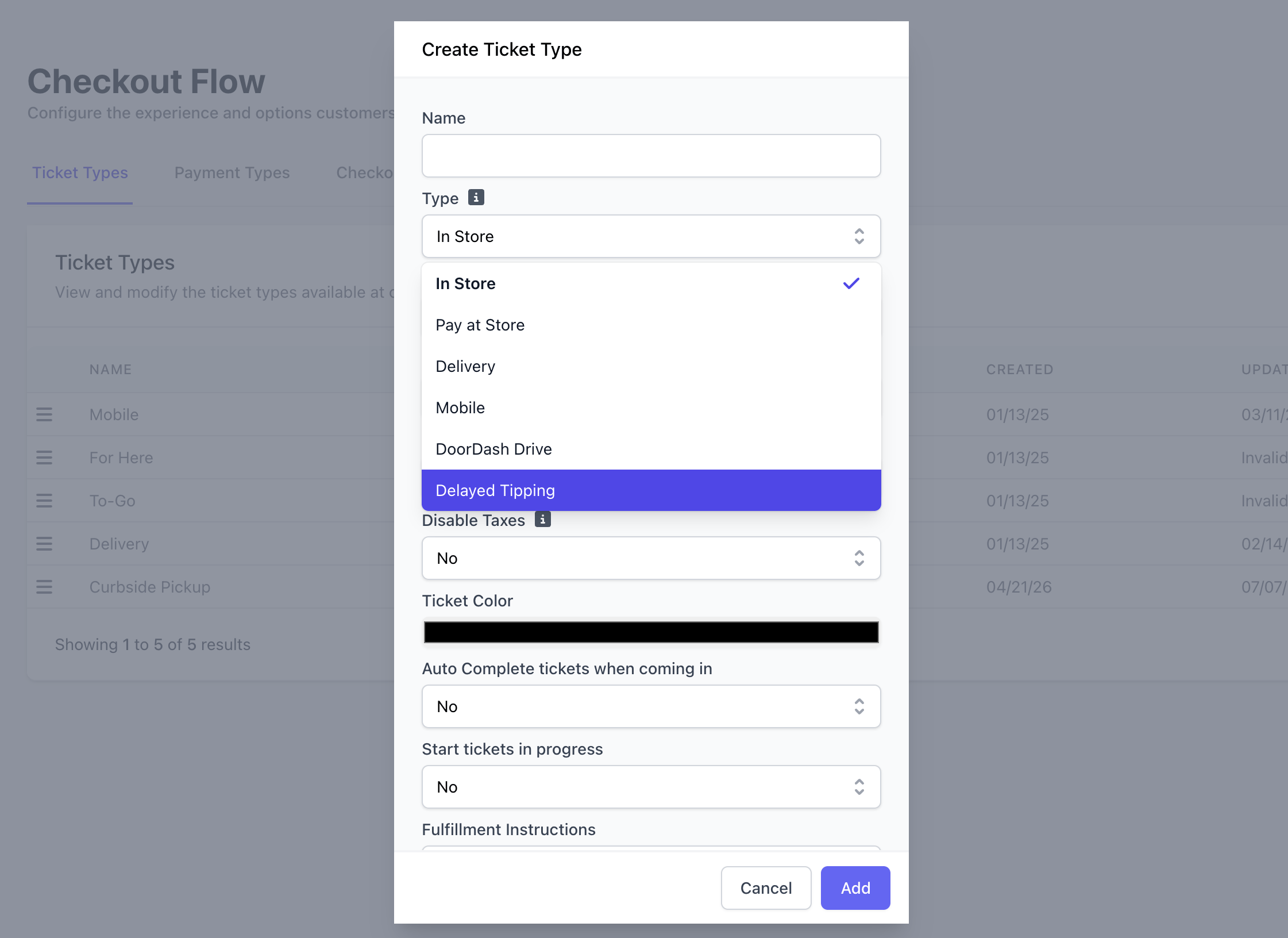
Create New Receipt Template
Create a new receipt template to use for delayed tipping tickets. This allows customers to write in their desired tip amount, total, and sign.Set Up Printer Filter
1
On the Point of Sale, navigate to Settings > Printers and select Add Printing Rule.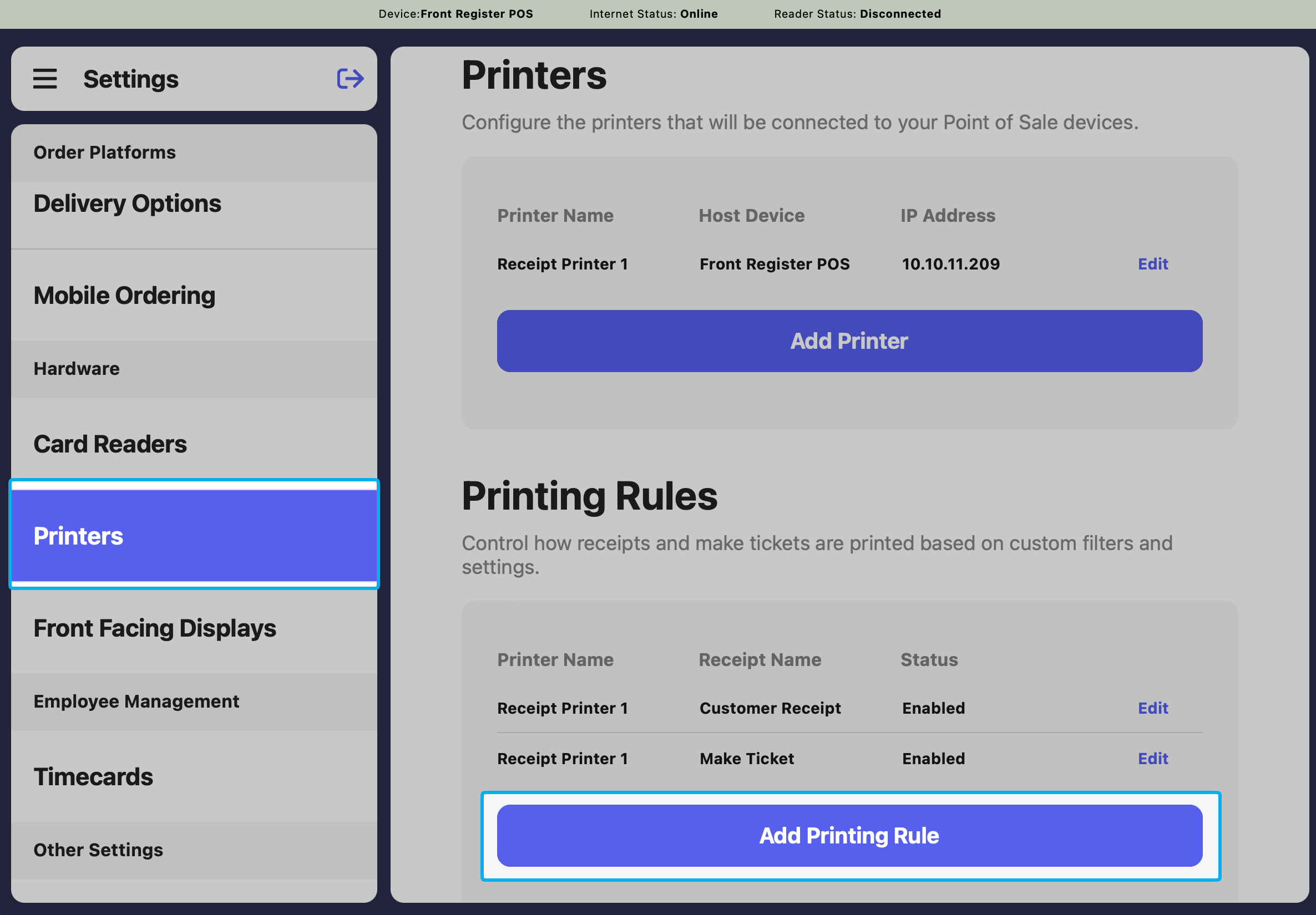
2
Choose the delayed tipping receipt as the receipt template and select which printer it should print from. Adjust the other settings as needed before clicking Edit Filters.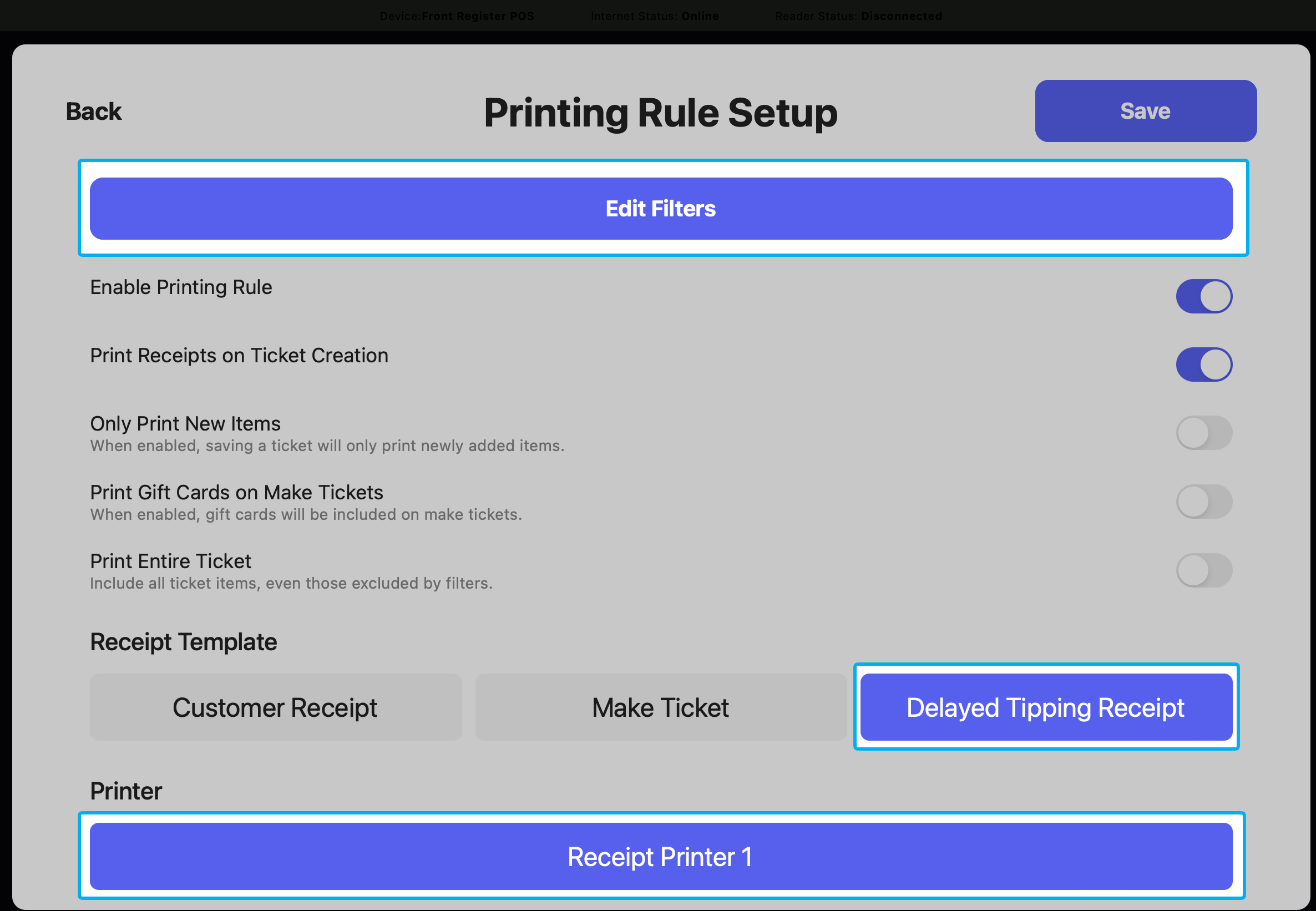
3
Select Edit Filters and add your delayed tipping ticket type to Filter By Ticket Type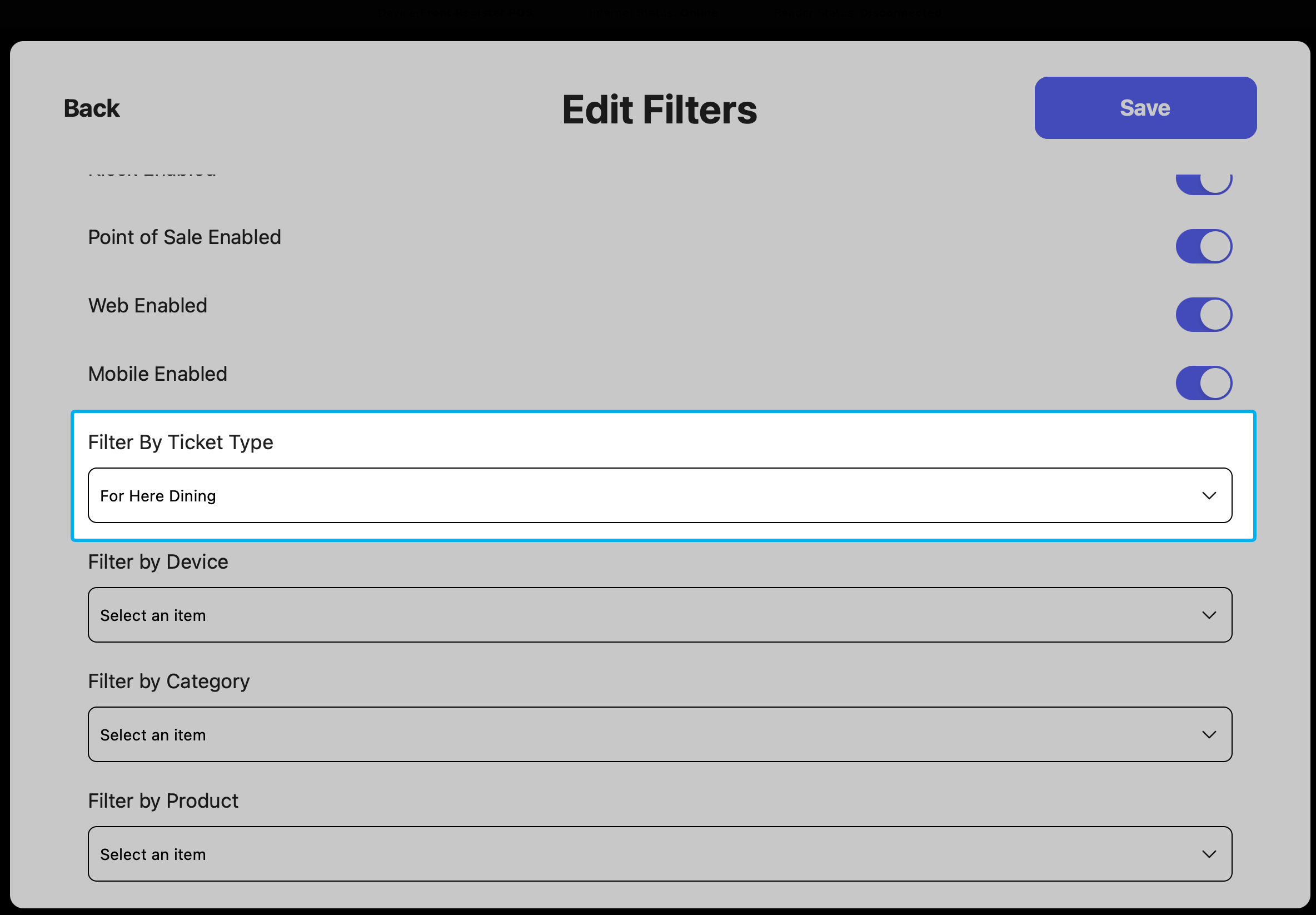
4
Save the filters and Save the printer rule.
Delayed Tipping on the POS
1
Charge a customer for their order and select the delayed tipping ticket type.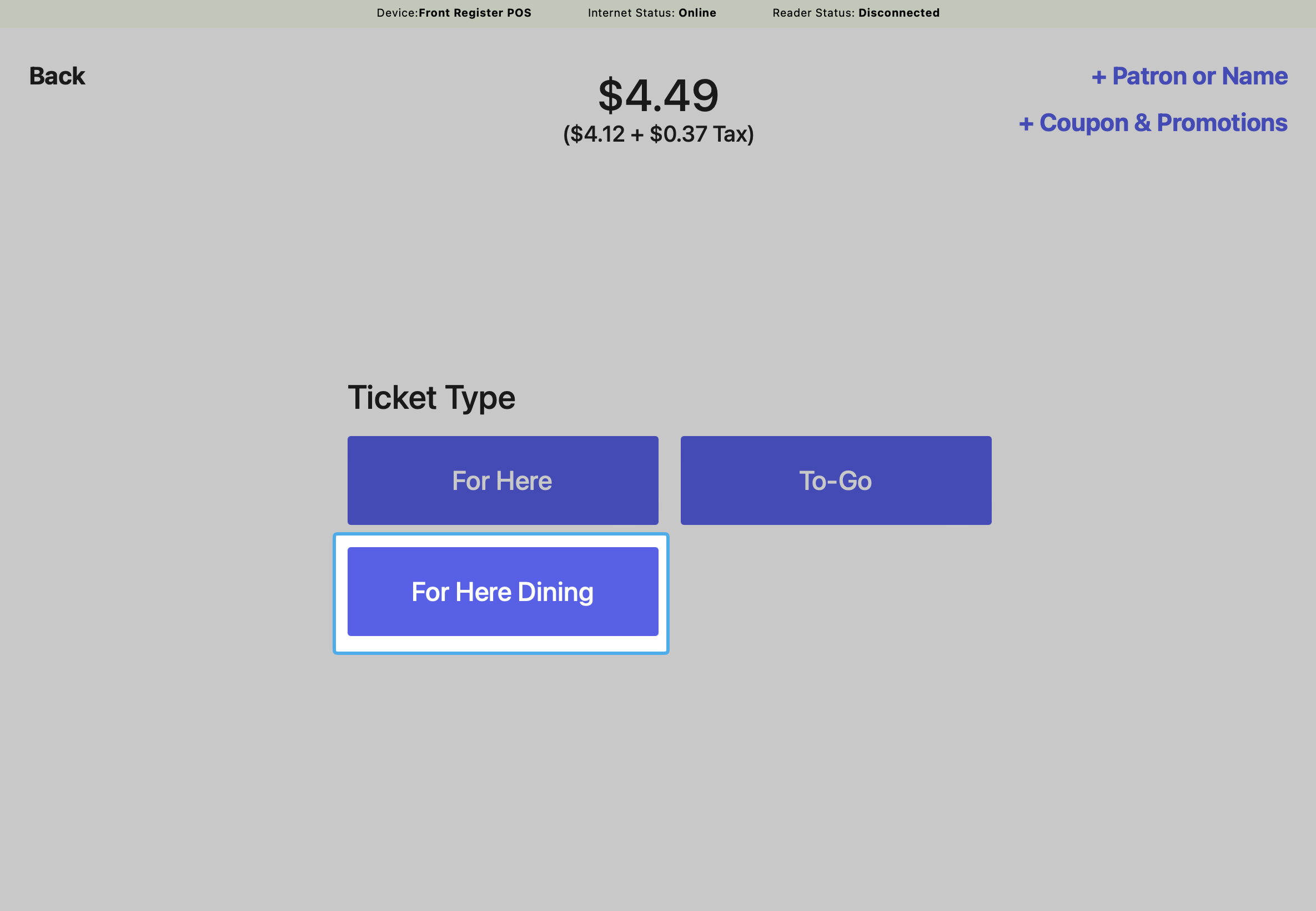
2
After the customer fills out the receipt fields, go to the Transactions tab on the POS to update the tip amount.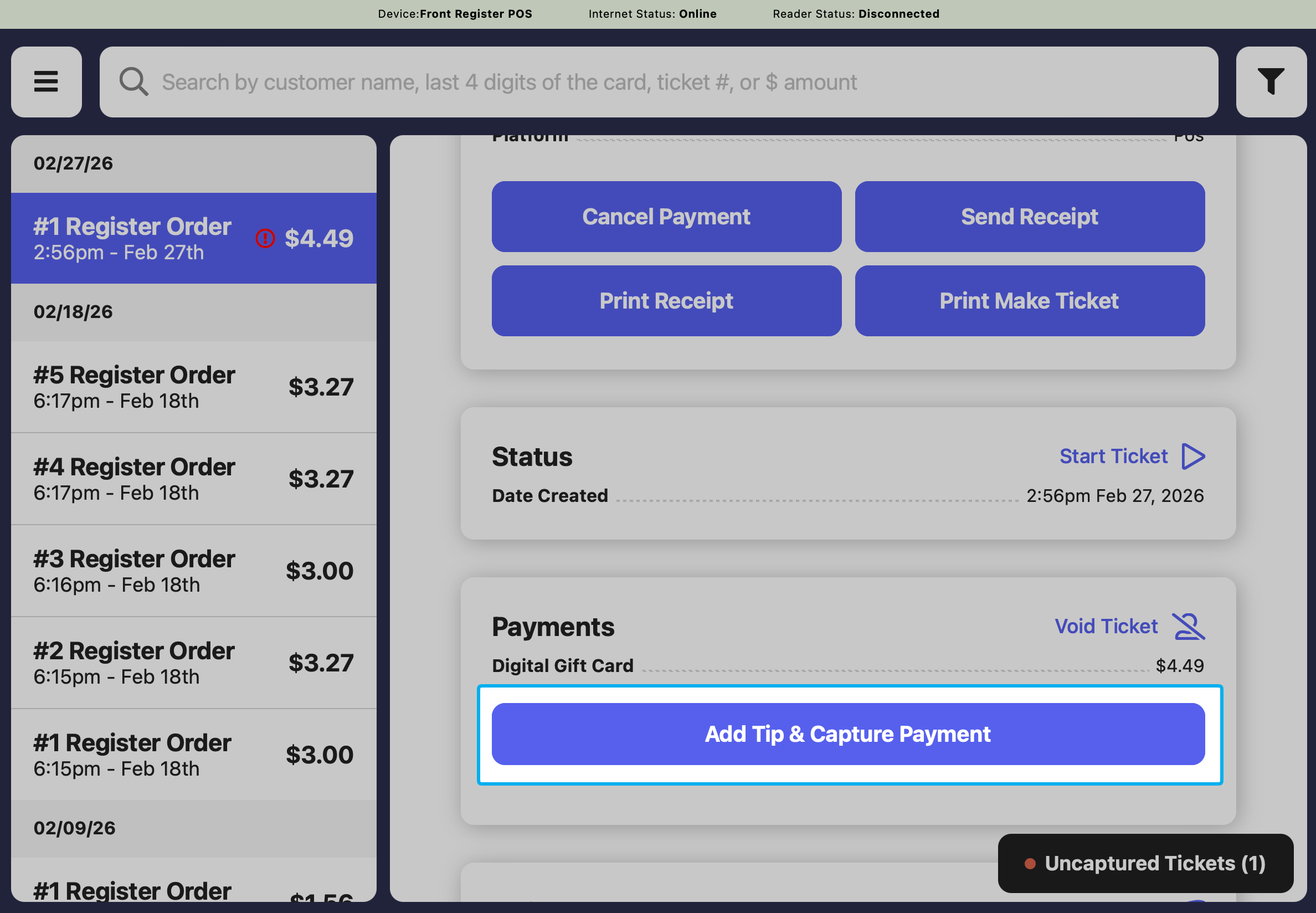
3
Click the Add Tip & Capture Payment button to enter the tip amount.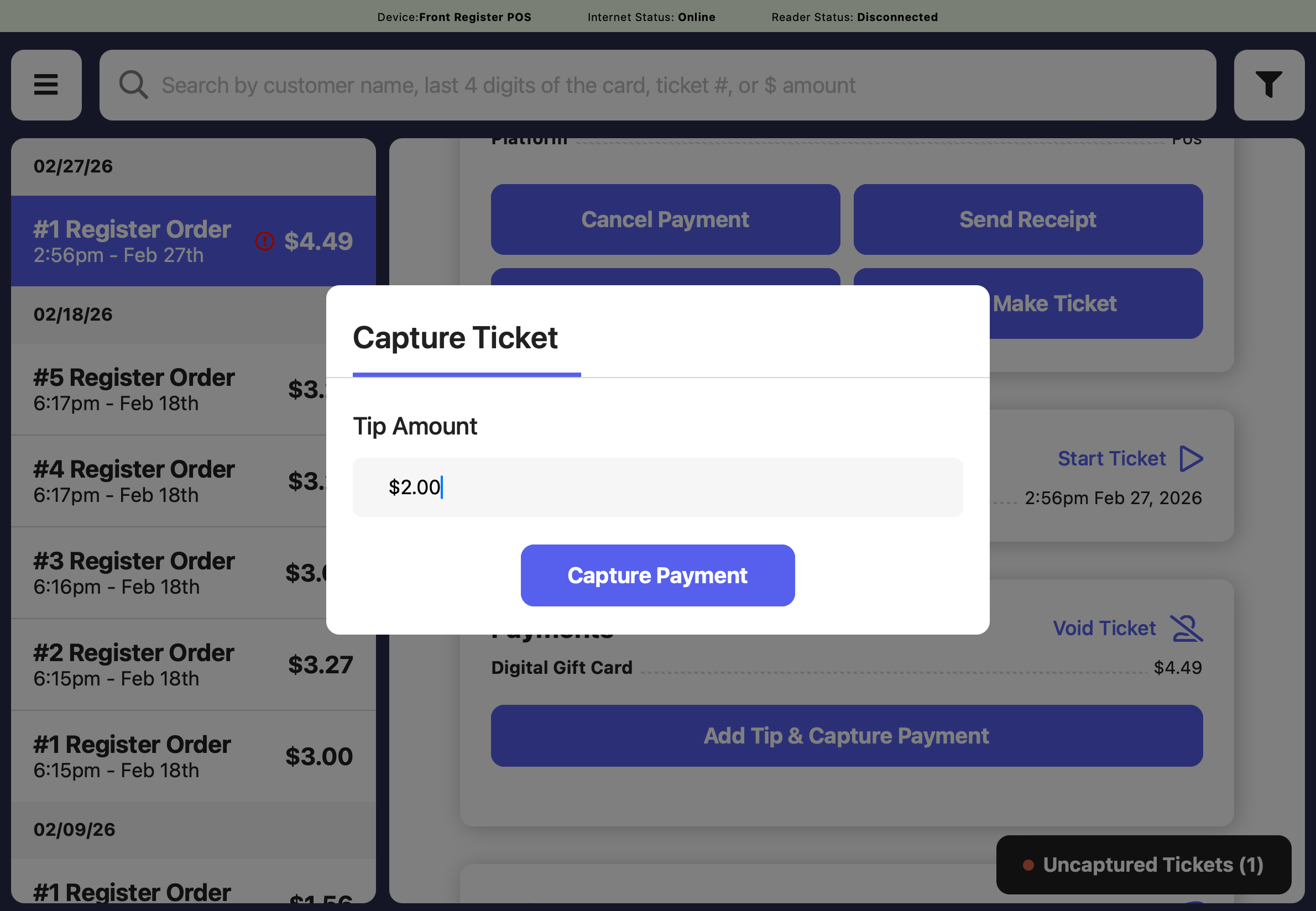
4
The transaction will reflect the new total, including the tip.